Getting started
The dashboards
The property at a glance when you sign in, and a dashboard as the first menu of every app: cards with today's numbers, charts for the month, lists of what needs a hand.
For:General managerEvery department
Where:Dashboard, and the first menu of each app
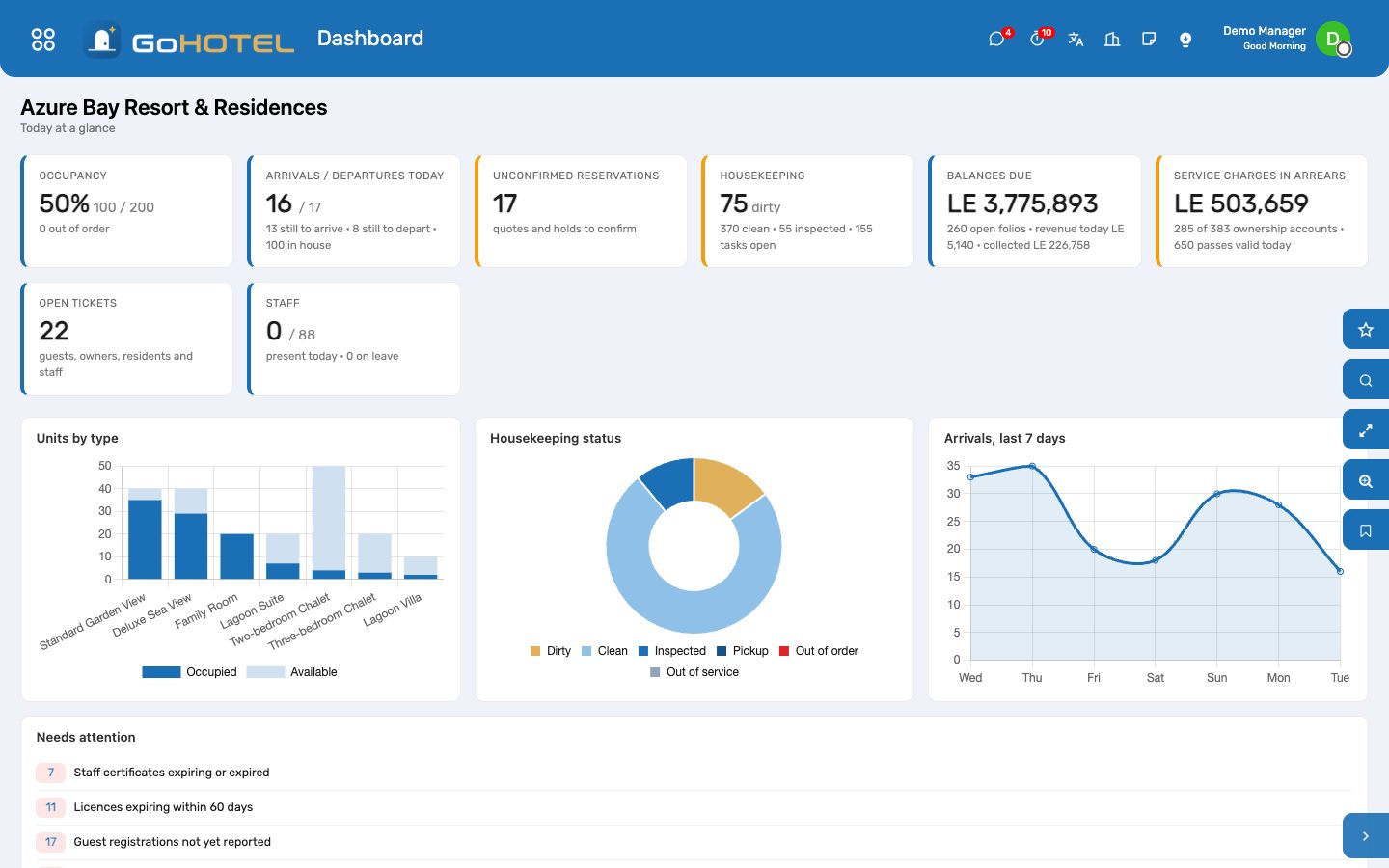
Every card is a click away from the list behind it.
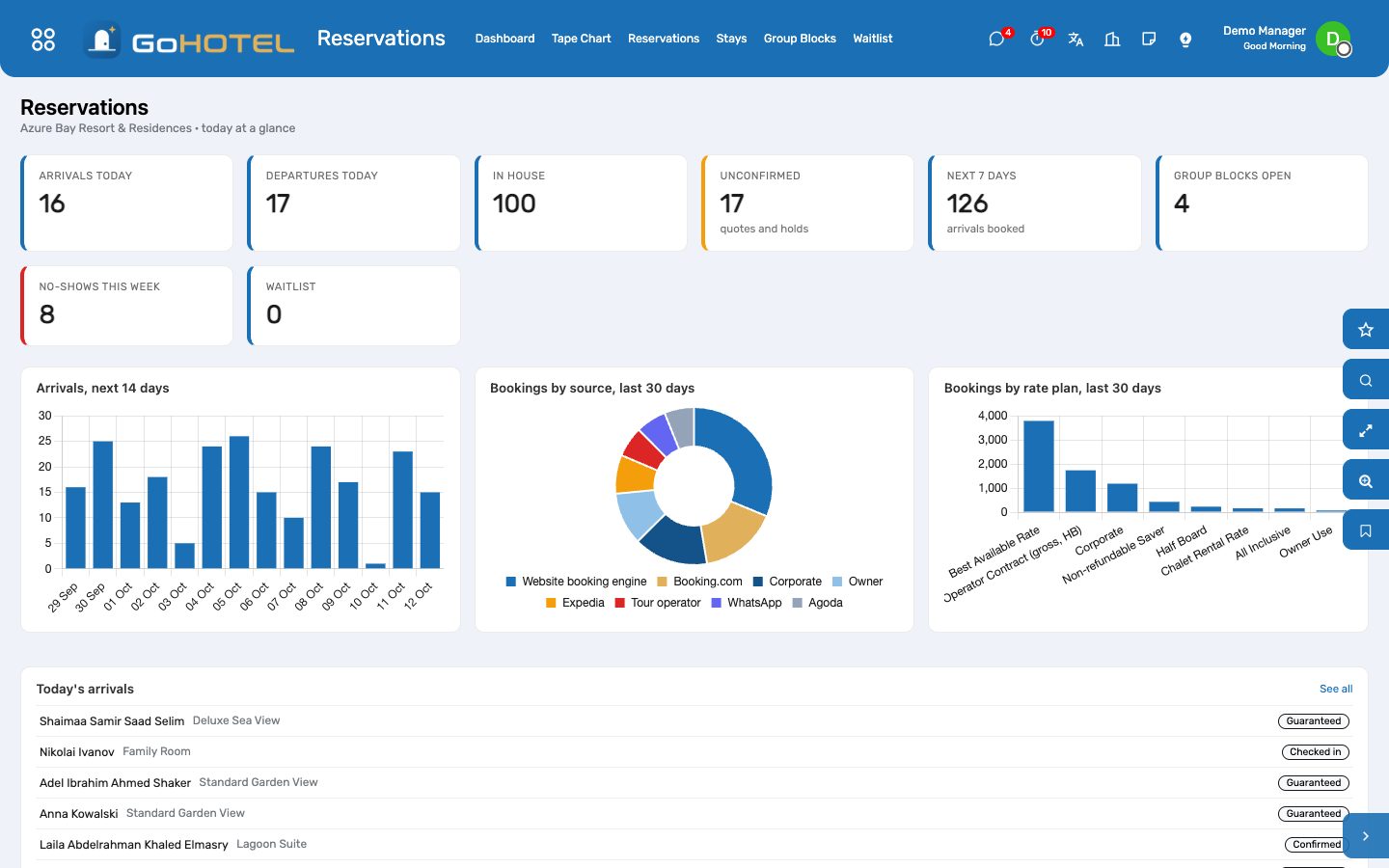
The Reservations dashboard: arrivals ahead, sources, rate plans, today's list.
How to
Read the property dashboard
- Occupancy shows sold units over the units available, with out-of-order units taken out.
- Arrivals and departures count today's stays with how many are still to arrive or depart.
- Housekeeping shows dirty, clean and inspected units.
- Balances due, service charges in arrears, open tickets and staff present complete the picture.
- Needs attention lists what is late: registrations not reported, expected arrivals not checked in, licences expiring.
Drill into a number
- Click any card.
- The list behind it opens with the same filter.
- Open a record, act, and use the breadcrumb to come back.
Questions the desk asks
A card is missing.
A card only appears when its pack is installed and you may read its records.
See also: Signing in and finding your way