Housekeeping
The morning sheet is built from what the front office knows — departures, stayovers, arrivals — one sheet per section, shared between its attendants. Finish a task and the unit turns clean; pass an inspection and it is ready to sell. Minibar postings go straight to the folio.
Where:Housekeeping › Unit Status · Housekeeping › Today's Tasks · Housekeeping › Task Sheets · Housekeeping › Inspections · Housekeeping › Minibar
Before you start
- Sections
- Housekeeping › Configuration › Sections: one per floor, wing or row of chalets — its supervisor, its attendants, its units (or whole floors). Tick "Skip inspection" for sections where a finished clean is enough.
- Checklists
- Housekeeping › Configuration › Checklists: what a clean unit looks like, per task type or unit kind; mark the items that fail the unit on their own as critical.
- Public areas
- Housekeeping › Configuration › Public Areas: lobby, pool deck, beach, corridors, with a frequency. Their rounds land on the board every morning.
- Minibar and par levels
- Housekeeping › Configuration › Minibar Items and Par Levels: the products, their par per unit and their minibar price.
How to
Build the morning sheet
- The sheets generate themselves at 05:00. To build them earlier, or again after a late change: Housekeeping › Task Sheets › Generate.
- One sheet per section: a departure clean for every unit leaving today (a turnover deep clean for chalets, villas and apartments), a stayover for every unit staying on, an arrival clean for every dirty unit with a guest due.
- Tasks are shared round-robin between the section's attendants; press Assign Attendants if you added people later.
- Print the sheet for attendants who work on paper.
Work the board
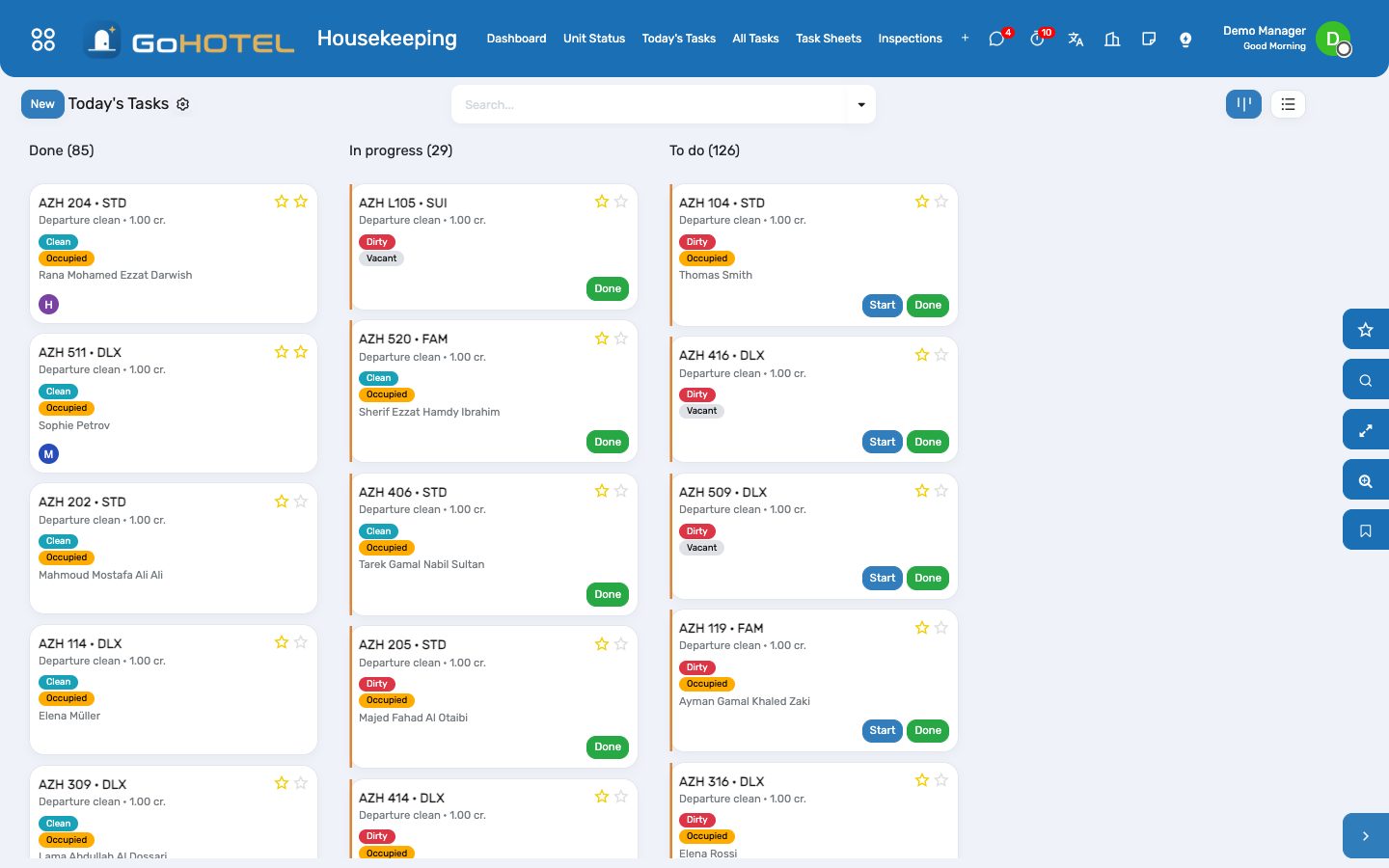
- Housekeeping › Today's Tasks shows one card per unit, grouped To do / In progress / Done, on any phone.
- Tap Start when you enter the unit and Done when you leave: the unit turns Clean (or Inspected in sections that skip inspection).
- A card with a bell is a guest request from the front desk — finishing it closes the request too.
- Skip a unit the guest refused (Do not disturb) and it stays on the sheet as skipped.
Report what you found
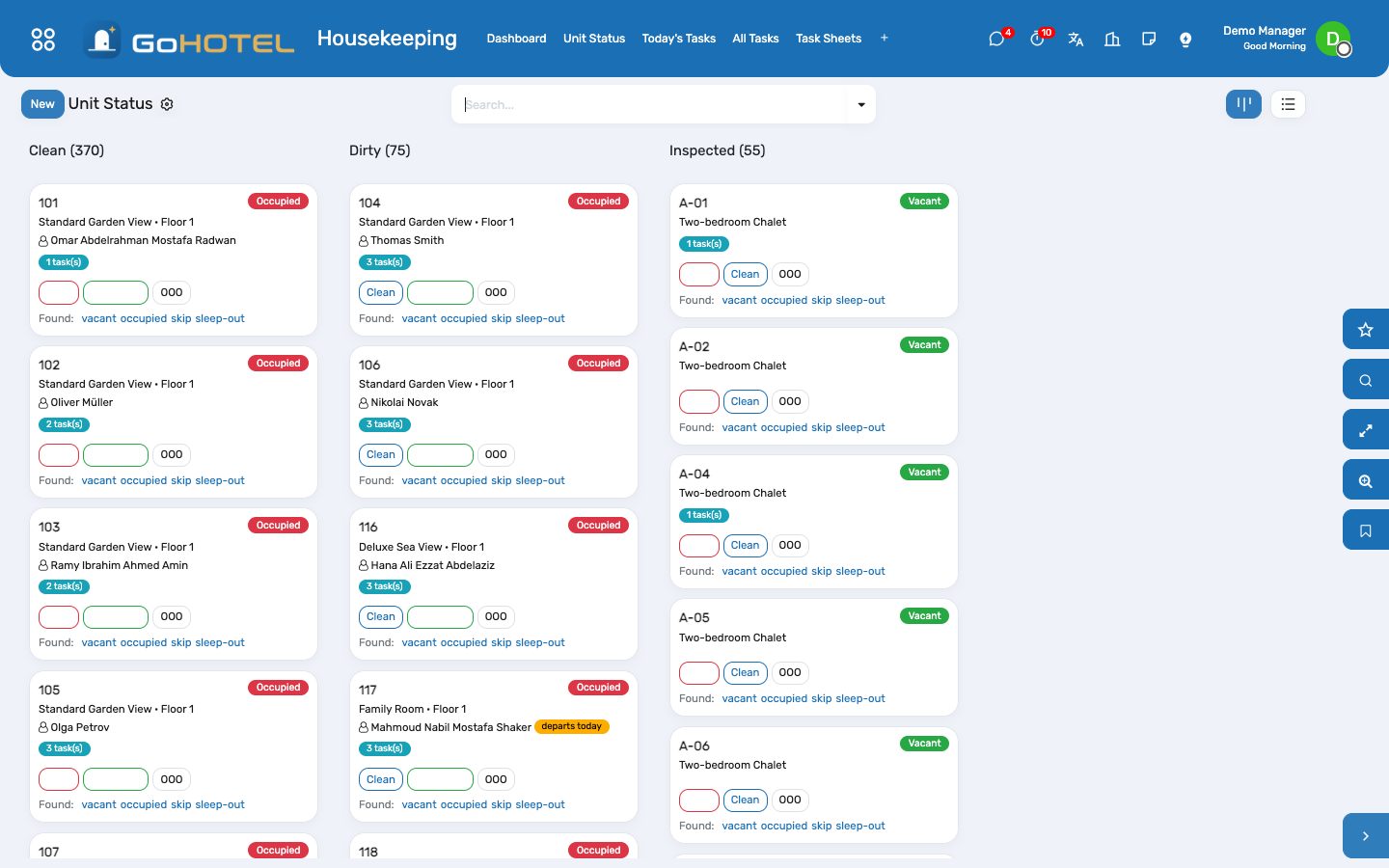
- On Housekeeping › Unit Status, every unit card has Found: vacant / occupied / skip / sleep-out.
- Tap what you saw. When it disagrees with the front office, the unit is flagged and listed under Discrepancy Report; the night audit raises the same exception.
- The front desk clears the flag once the stay record is corrected (Clear on the unit form).
Inspect a unit
- Open the finished task and press Inspect (or Housekeeping › Inspections › New).
- The checklist loads; untick what is wrong and add a note.
- Pass: the unit is Inspected and ready to sell. Fail: it goes back Dirty and a touch-up task listing the failed items goes to the attendant.
Post the minibar
- Housekeeping › Minibar › New: pick the unit; the in-house stay and its folio fill in.
- Load Minibar Items lists the par items at quantity 0; enter what was consumed.
- Post to Folio: the charges land on the guest's folio with the service charge and taxes; if a "Minibar" stock location exists, the items are consumed from it.
Replenish linen and amenities
- Housekeeping › Replenishment (or the HK Replenishment button on the property).
- Choose the section; the wizard multiplies each par level by the unit count and subtracts what the Housekeeping Store holds.
- Create Transfer drafts an internal transfer from the warehouse to the Housekeeping Store for the store keeper to validate.
Questions the desk asks
A unit checked out after the sheet was built — is it missed?
No. Every check-out creates today's departure (or turnover) task on the spot and puts it on the section's sheet.
Why does a chalet get a "turnover" instead of a "departure"?
Self-catering units — chalets, villas, apartments — take a deeper clean between guests; the task carries 1.5 credits instead of 1.0.
Who can post a minibar?
Housekeeping and the front desk. F&B can read the postings; only the folio can cancel an invoiced one, by credit note.
See also: Front desk: arrivals, in house, departures The dashboards