Maintenance and engineering
Work orders on units, spaces and plant; the unit taken out of order while the job runs; damage charged to the guest or billed back to the owner; contractor jobs with a vendor bill; equipment by unit; and the engineering log book with limits that turn a bad reading red.
Where:Maintenance › Maintenance Requests · Maintenance › Out of Order · Maintenance › Engineering Logs
Before you start
- Equipment categories
- Maintenance › Configuration › Equipment Categories — HVAC, Plumbing, Electrical, Pool & Water, Kitchen, Lifts, Generators and Furniture are there; add your own.
- Equipment
- Maintenance › Equipment — register the plant and the unit assets; set the property, the unit or the space and the asset kind.
- Log templates
- Maintenance › Configuration › Engineering Log Templates — check the limits (pool pH 7.2–7.8, cold room 1–5 °C…) and add what your technicians read on their rounds.
- Access
- Give the engineering team the Maintenance & Engineering access right; the front desk needs nothing more to raise requests.
How to
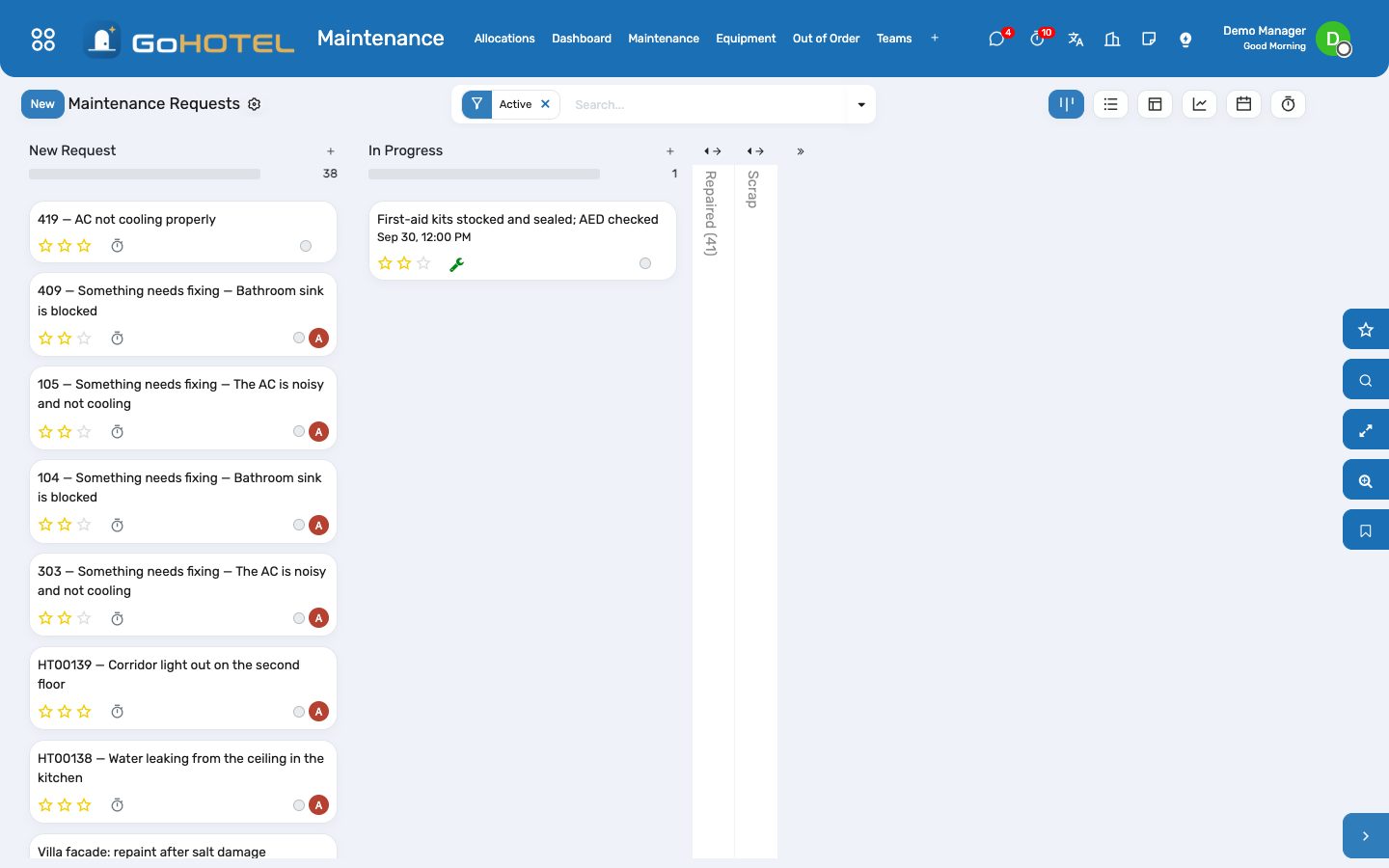
Raise a work order on a unit
- Maintenance › Maintenance Requests › New.
- Write the subject, pick the unit (the property fills in), the equipment if it is registered, and the priority.
- Tick "Takes the unit out of order" when the unit cannot be sold while the job runs: an out-of-order window opens at once and the tape chart stops offering the unit.
- Choose who pays — operator, guest, owner or community — and add the parts, labour and contractor costs as they are known.
- Move the card to Repaired when the job is done: the unit returns to housekeeping as dirty, and the guest request that raised it is closed.
Charge a repair to the guest
- On the request set "Chargeable to" to Guest; the in-house stay of the unit fills in.
- Enter the parts and labour cost — the total is what is charged.
- Move the request to Repaired: a "Damage / repair charge" for the total lands on the stay's folio, once, and the request shows it as a smart button.
Bill a repair back to the owner
- Set "Chargeable to" to Owner; the owner approval turns Pending.
- Owner Relations approves or rejects it with the two buttons at the top of the request.
- Complete the job as usual; the owner statement picks up approved, completed owner-chargeable requests with their total cost.
Put a unit out of order without a work order
- Maintenance › Out of Order › New.
- Pick the unit, out of order or out of service, the dates and the reason.
- A window starting today activates at once; a future one is activated by the daily job on its first day and closed the day after its last.
- Back in Order returns the unit to housekeeping as dirty; the lost room-nights stay on the record.
Send a contractor and bill the job
- On the request name the contractor and enter the contractor cost.
- Create Vendor Bill makes a draft bill to the contractor for that amount; accounting posts it when the invoice arrives.
- The Contractor jobs filter lists every request with a contractor.
Log the engineering round
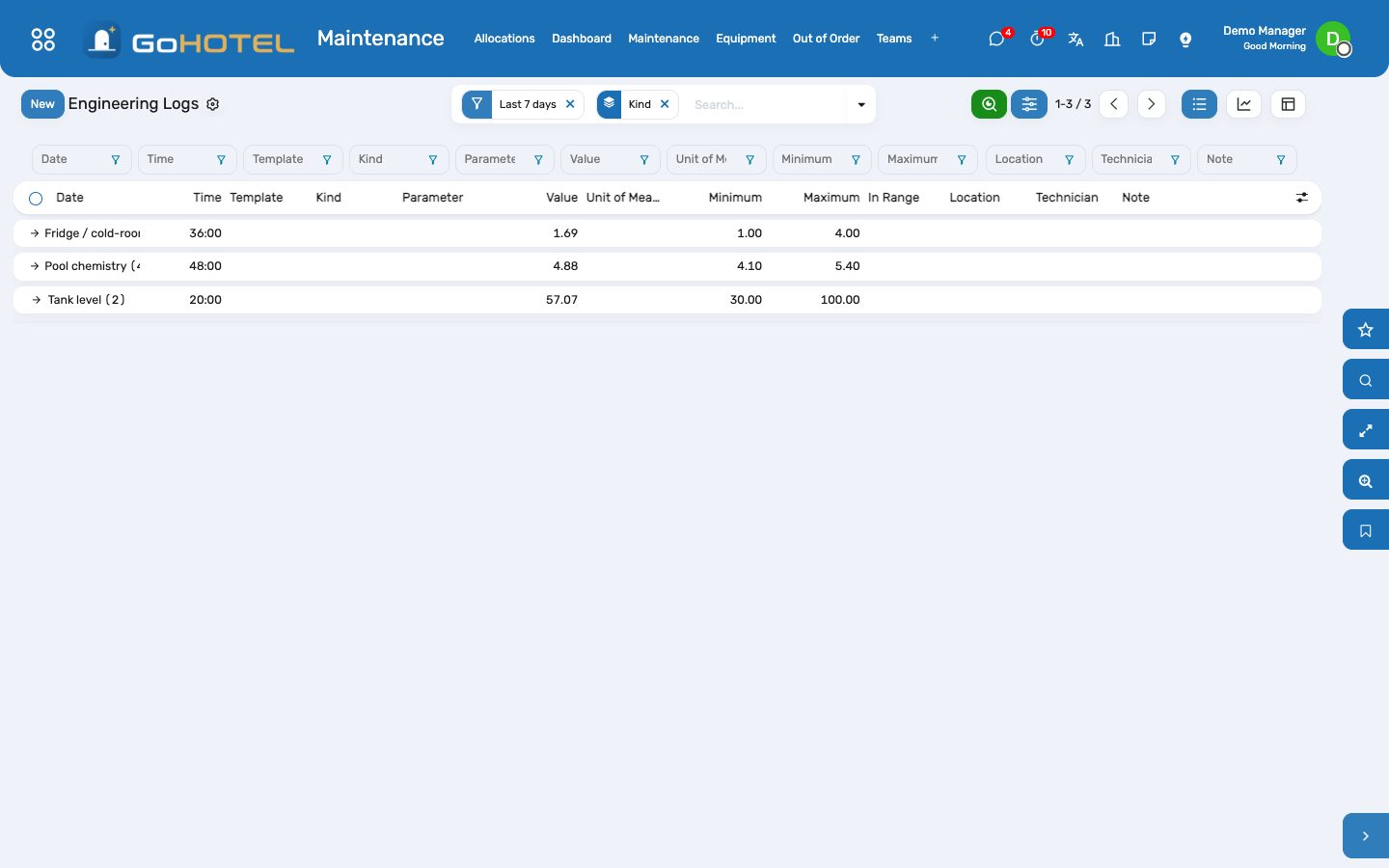
- Maintenance › Engineering Logs — the list is editable at the bottom.
- Pick the template (pool pH, free chlorine, cold room, diesel tank…): the kind, parameter, unit of measure and limits fill in.
- Type the value and, if useful, the location, the equipment and a note.
- A reading outside its limits turns red; "Raise a work order" makes a corrective request for it in one click.
- The graph shows each parameter over the days; group by kind or parameter for the weekly review.
Questions the desk asks
The unit is occupied and the AC has failed — can I put it out of order?
Yes. The window opens and the front desk sees the unit is out; move the guest with Move Unit on the stay. The stay itself is not touched.
Why did the unit come back as dirty and not clean?
Every unit that returns from a job needs a housekeeping pass before it is sold again; housekeeping cleans and inspects it as usual.
Two requests block the same unit — what happens when one is repaired?
They share one window. It closes only when the last open request that blocks the unit is done or cancelled.
What counts as a lost room-night?
Every night of the window, first and last day included; when a window is closed early the end date moves to the day it was closed.
See also: Housekeeping Front desk: arrivals, in house, departures The dashboards