Transport & transfers
An arrival pickup, a departure drop-off or a private ride belongs to the stay: created from the reservation with the flight, dispatched to a driver, worked from the driver's phone, and charged to the folio when the ride is done — fees and VAT from the property's rules, nothing typed twice. Shuttles run on a timetable with seats guests book at the desk.
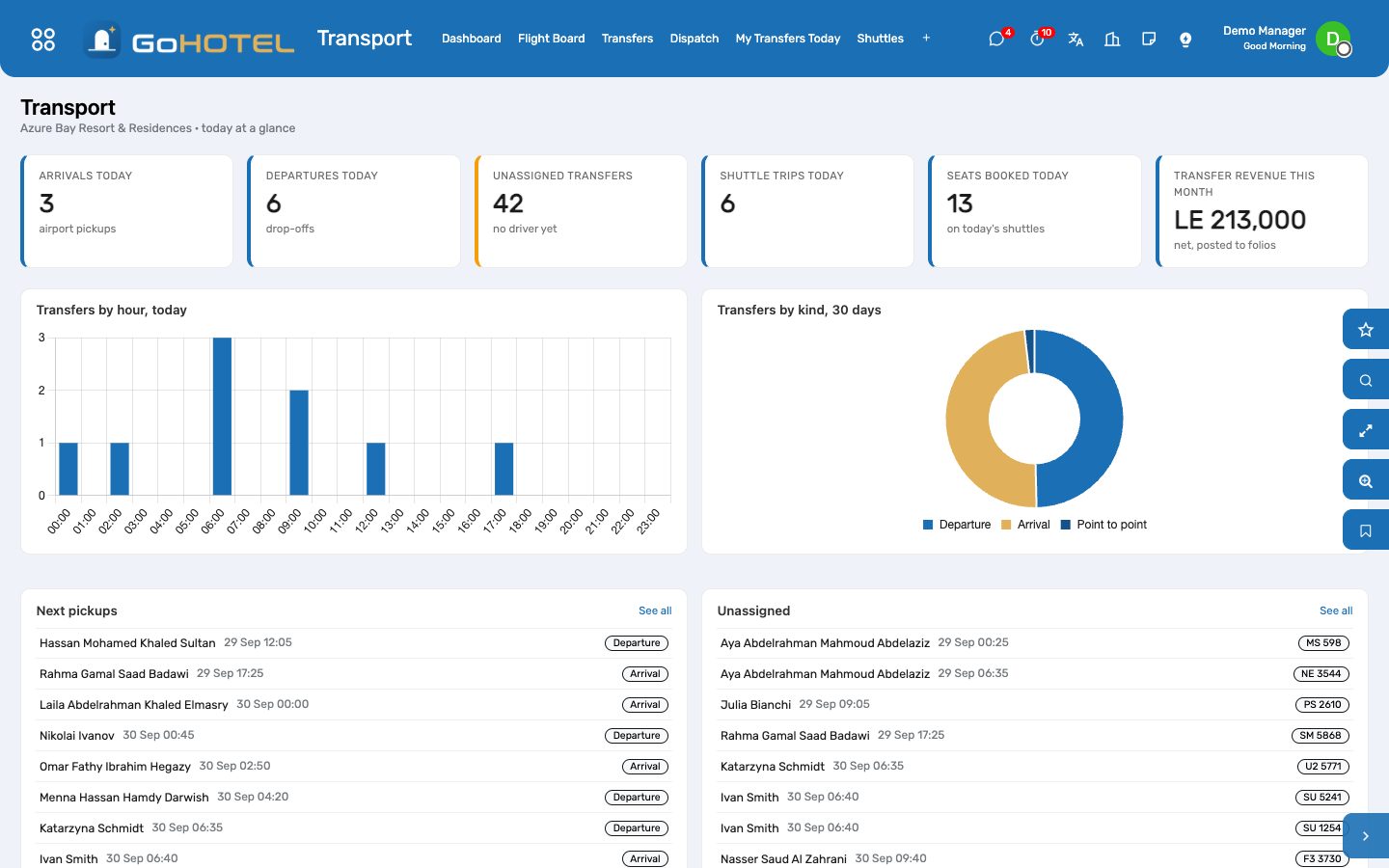
Where:Transport › Dashboard · Flight Board · Transfers · Dispatch · My Transfers Today · Shuttles · Vehicles & Drivers · Configuration
Before you start
- Places
- Transport › Configuration › Places: the airport (tick Default Airport), the port, the landmarks guests ask for. A new arrival or departure picks the default airport by itself.
- Transfer services
- Transport › Configuration › Transfer Services: the rides you sell — sedan, minibus, point to point — with their price and VAT. A transfer's price defaults from the service chosen.
- Vehicles
- Transport › Vehicles & Drivers › Vehicles: the fleet's cars with their property and kind (sedan, minibus, coach); seats limit what a ride can carry.
- Drivers
- Employees › open the person › Work tab › Transport: tick Driver. A driver with a login sees My Transfers Today; the desk drags rides onto them on Dispatch.
How to
Create the transfers of a booking
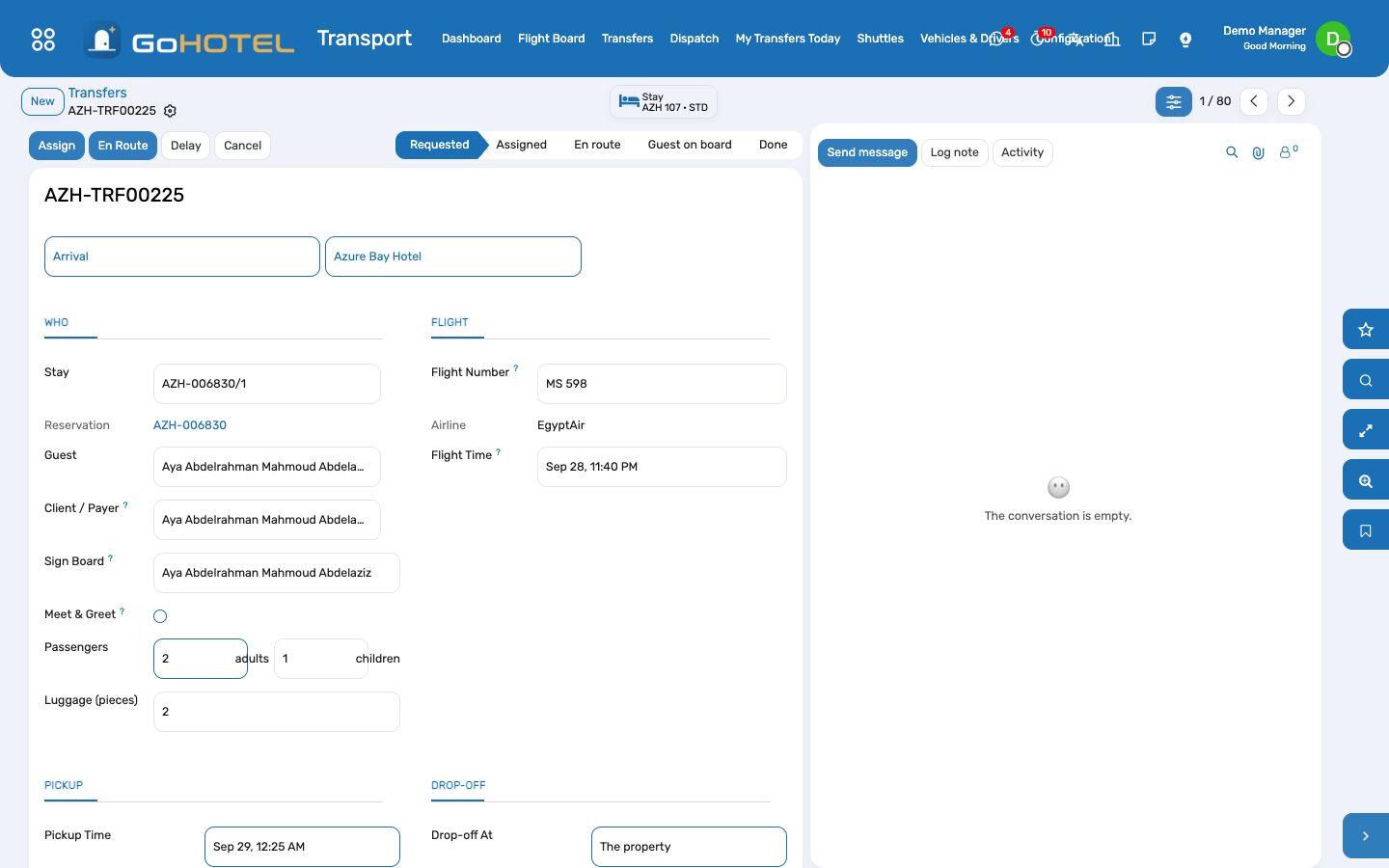
- Open the reservation and press Create Transfers: the arrival and departure flights, the service, meet & greet and the sign board; every stay of the booking gets its two rides.
- The pickup time is suggested from the flight — 45 minutes after landing, three hours before take-off — or from the stay's ETA / ETD when no flight is known. Change it freely.
- The Transfers smart button on the reservation lists what was created; a stay that already has a ride of that kind is skipped.
Work the flight board
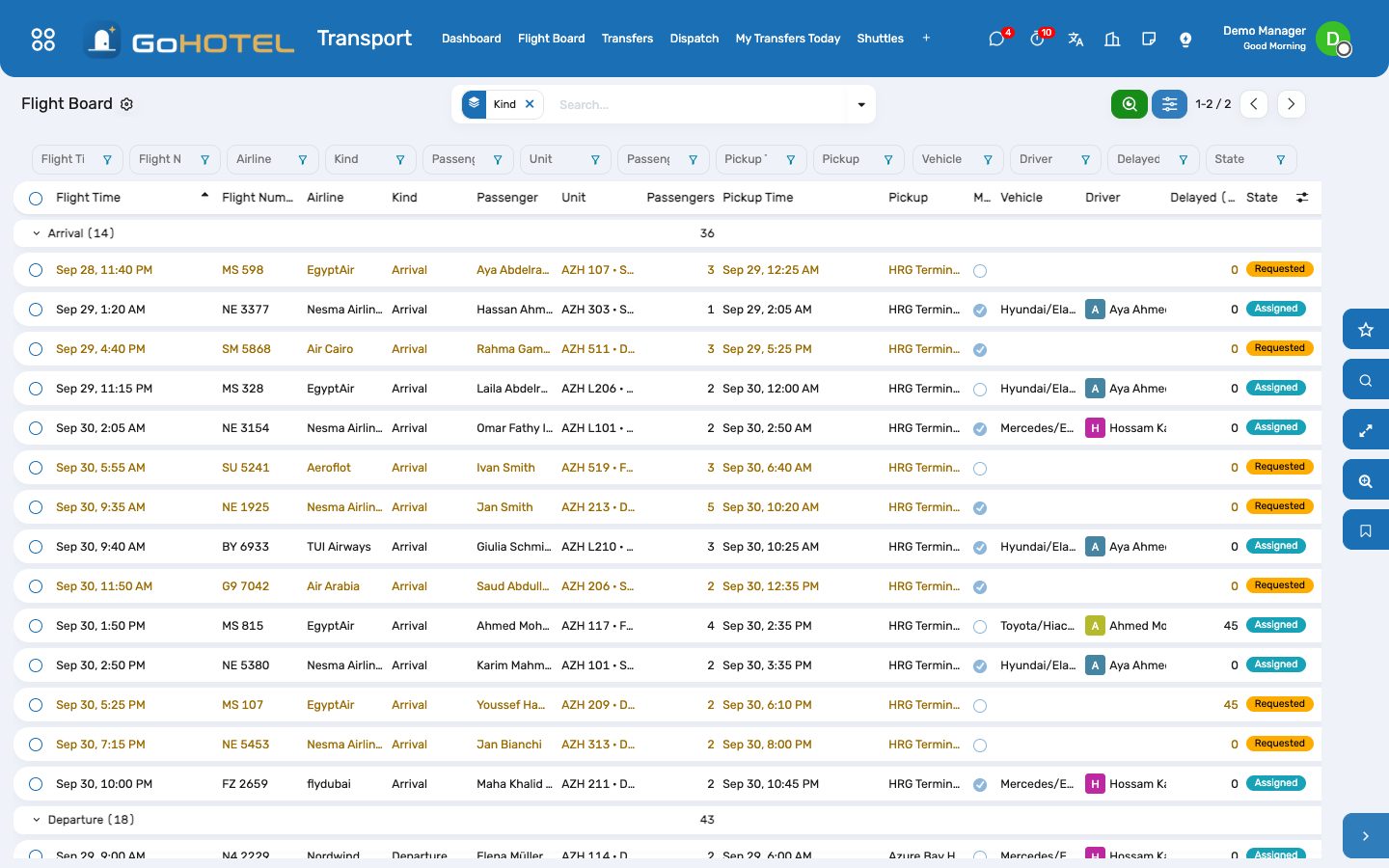
- Transport › Flight Board shows today's and tomorrow's rides by flight time, arrivals and departures apart, with the passenger, the unit, the pickup and the driver.
- A flight is late: press Delay on the row, type the minutes — pickup and flight move together and the driver's card shows +30 min.
- Assign from the board: pick the driver and the vehicle on the form, or drag the card on Dispatch.
Dispatch the day
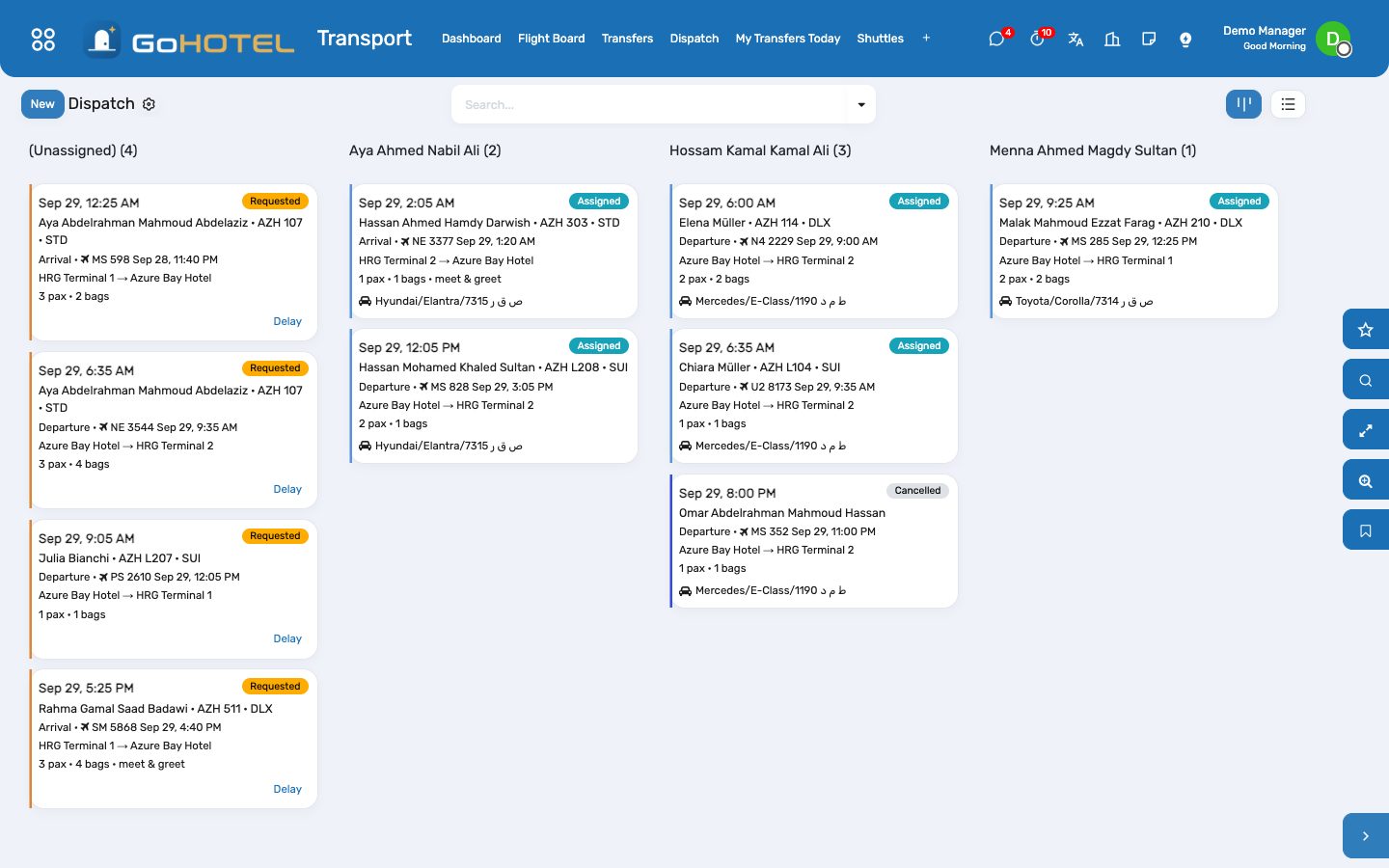
- Transport › Dispatch groups today's rides by driver; the leftmost column is what still has no car.
- Drag a card onto a driver: the ride becomes Assigned. A driver's usual vehicle is proposed when the ride is opened.
- A vehicle refuses more passengers than its seats; a coach ride is the group's, a sedan the couple's.
Drive: the phone board
- Transport › My Transfers Today, on the phone: the rides in pickup order with the flight, the terminal, the passengers and the sign board name.
- En route when you leave the property, Picked up when the guest is on board, Done at the drop-off; No show when nobody came — each step is timestamped.
- Done charges the ride to the guest's folio through the property's charge engine: service charge and VAT follow the fee rules, nothing to compute.
Run the shuttles
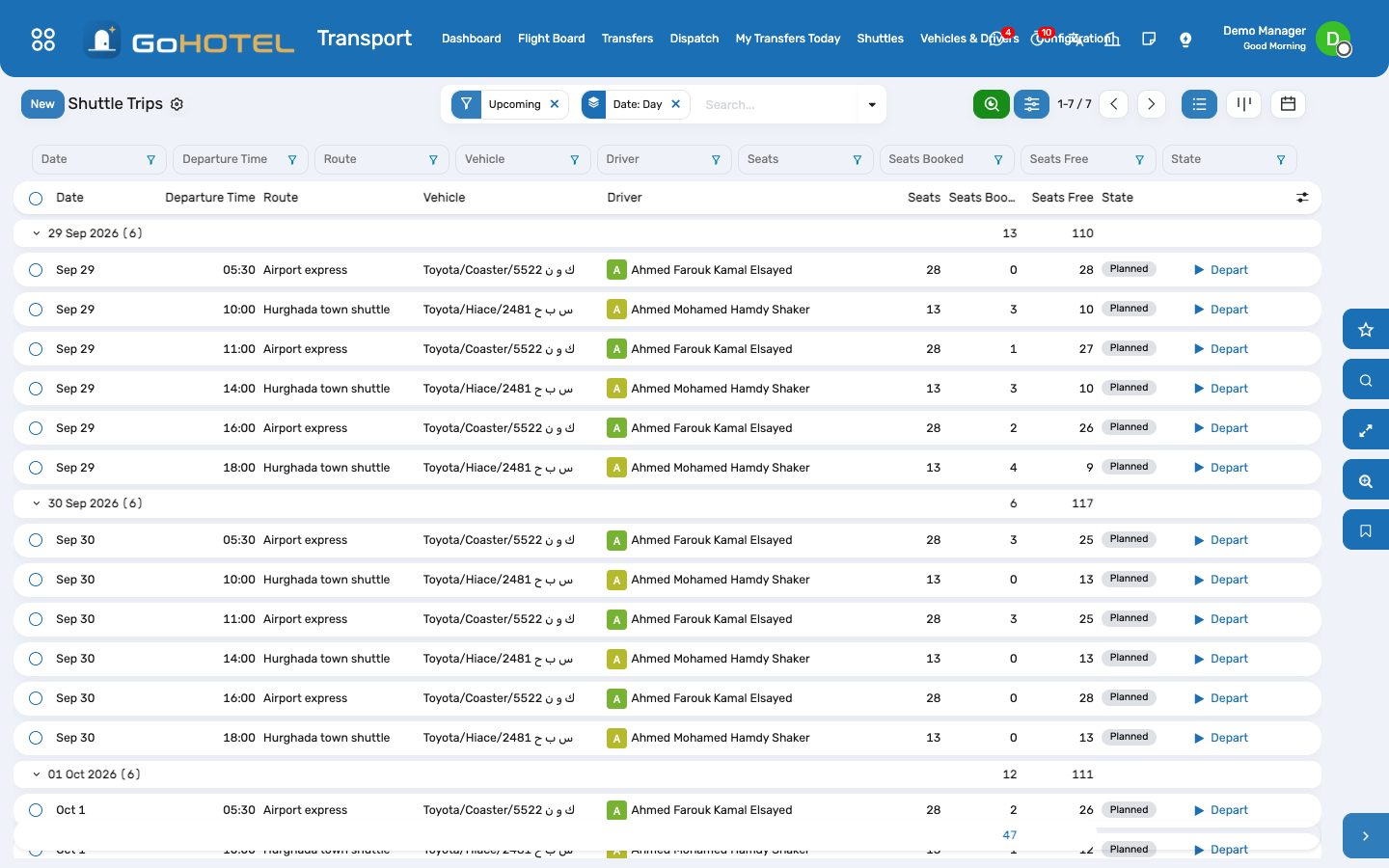
- Transport › Shuttles › Routes: the stops with their minutes after departure, the capacity, the usual vehicle and driver, and the Timetable tab — one line per weekday and hour.
- Trips for the coming week are generated every night at 04:00 (or press Generate This Week's Trips). Add a trip by hand for an extra run.
- Bookings: a stay or an outside passenger, the seats wanted, the stop they board at; the trip refuses more seats than it offers and shows what is left.
- On the day: Board each passenger as they climb in; Depart turns the rest into no-shows; Arrived closes the trip.
Questions the desk asks
The guest's flight was cancelled.
Cancel the transfer: a charge already posted and not yet invoiced is cancelled with it; an invoiced one needs a credit note from the invoice.
Who pays a tour operator's transfer?
Bill To on the transfer: the stay's folio, an invoice to a partner (the operator, dated the day of the ride), or not charged when the ride is in the package.
The driver has no login.
Dispatch and the driver's board both work from the desk; the driver's own board needs the employee linked to a user under Employees › HR Settings.
Can a ride be charged before the guest arrives?
A ride done before check-in is posted the moment the stay checks in and its folio opens; nothing is lost.
See also: Reservations and the tape chart Front desk: arrivals, in house, departures Folios, charges, payments and the city ledger