WhatsApp: guests, owners and residents talk to the property
The property's WhatsApp number answers the questions people actually ask — my booking, my balance, towels, a late check-out, a leak in the bathroom, where are you, my fees, a gate pass for a visitor — in Arabic or English, from the person's own stay, and hands the rest to a colleague. A number on a guest or owner record is recognised at once; anyone else is asked for the booking reference and the phone on the booking before hearing a word about a stay. Every message is kept, with what answered it: a rule, the assistant or a person.
Where:WhatsApp › Dashboard · Conversations · Messages · Rules · Simulate · Configuration › Accounts
Before you start
- WhatsApp › Configuration › Accounts: one account per number. Leave Property empty for a number that answers for every property (hotel, village and compound), or pick the one it belongs to.
- Start in Simulate mode: rules, the assistant and the simulator work without a Meta account, and nothing is sent.
- Set the Home Country (a number typed as 010… is read as an Egyptian number), the default language, the opening message in both languages, the directions and the map link.
- Hand-offs To: the colleague who gets the to-do when someone writes "agent". Empty: a guest-relations user.
- Going live: in Meta Business, create the WhatsApp number and a permanent system-user token; paste the Phone Number ID and the token on the account; in Meta › Webhooks paste the Webhook URL and the Verify Token shown on the account and subscribe to "messages"; paste the app secret so every call is checked; press Test connection; switch the account to Live.
- Journey steps on WhatsApp (Guest Experience › Journeys) are delivered through the account. Outside the 24 hours after the guest last wrote, Meta accepts only an approved template: put its name in the step's WhatsApp Template.
How to
Understand who is writing
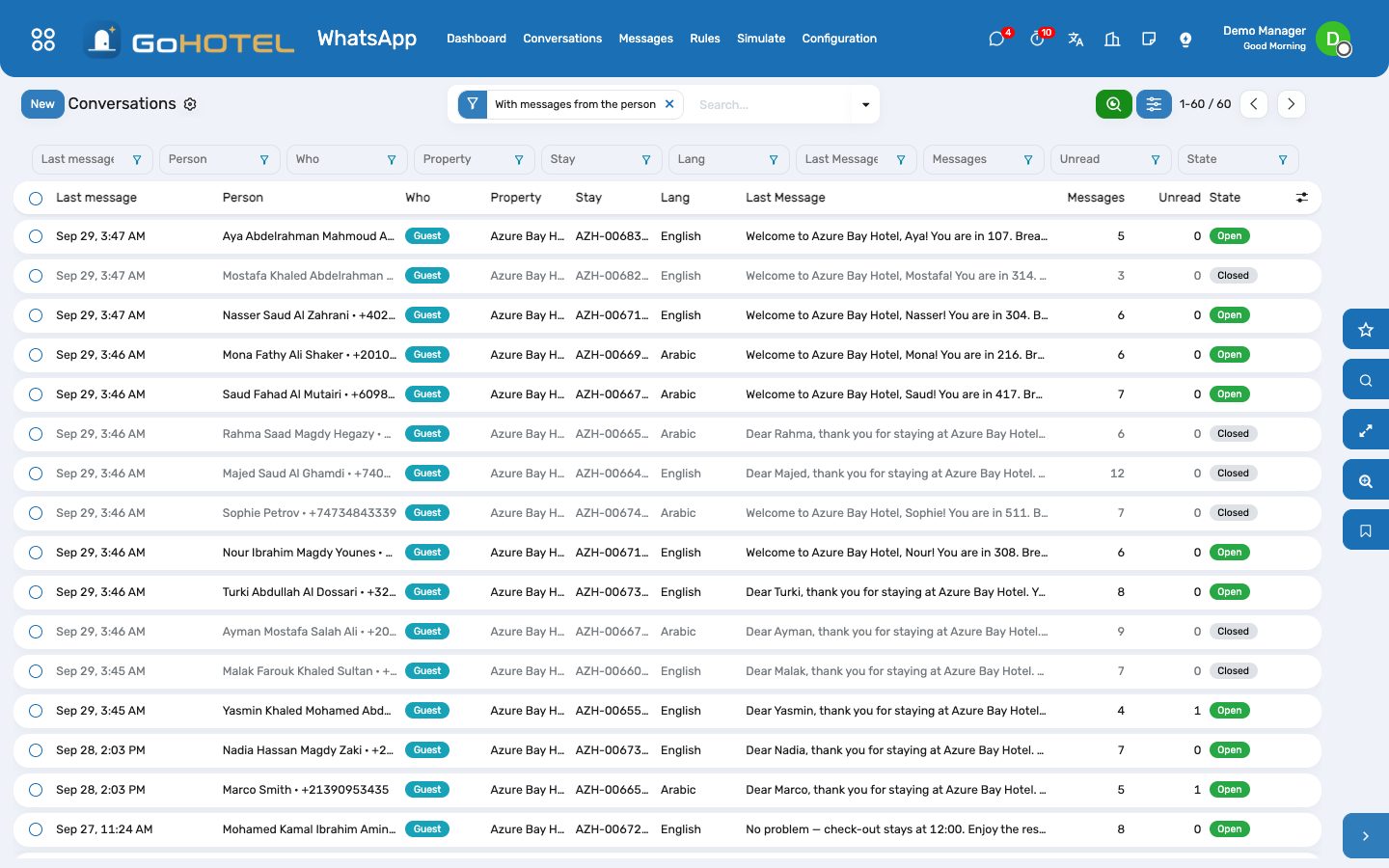
- WhatsApp › Conversations: every number that wrote or was written to. "Who" says guest, owner, resident or unidentified; "Identified by" says how — the phone on the guest profile, the phone on the contact, or the booking reference and phone the person sent.
- A number that matches exactly one guest or contact is identified at once. Several matches or none: the person is asked for the booking reference (e.g. AZH-000123) and the mobile number given when booking, and identified when both match the same booking. After five wrong tries the conversation goes to a colleague.
- An unidentified person only gets the public answers: where we are, check-in and check-out times, and "book" to ask for a room. Nothing about any stay, bill or unit.
See what the number answers
- In house: my balance (the folio, charges, payments and what is due), towels, amenities or room service (a guest request on the stay, handed to housekeeping), late check-out (the property's offer — YES posts it to the folio with its service charge and VAT — or a request to the desk when no offer applies), a problem in the room (a help-desk ticket on the unit, routed to engineering or housekeeping by its category).
- Arriving: my booking (reference, dates, unit type, status), check-in time — "arriving 18:30" writes the ETA on the stay for the desk — and directions.
- Owners and residents: my statement, my fees (from the ownership account when the Community pack is installed; otherwise a polite "the owners' office will send it"), a gate pass for a visitor (a visitor invitation for the unit, for security to approve), a problem in the unit.
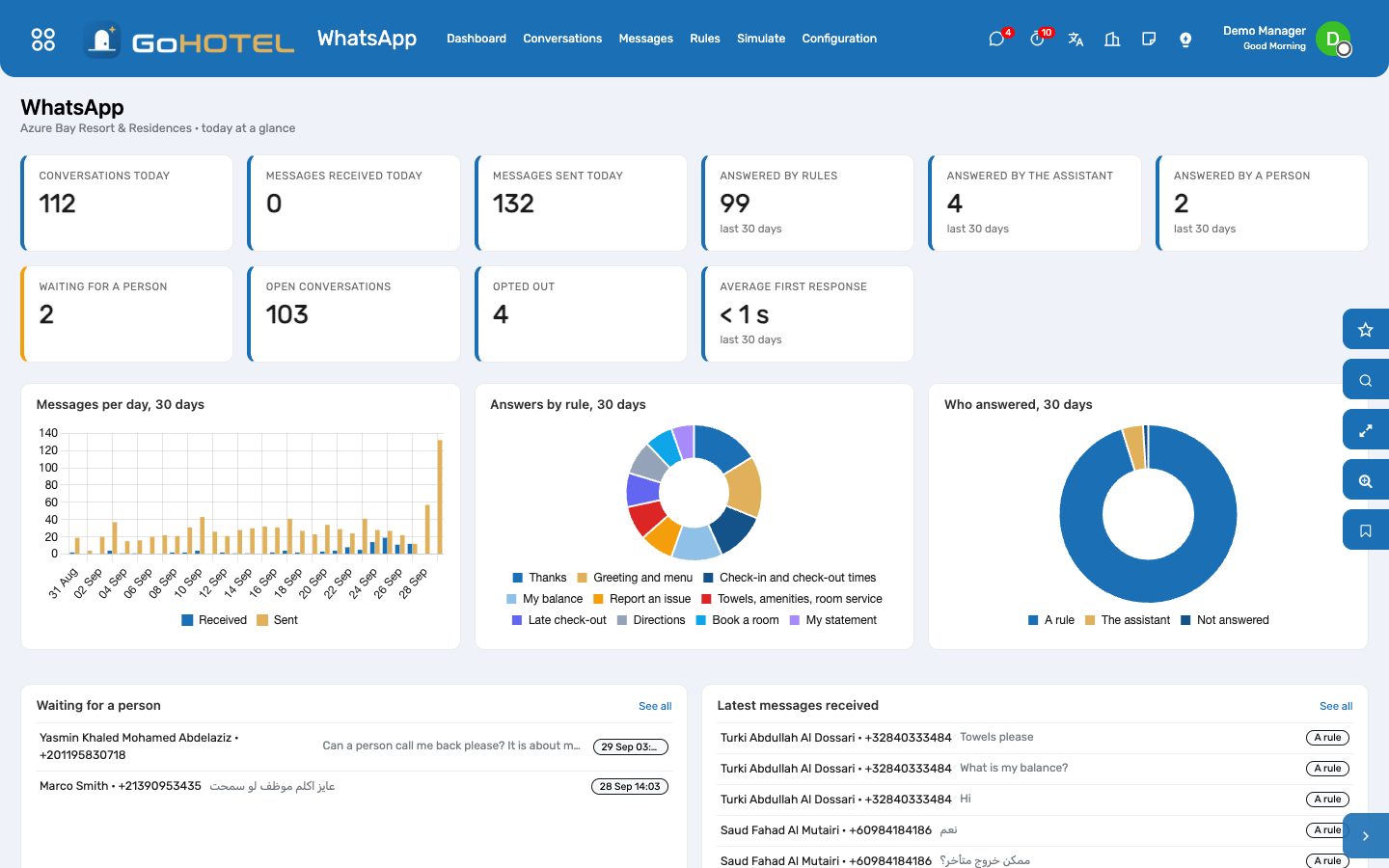
- Anyone: "book" with dates and guests makes a reservation inquiry (source WhatsApp) held like a website request, with the online price when the dates are bookable; "agent" hands the conversation to a colleague.
Answer as a colleague
- The dashboard lists the conversations waiting for a person; the colleague in Hand-offs To also has a to-do.
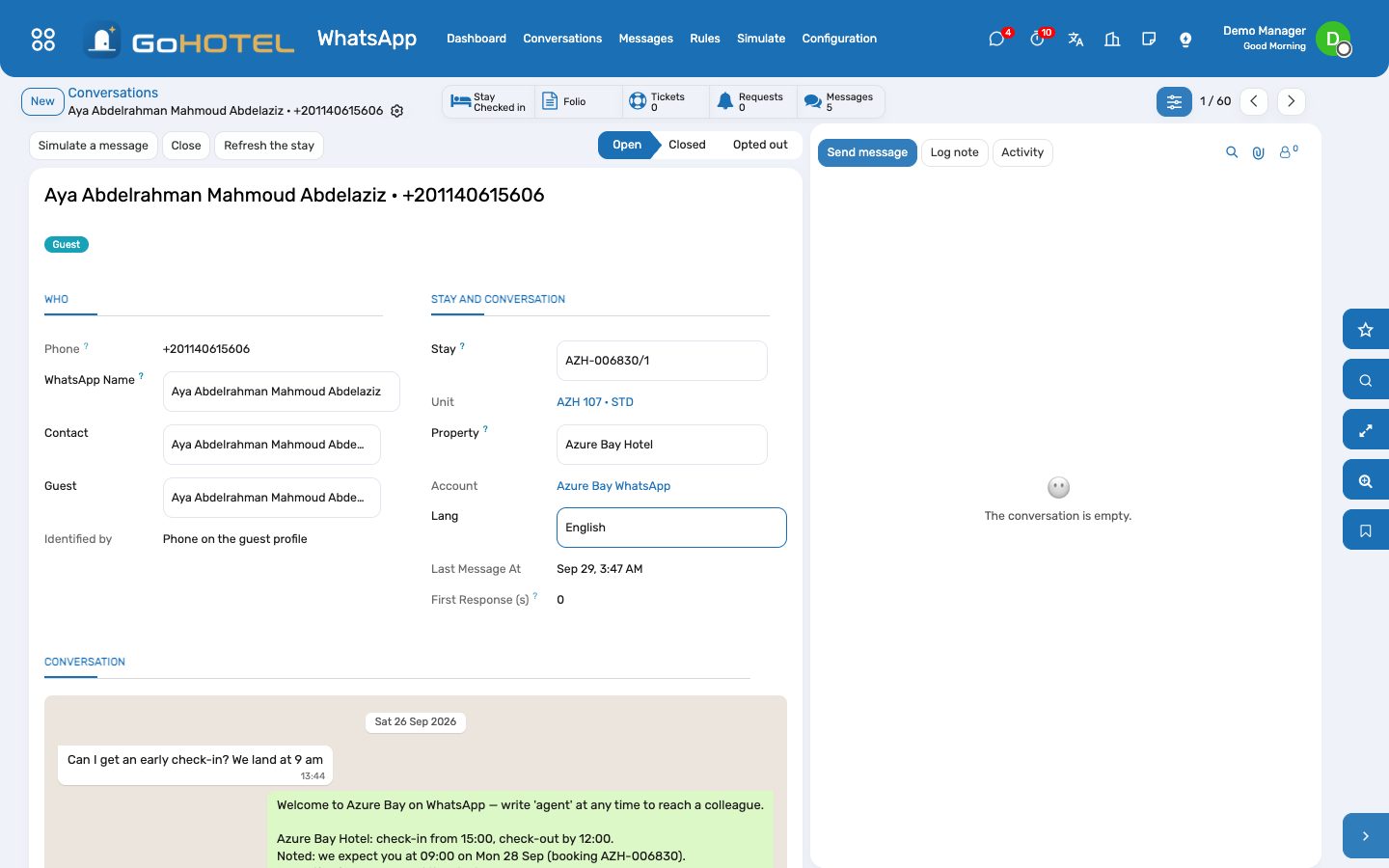
- Open the conversation, read the thread, type in "Reply as a colleague" and press Reply. It goes out on WhatsApp, counts as answered by a person, and closes the to-do.
- The smart buttons open the stay, the folio, the tickets, the requests and the booking inquiries the conversation raised. Refresh the stay after a check-in or a room move.
Teach the number your own words
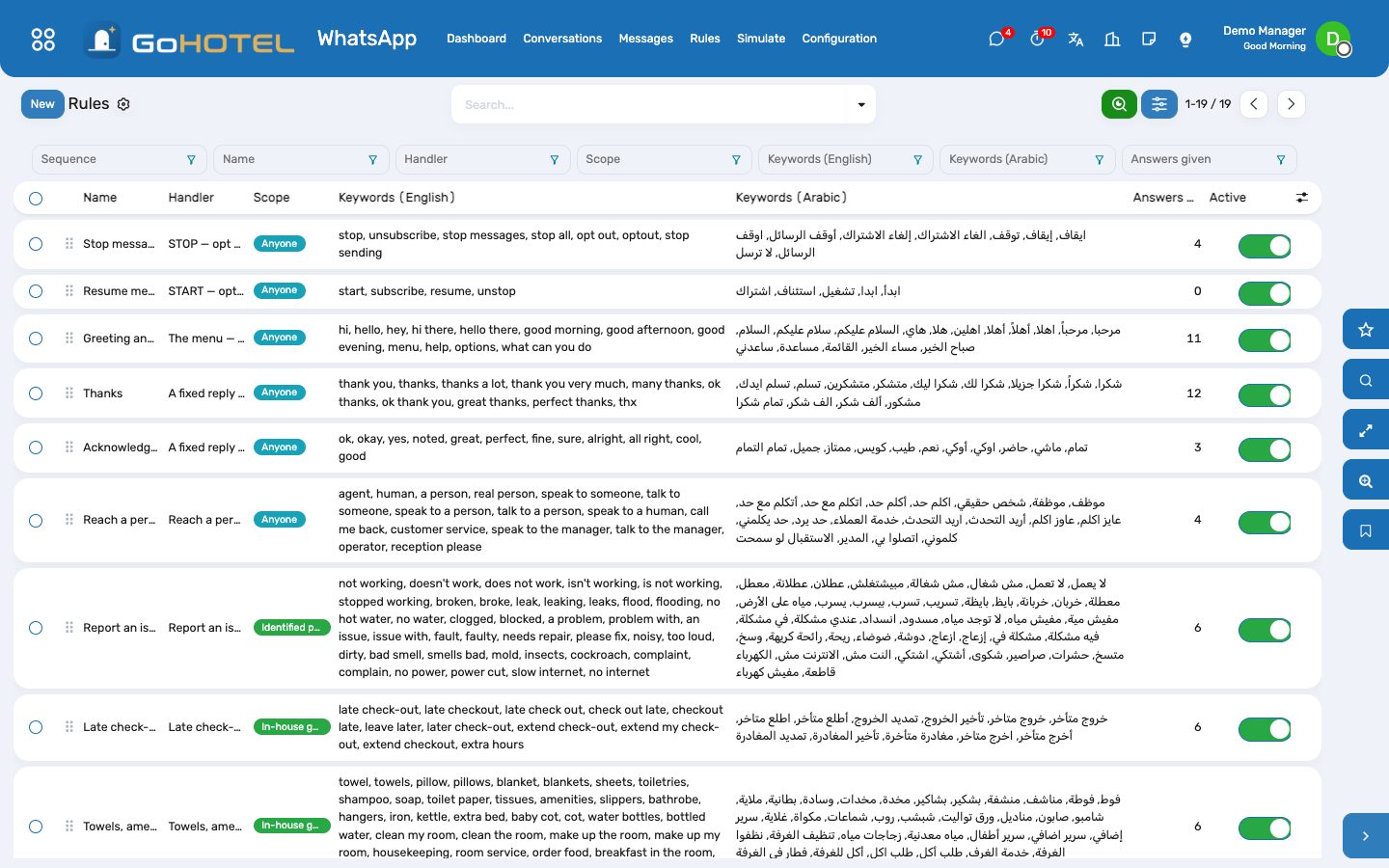
- WhatsApp › Rules: each rule has a handler (what it does), a scope (anyone, identified, in house, owners, residents), and keywords in English and Arabic. The first active rule in sequence whose keywords are in the message answers.
- Add the words your guests use ("chalet", "الشاليه", "مناشف") to the right rule; one spelling is enough — أ إ آ, ة and ى are folded and Arabic-Indic digits read as digits. A rule with exact matching fires only when the whole message is a keyword (hi, thanks, STOP).
- A fixed reply (breakfast hours, Wi-Fi) is a rule with the handler "A fixed reply" and its texts in both languages; {first_name}, {property} and {phone} are filled in.
- A question no rule picks goes to the assistant for an identified person: it may only use the tools about that person — their folio, their booking, tonight's rates — and an answer that did not come from a tool is thrown away. "How full is the hotel?" from a guest gets the menu, not the occupancy.
Try it before going live
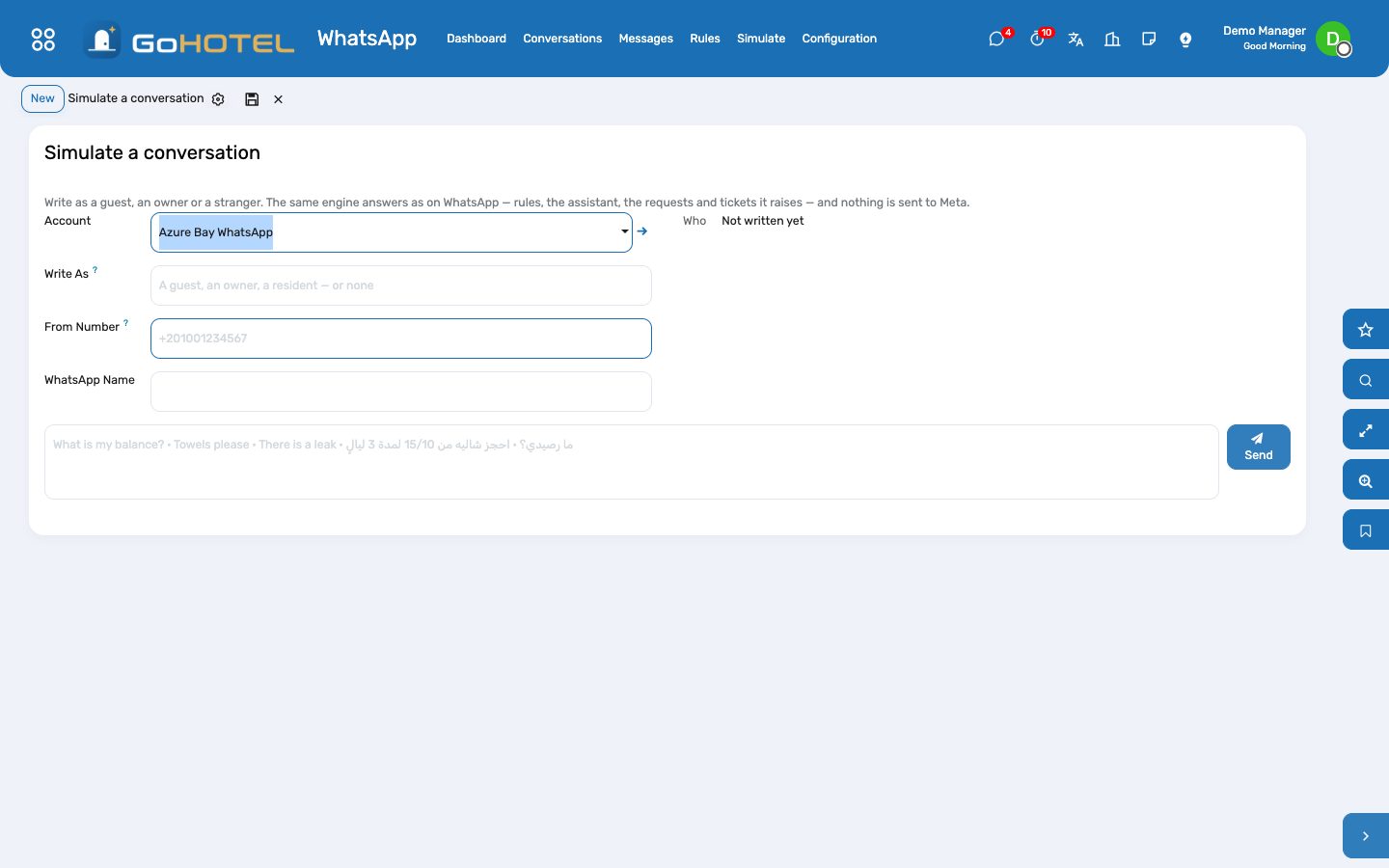
- WhatsApp › Simulate: pick a guest, an owner or a resident in "Write as" (or type any number to write as a stranger), type the message, press Send. The answer, and the whole conversation, appear below.
- The same engine answers as on WhatsApp — requests, tickets, gate passes and inquiries are really raised — so use a test guest when you try a request.
Opt-outs
- STOP (or إيقاف) opts the number out at once: no answer, no journey message and no reply by a colleague until it writes START. When Someone Sends STOP chooses between a last confirmation and silence.
- Opt in again on the conversation is for the rare case the person asked in writing; the button asks you to confirm.
Questions the desk asks
Does the demo send anything to WhatsApp?
No. The account is in Simulate mode: every answer is stored on its conversation, marked "simulated". Only a Live account posts to Meta.
A guest writes from their spouse's phone.
The number is not on the booking, so the bot asks for the booking reference and the mobile number given when booking; with both it knows the stay and answers.
Why did the bot not answer a message?
The number opted out, or it sent more than the account's messages-per-hour limit (30 by default) — the refusal is logged and shown on the message.
Can the assistant tell a guest who else is in house?
No. On WhatsApp it only runs the tools about the person writing; every other tool is refused, and any answer that is not a tool's answer is discarded.
Where do the requests go?
Towels and room service become guest requests (Front Desk), problems become help-desk tickets handed to engineering or housekeeping, gate passes become visitor invitations (Access), bookings become reservation inquiries (Reservations), a late check-out YES becomes a folio charge.
See also: Guest experience: journeys, upsells, loyalty, complaints and satisfaction Help desk: tickets from guests, owners and residents The assistant Front desk: arrivals, in house, departures Access & Security — passes, the gate, visitors, vehicles and patrols