Quality, safety and standards
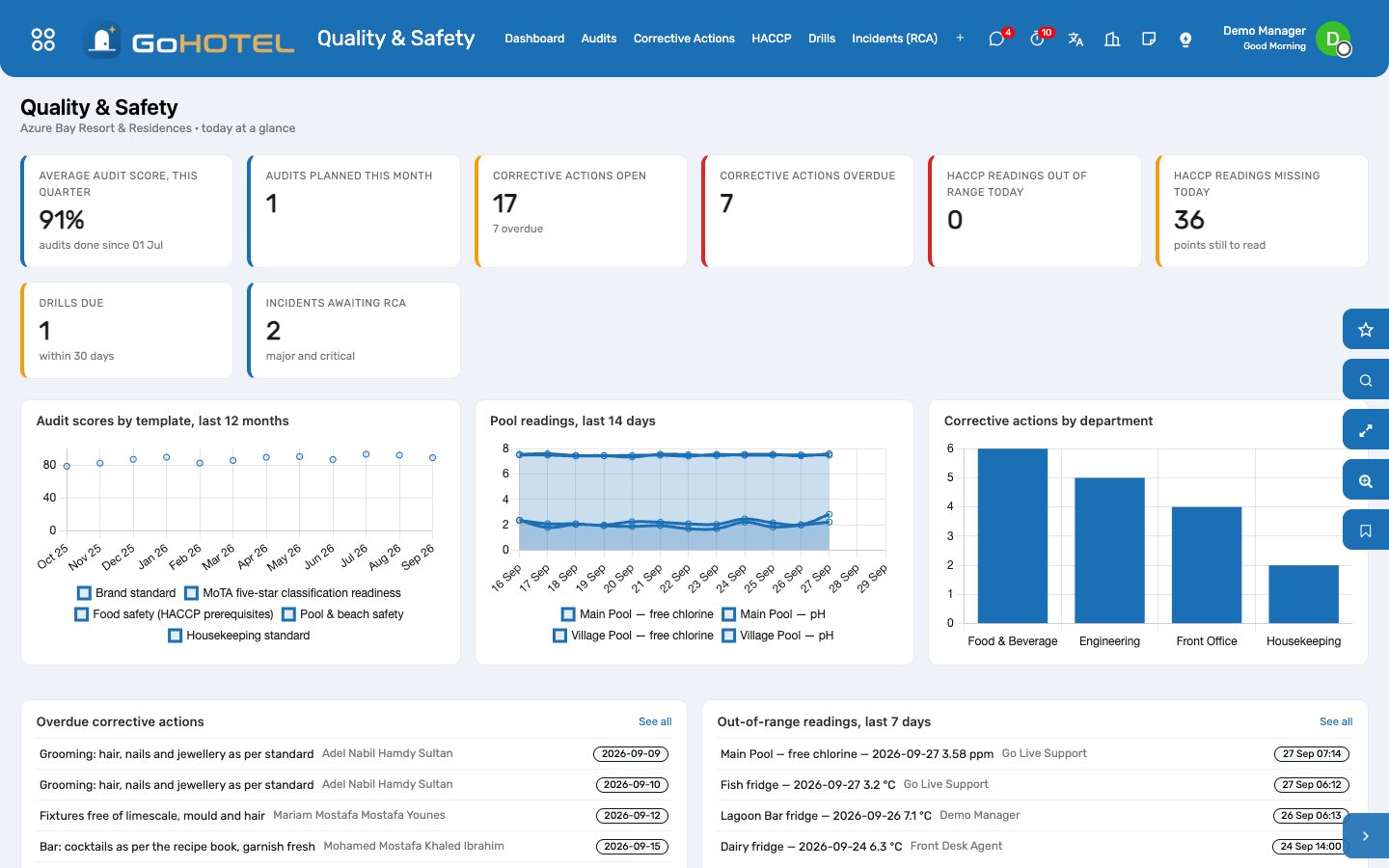
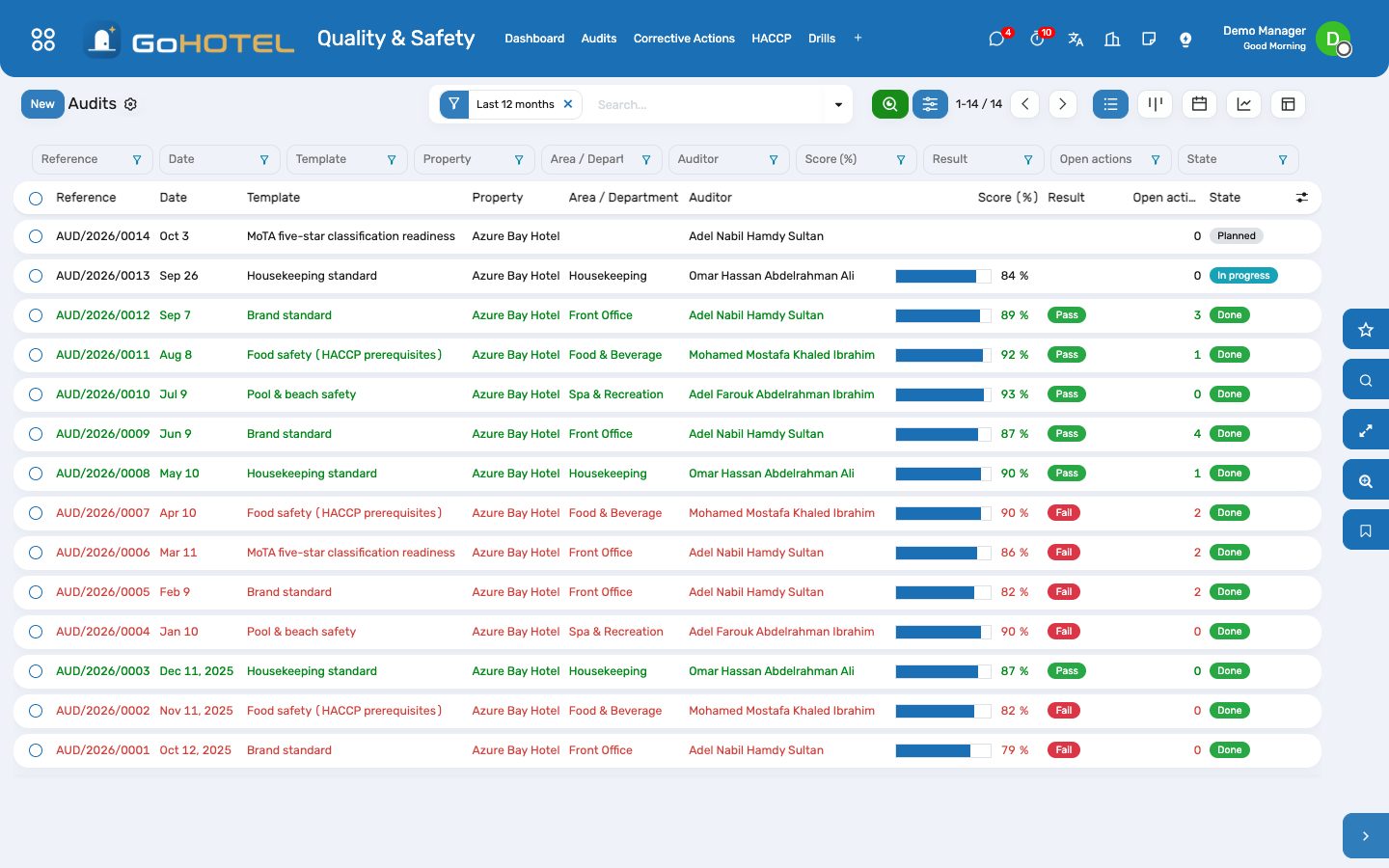
Audits against the brand standard, the five-star classification criteria, food safety, pool safety and the housekeeping standard — scored checkpoint by checkpoint with a photo where evidence is asked, a score in per cent and a PDF report. Failed checkpoints become corrective actions with an owner and a date; an engineering fix becomes a work order. HACCP points — every fridge and freezer, the pools, the kitchen close-down — are read on a schedule, a reading out of range alerts the department's manager at once, and the due-today list shows what is still to read. Drills are recorded against a yearly plan, and every incident gets a root-cause analysis.
Where:Quality & Safety › Dashboard · Audits · Corrective Actions · HACCP › Points · Logs · Due Today · Drills · Incidents (RCA) · Configuration › Audit Templates
Before you start
- Quality & Safety › Configuration › Load Standard Templates: the brand standard, the MoTA five-star readiness check, food safety, pool safety and the housekeeping standard — 180 checkpoints to edit as you like.
- Quality & Safety › HACCP › Points: one point per fridge, freezer, pool test, cleaning checklist, water test and pest control visit — unit of measure, limits, readings per day, the responsible department and who is told when a reading is out of range.
- Quality & Safety › Drills › Drill Plan: one plan per property and year, one line per kind of drill with its frequency.
- Employees › Departments: name the department manager — an out-of-range reading and an overdue action go to that person.
How to
Run an audit
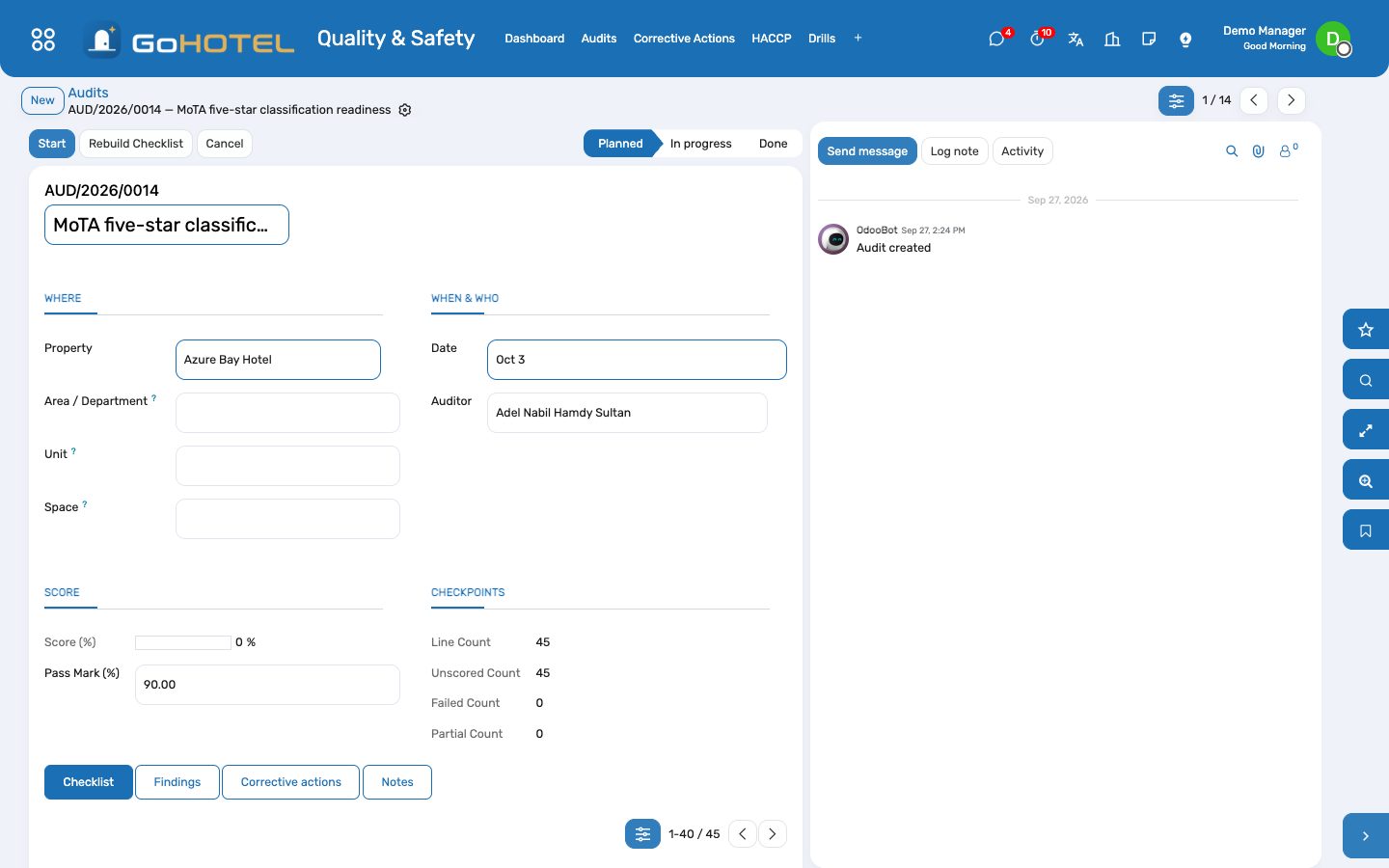
- Quality & Safety › Audits › New: pick the template, the property, the area or department, the date and the auditor. The checklist is built from the template.
- Press Start and walk the property with the checklist on a tablet: score each checkpoint Pass, Partial, Fail or Not applicable, write a comment and take a photo where evidence is asked.
- Press "Pass the rest" when everything else was in order — an audit is scored by exception.
- Press Complete: the score, the pass or fail against the pass mark and the findings are written; a failed critical checkpoint fails the audit whatever the score.
- Print Report gives the PDF for the department head to sign.
Follow a corrective action to the end
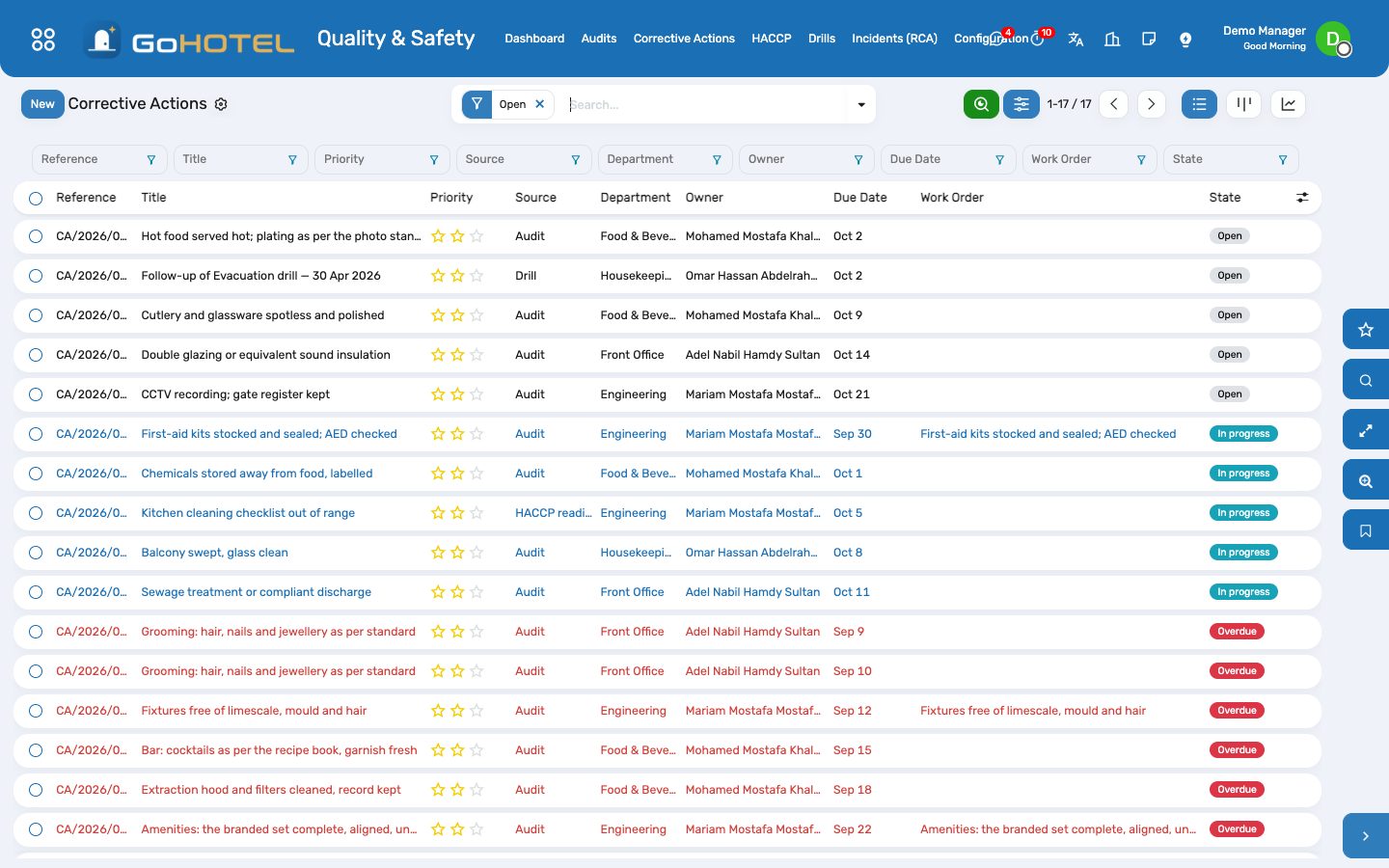
- Quality & Safety › Corrective Actions: every action from audits, incidents, readings and drills, with its owner, due date and priority; overdue ones are red.
- Open the action, name the owner and the department, set the due date and the kind.
- An engineering fix: press Create Work Order — a corrective maintenance request opens for the technicians, linked to the action; when it reaches Repaired the action closes itself.
- Anything else: press Start when the work begins and Mark Done when it is finished, with a closing note.
- The state is computed every morning: an action past its due date turns Overdue and its owner gets an activity.
Log the HACCP round
- Quality & Safety › HACCP › Due Today: the points still to read today, with the readings taken so far.
- Press Log a reading on the point (or add a line at the bottom of HACCP › Logs): the value in the point's unit of measure, or Done / Not done for a checklist; the time is now.
- A reading outside the limits turns red, asks for the corrective note — what was done at once — and raises an activity for the department's manager.
- When the cause needs more than a re-check, press Corrective Action on the reading.
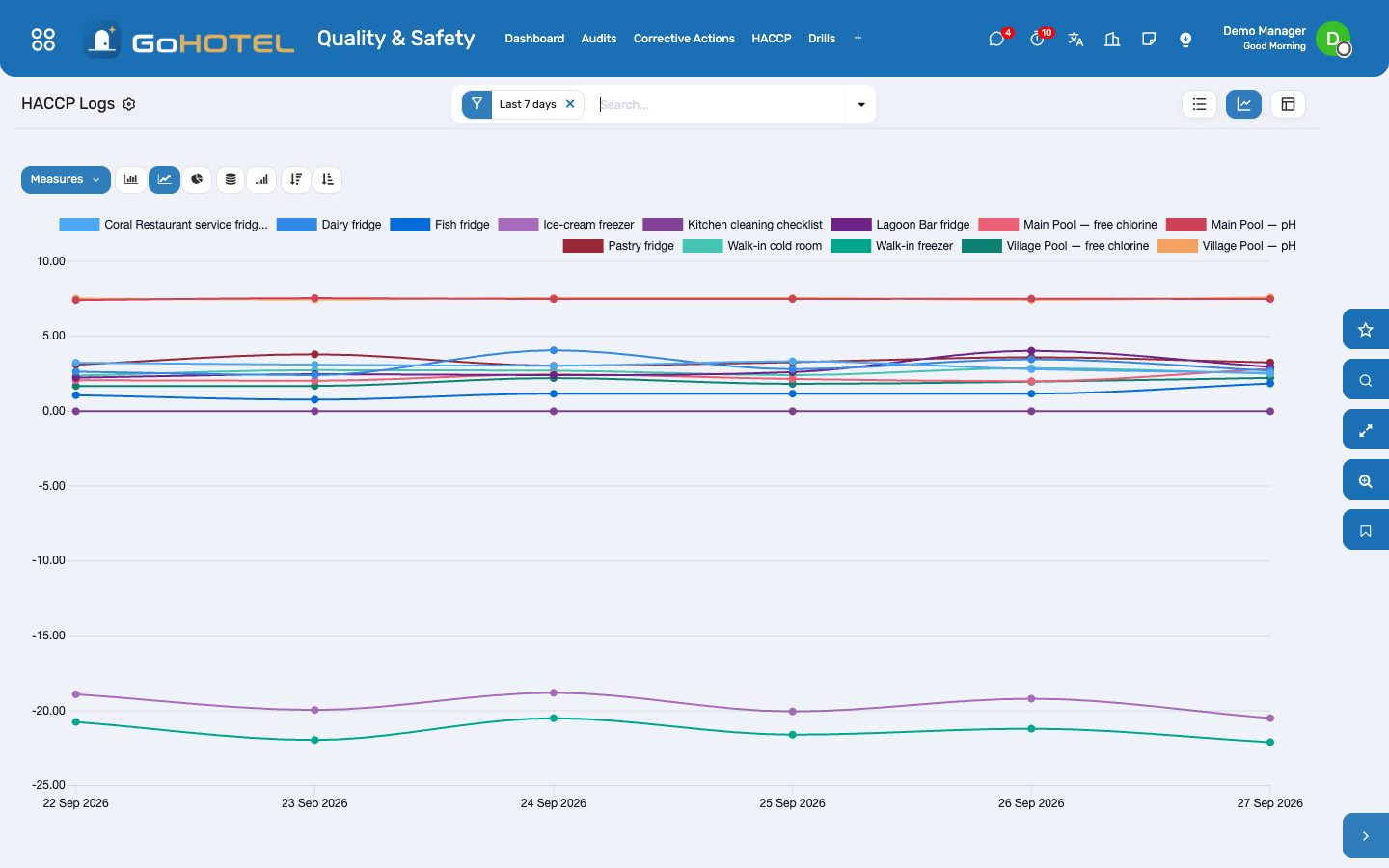
- The graph view of the logs shows each point over the days; group by point or by day for the weekly review.
Hold a drill
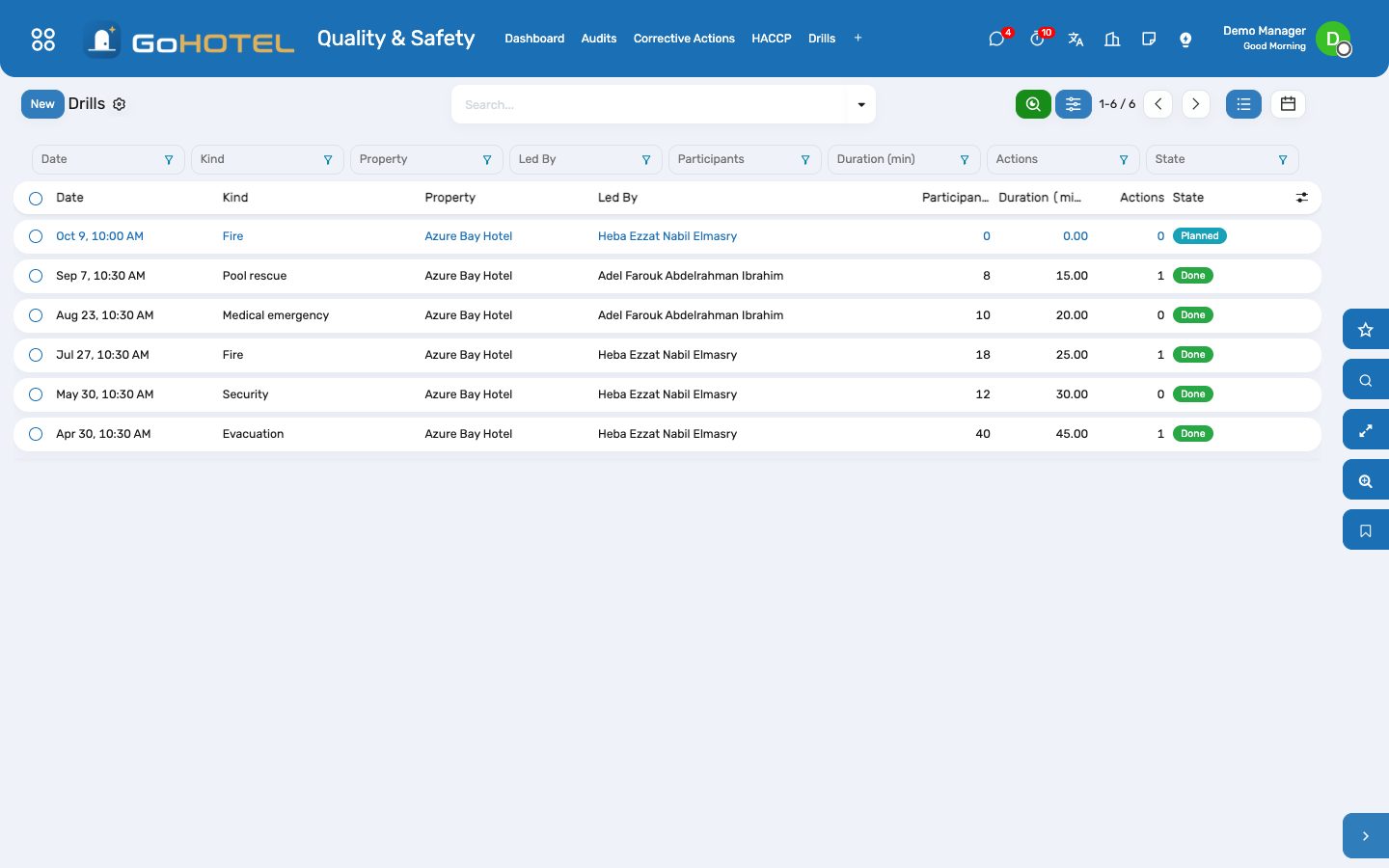
- Quality & Safety › Drills › Drill Plan: the line of the drill shows the last one done and the next due; press "Plan the next drill" to schedule it.
- On the day, open the drill: who led it, the participants, the duration and — for fire and evacuation — the time to muster.
- Write the scenario, the findings and the actions agreed, then Mark Done; the plan moves the next due date forward.
- Press Corrective Action to hand a finding to an owner with a date.
Find the root cause of an incident
- Quality & Safety › Incidents (RCA): the incidents whose root-cause analysis is still pending.
- Open the incident, tab Root cause (RCA): the cause category, the five whys one line each, the contributing factors and the preventive action.
- Press Corrective Action: the preventive action becomes an action with an owner and a date, linked to the incident.
- Press RCA Done; the incident is closed as usual from its own buttons.
Questions the desk asks
The template changed after the audit — is the audit rewritten?
No. An audit copies the checkpoints when it is planned; edits to the template apply to the next audits only.
Who is told when a reading is out of range?
The user named "Escalate to" on the point — filled from the department manager's user, editable — gets a to-do activity at once; without one it goes to the administrator.
Why does the score leave out some checkpoints?
Not applicable checkpoints carry no points either way; the score is the points earned over the points at stake.
Can a corrective action live without an audit?
Yes — type it directly, or raise it from an incident, an HACCP reading or a drill; the Source shows where it came from.
See also: Maintenance and engineering Compliance — guest lists, licences and fee returns Housekeeping The dashboards