Folios, charges, payments and the city ledger
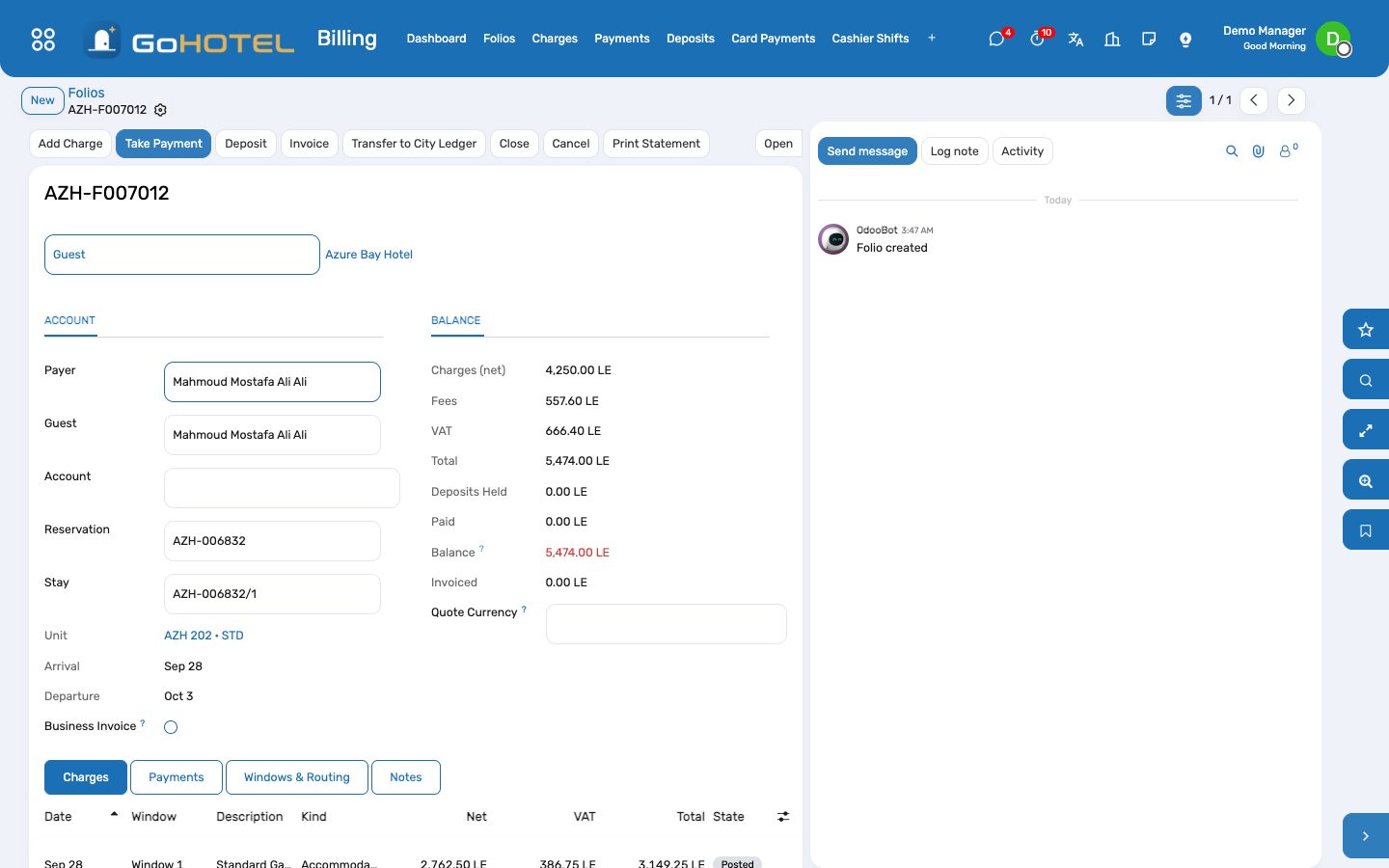
One folio per stay collects every charge — room nights and their fees from the night audit, restaurant cheques, minibar, spa, damages. Deposits and payments settle it; the invoice is the accounting document; companies and agents are billed back through the city ledger.
Where:Billing › Folios · Charges · Payments · Deposits · Cashier Shifts · City Ledger · Agent Commissions
Before you start
- Fee rules on the property (a country preset: Egypt, Saudi Arabia, Dubai, Abu Dhabi).
- VAT on accommodation on the property.
- Payment methods with journals; a cash and a bank journal in Accounting.
How to
Post a charge by hand
- Open the folio, Add Charge: kind, product or description, quantity, net price.
- Apply service charge / fees is ticked for room and F&B kinds; untick it for a discount or a damage charge.
- The fee lines (service charge, city tax, municipality, tourism) appear under the charge, each inside or outside the VAT base as the rule says.
Take a payment
- Take Payment: method, amount, reference (card authorisation code, cheque number).
- A foreign-currency payment converts at the day's rate; the folio shows the balance in the quoted currency too.
- The payment goes to the cashier's open shift and to the method's journal in Accounting.
Split or route charges
- Windows: a folio has up to eight billing windows, each with its own payer — the company pays room and breakfast, the guest pays the bar.
- Routing rules on the reservation or the folio send a charge kind or a department to a window or to another folio (a group master).
- Split a charge by percentage; transfer selected charges to another folio from the list.
Bill a company back
- The reservation carries the account and the guarantee "company account".
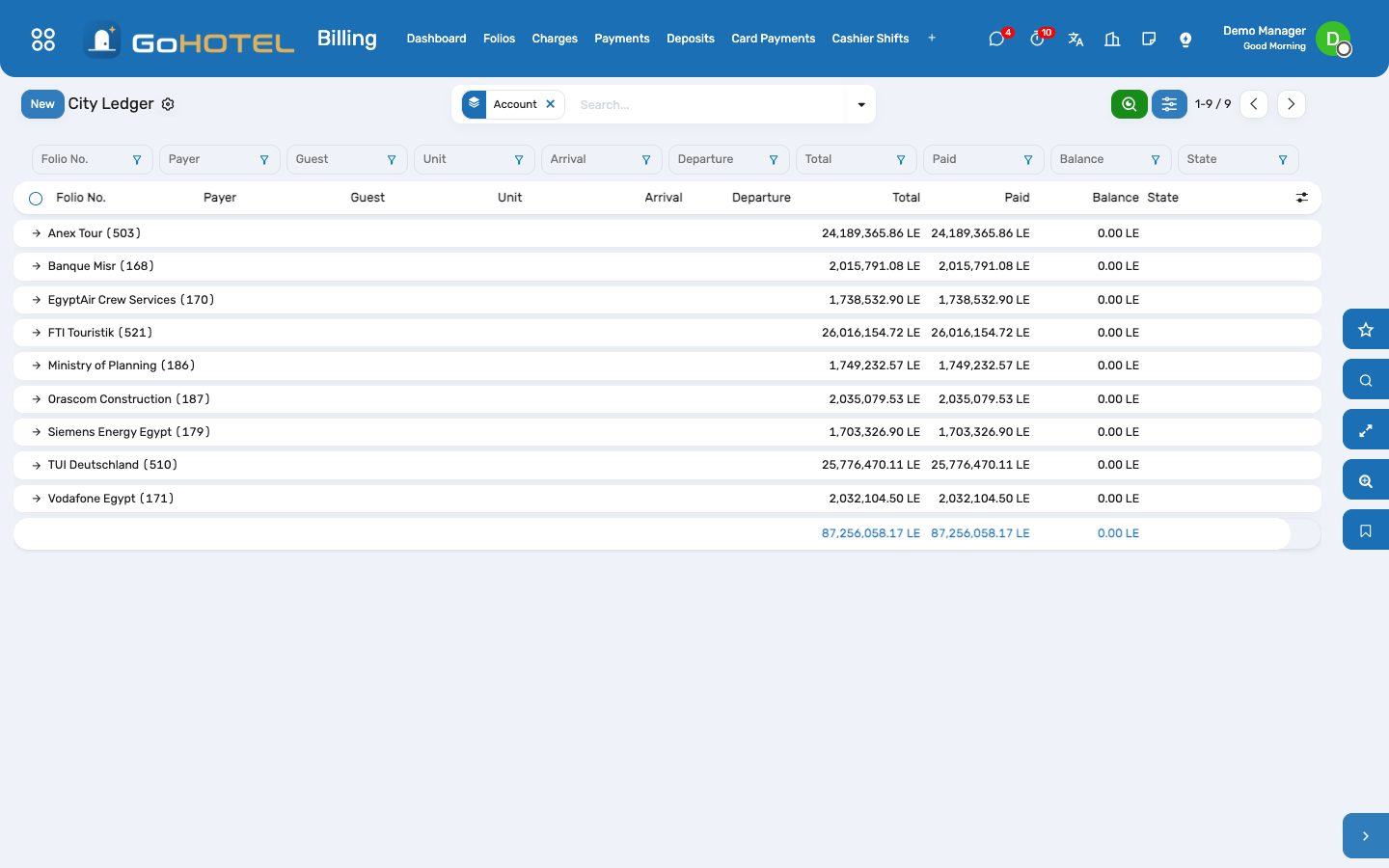
- At check-out choose Transfer to City Ledger: an invoice is issued to the company on its payment terms, the folio shows as transferred.
- Billing › City Ledger lists them; Accounting › Customer Invoices ages them; the agent's commission accrues under Agent Commissions and becomes a vendor bill in batches.
Cashier shift
- Billing › Cashier Shifts › New with the opening float.
- Every payment you post lands on your open shift.
- Close Shift with the counted cash; the difference is recorded.
Questions the desk asks
Why does the folio total differ from the reservation estimate?
The estimate uses today's rules; the folio posts each night with the rules and rate of that night, plus whatever was consumed.
A charge is wrong and already invoiced.
Issue a credit note from the invoice; the charge cannot be cancelled once invoiced.
See also: The night audit and the business date Front desk: arrivals, in house, departures