SMS: the local gateway, one-time codes and the WhatsApp fallback
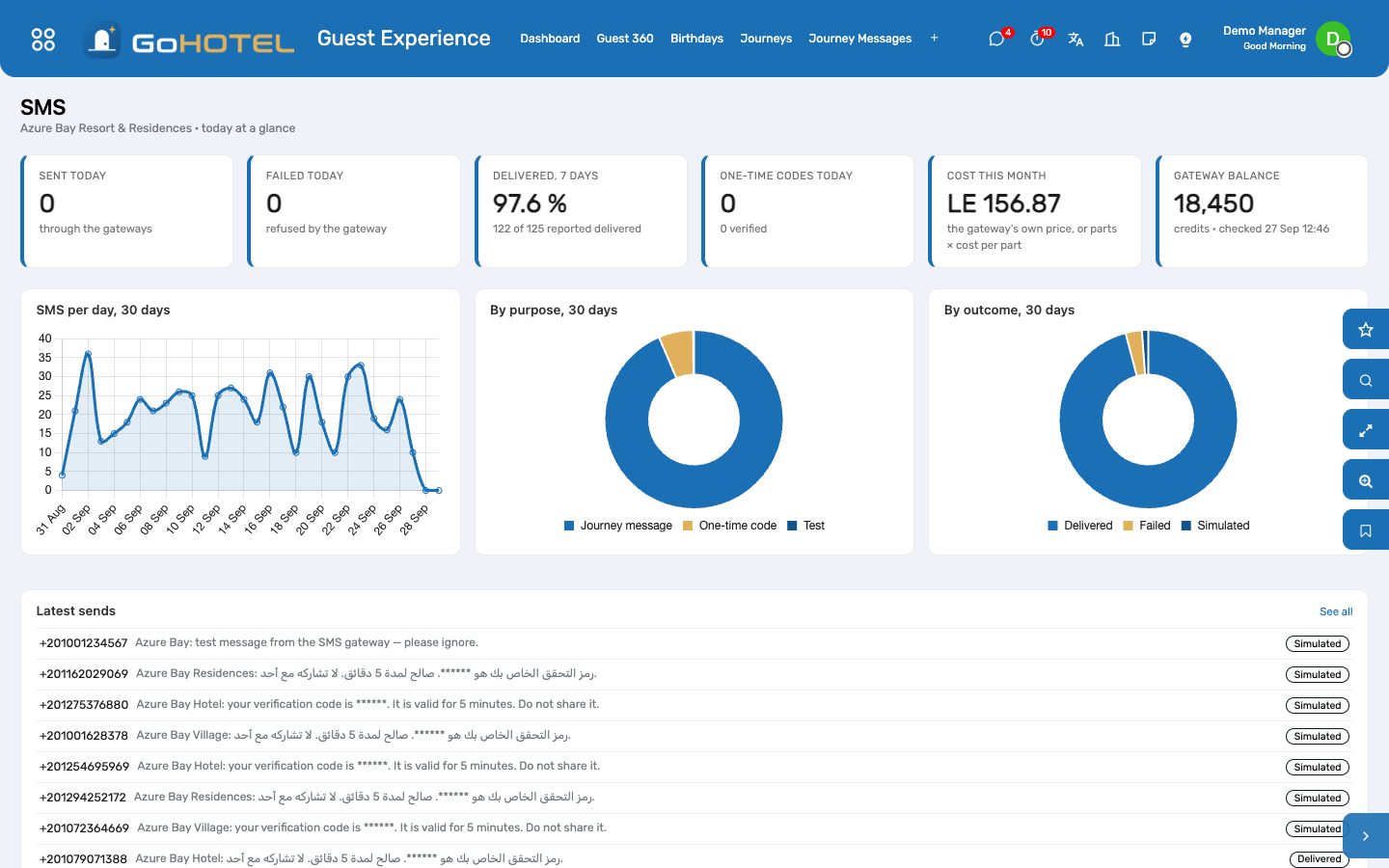
Every text the property sends — the pre-arrival and welcome messages of the journeys, "Send SMS" on a record, the one-time codes of the guest portal and the app — goes out through a local gateway: SMS Misr in Egypt, Unifonic in Saudi Arabia, or any gateway with an HTTP interface. Numbers are put in international form first, every message is logged with the gateway's answer and its delivery report, and a message the gateway refuses can go to the guest on WhatsApp instead. Simulate mode shows all of it before a single credential exists.
Where:Guest Experience › SMS › Dashboard · SMS Log · One-time Codes (OTP) · Send a Test SMS · Send an OTP · Guest Experience › Configuration › SMS Gateways
Before you start
- An account with the provider: for SMS Misr the username, the password and the sender token of an approved sender name; for Unifonic the AppSid and an approved sender ID.
- The sender name registered with the provider — up to 11 letters and digits, e.g. AzureBay.
- Without any gateway, Odoo's own SMS credits (IAP) are used, as before.
How to
Set up the gateway
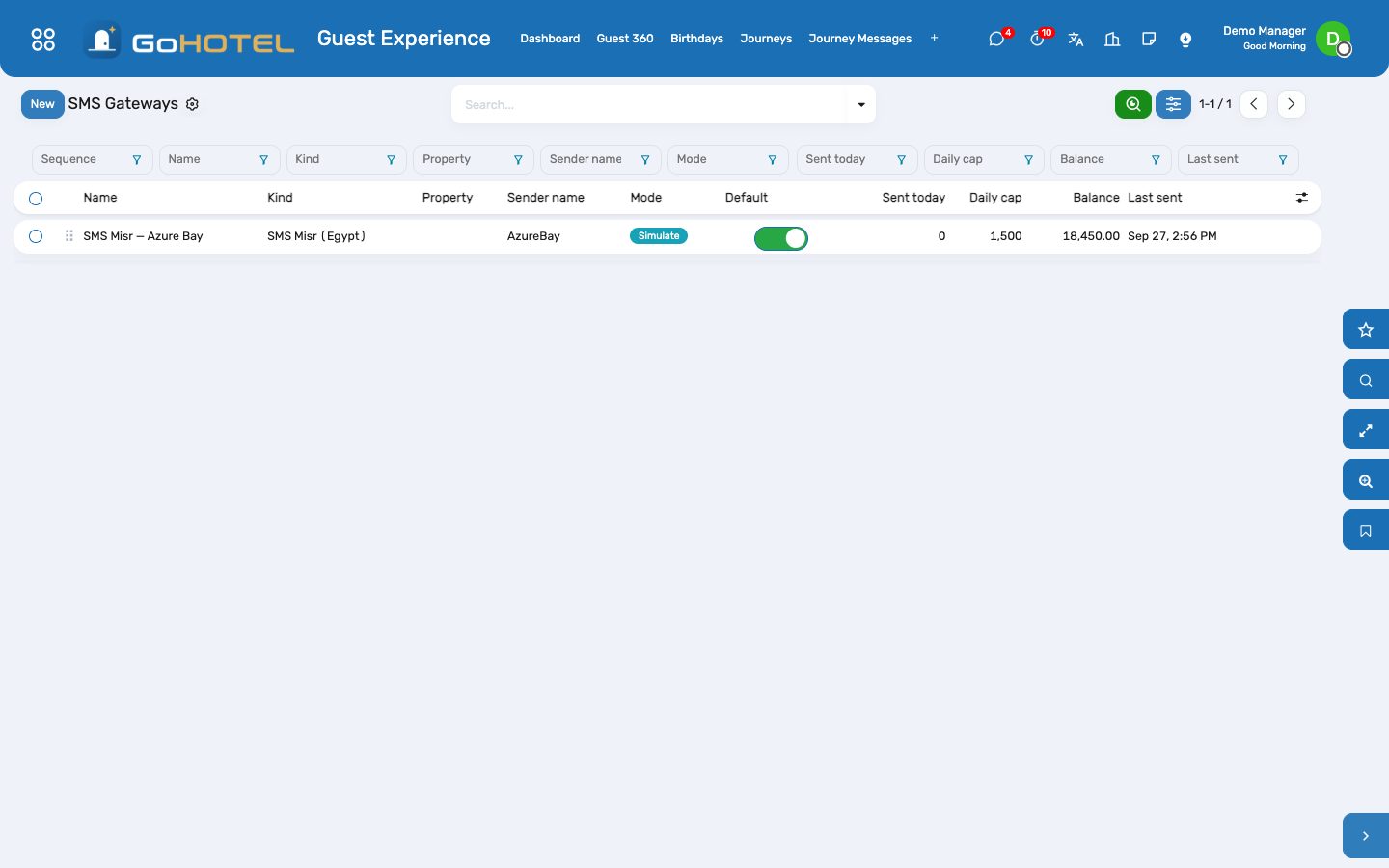
- Guest Experience › Configuration › SMS Gateways › New: a name, the kind (SMS Misr, Unifonic or Generic HTTP), the sender name, Default ticked. Leave Property empty to serve every property of the company, or pick one to give that property its own sender.
- Start in Simulate: nothing leaves the server, and every message is logged with the number as it would have been sent. Use Send a test to see it.
- Credentials tab (managers only): the username, password and sender token for SMS Misr, or the AppSid for Unifonic. They never appear in a log line or an error message.
- Delivery & cost tab: give the provider the Delivery-report URL so it can report delivered and failed messages; enter the cost per part to see the month's spend; set a daily cap if the account needs one.
- Switch the mode to Live. The gateway refuses to go live while a credential is missing.
Know where a message goes
- A message that belongs to a property — a journey message, a stay, anything with a property — goes through that property's own gateway if it has one, otherwise through the company-wide gateway, otherwise the default one.
- Numbers are read in the gateway's default country and sent in international form: an Egyptian mobile 010 1234 5678 becomes +20 10 1234 5678, a Saudi mobile 050 123 4567 becomes +966 50 123 4567.
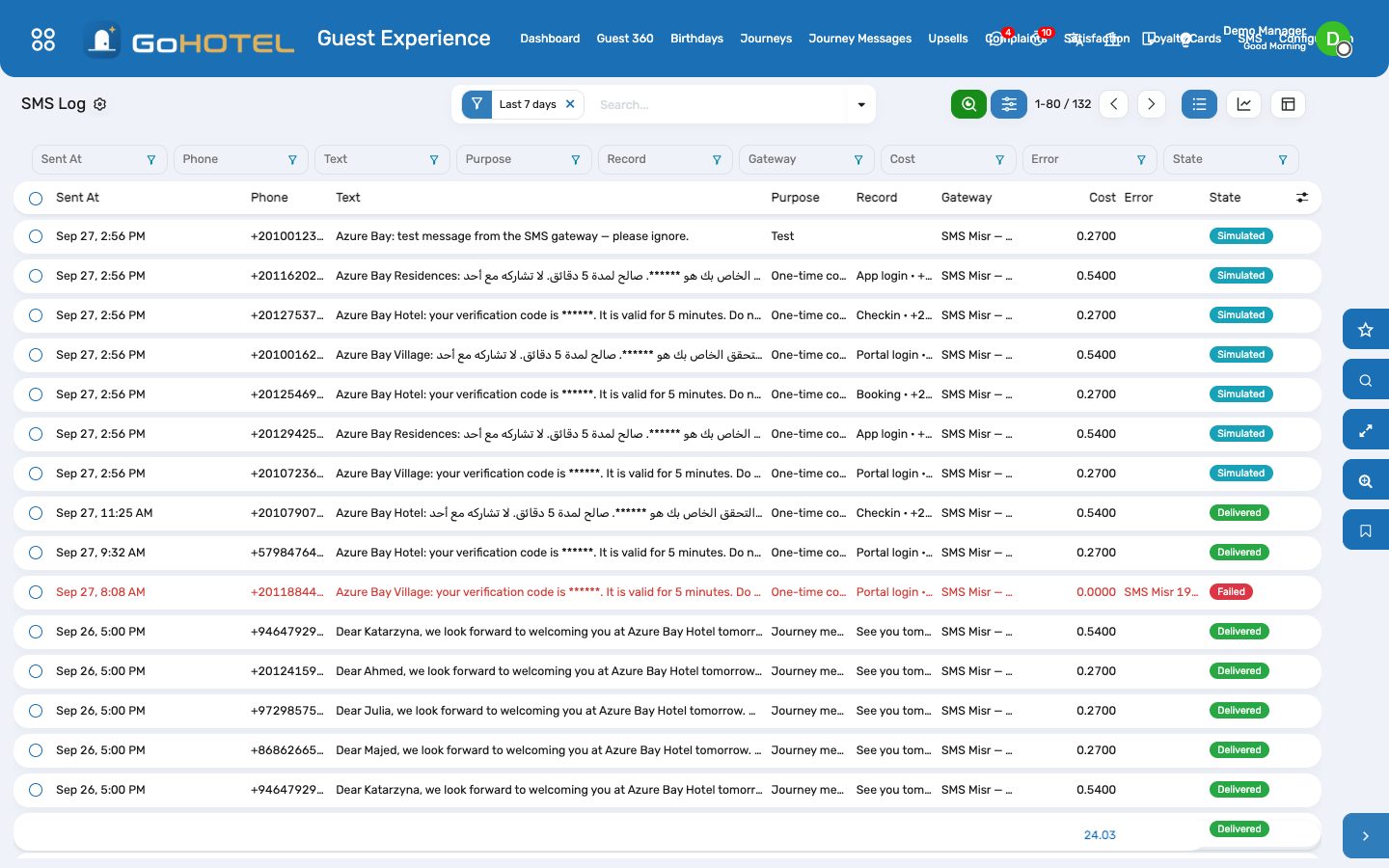
- A message the gateway refuses is marked failed with the gateway's own words (SMS Misr 1906: insufficient credit, for example) — the journey or the screen that sent it carries on.
- When the WhatsApp connector is installed and Fall back to WhatsApp is ticked, a refused message is handed to WhatsApp instead and the log says Handed to WhatsApp.
Follow the SMS log
- Guest Experience › SMS › SMS Log: the number as sent, the first 160 characters, the parts, the purpose (journey, one-time code, test, notification), the record it belongs to, the gateway's message id, the cost and the state — Sent, Delivered, Failed, Simulated or Handed to WhatsApp.
- Filters for today, the last seven days, failed and delivered; group by day, purpose, gateway or property; the graph and pivot views show volumes and cost per week.
- Open the record from the log entry to see the stay or the journey message behind it.
One-time codes (OTP) for the portal and the app
- The guest portal and the app ask for a six-digit code by SMS, in Arabic or English; it is valid for five minutes and five wrong attempts close it. Only a salted hash is kept — nobody, not even an administrator, can read a code.
- Guest Experience › SMS › One-time Codes (OTP) lists every request: the number, what it was for, when it expires, the attempts and whether it was verified.
- Send an OTP sends a code to your own phone and lets you type it back — the same two steps the guest goes through. In simulate mode the code is shown in the window, since nothing was sent.
Questions the desk asks
Why not Odoo's own SMS credits?
A local gateway costs a fraction per message, sends from your own sender name, and answers in the local operators' terms. Odoo's credits are still used when no gateway is configured.
A guest says the text never came.
Search the SMS log for the number: Failed shows the gateway's reason, Delivered shows when the handset received it, Sent means the delivery report has not arrived yet.
Can two properties send under different names?
Yes — one gateway per property, each with its own sender name; a company-wide gateway covers the rest.
Do the codes appear in the log?
No. The text of a one-time code is masked in the log and in Odoo's own SMS list; only the guest's phone ever sees the digits.
See also: Guest experience: journeys, upsells, loyalty, complaints and satisfaction The assistant Compliance — guest lists, licences and fee returns