Utilities: meters, readings and utility bills
Every unit's electricity, water, gas or district-cooling meter, and the common areas' meters, read by hand, from a CSV file, at the lease handover or by a smart meter; readings that look wrong held back until someone checks them; tiered tariffs; one bill a month per payer — the owner through the ownership account, the tenant under the lease, the long-stay guest on the folio — and prepaid meters topped up at the office.
Where:Utilities › Dashboard · Meters · Readings · Bills · Prepaid Top-ups · Billing Run · Configuration › Tariffs
Before you start
- Units flagged Owner-held with an active ownership account under Community; leases with their tenants.
- The tariffs under Utilities › Configuration › Tariffs. The demo ships illustrative figures, labelled as such — replace the blocks, the prices and the fixed fee with the tariff your utility or the community board publishes.
- The taxes on the utility products (Electricity consumption, Water consumption…): they decide the VAT on every bill and top-up. A product with no taxes bills without VAT.
- A sales journal, a bank and a cash journal in Accounting.
- On the property, the Utilities Office: who receives the monthly billing reminder and the low-credit activities.
How to
Set up the tariffs
- Utilities › Configuration › Tariffs › New: the property (empty for every property of the company), the utility, postpaid or prepaid, the validity, the fixed monthly fee and the rounding.
- On the Tiers tab, one row per block of units a month: 0–50 at one price, 50–100 at the next, and so on; the last block has no upper limit. Each block is priced separately, so a month of 80 units pays 50 at the first price and 30 at the second.
- Worked Examples shows what a month of typical consumption costs before VAT — check it against the published tariff.
Register the meters
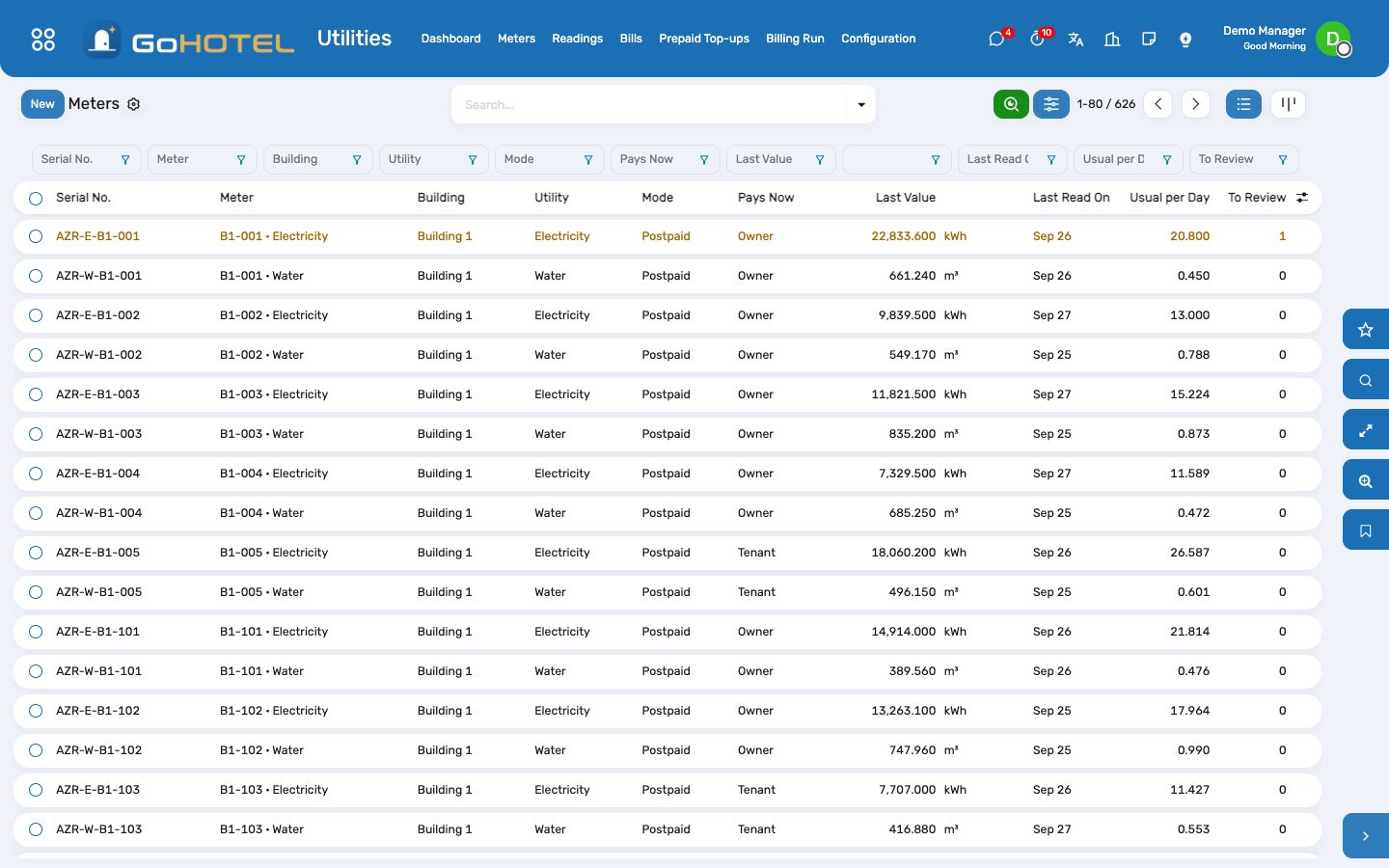
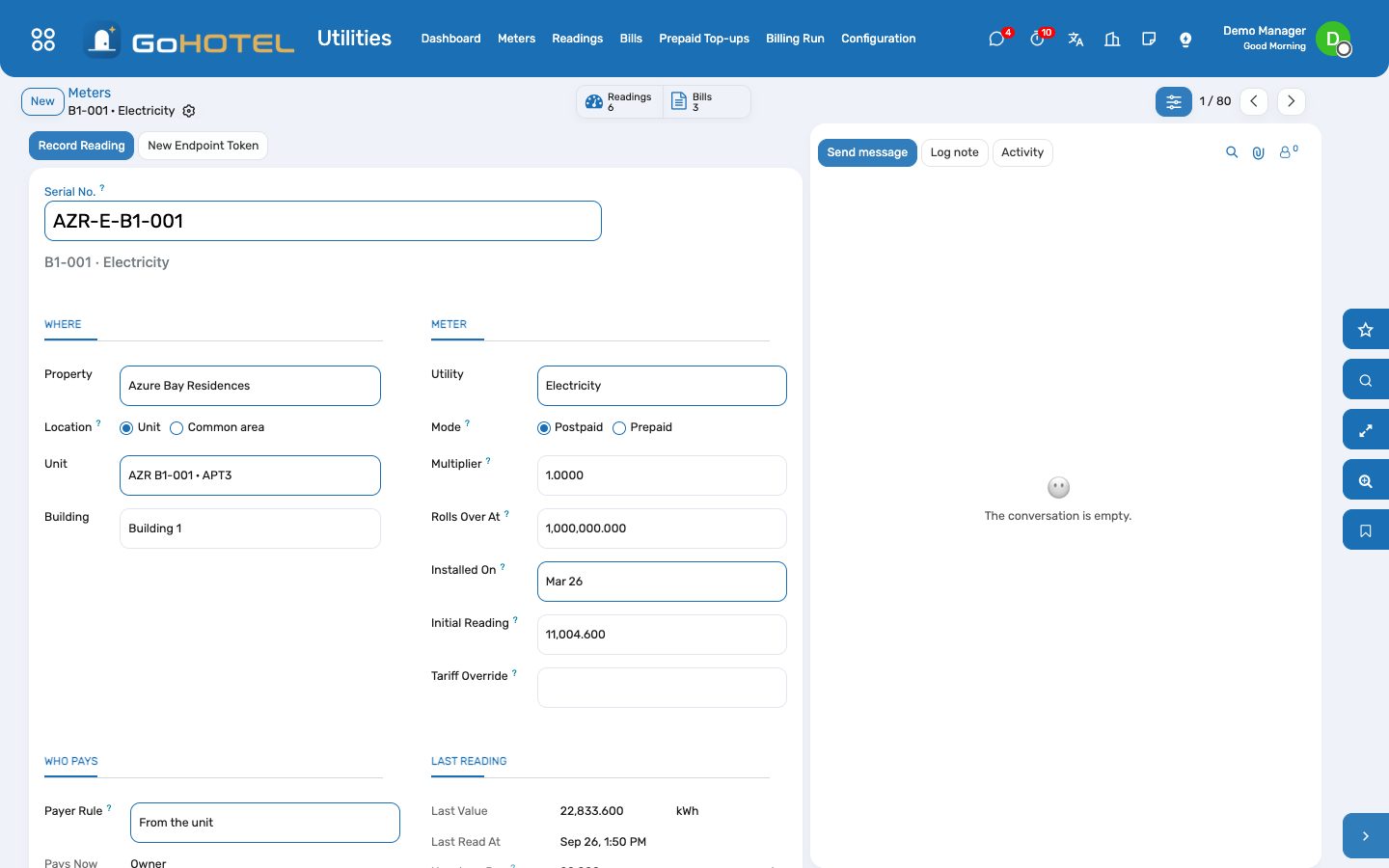
- Utilities › Meters › New: the serial number printed on the meter, the property, and either the unit or — for a common area — what it serves (street lighting, the pool plant) with the building, zone or space.
- The utility, postpaid or prepaid, the multiplier for a meter on current transformers (the register × the multiplier = units), the value at which the register rolls back to zero, the installation date and the register on that day.
- Payer Rule: From the unit (the default) bills the tenant of the lease running at the time, else the long-stay guest in house, else the owner through the ownership account; a common area is always the operator's cost. Force it only when the contract says otherwise.
- The unit form shows its meters behind the Meters button.
Record the reading round
- On a meter, Record Reading: the date and time and the figure on the display; the consumption since the last reading shows before you save.
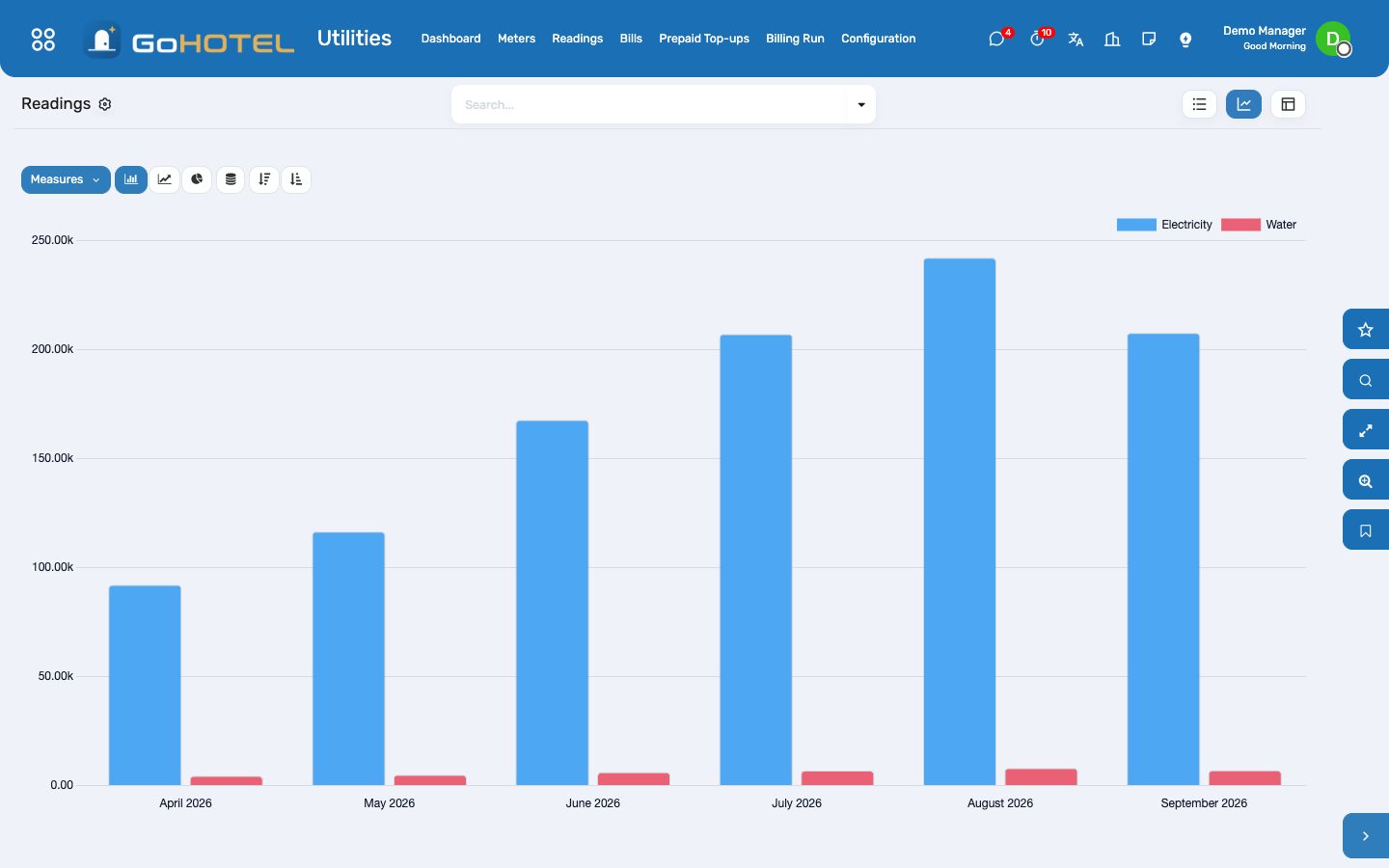
- For a whole round, Utilities › Readings › Import CSV: a file with the columns serial, datetime, value — dates as 2026-09-25 10:30 or 25/09/2026 10:30, in the property's time. Lines with an unknown serial, an unreadable figure or a second reading at the same moment are listed and skipped; the rest are imported.
- Signing off a lease handover (Community › Leases › Handovers) puts its electricity, water, gas and cooling figures on the unit's meters as handover readings: the month is then split between the owner before the move-in and the tenant after it.
- A smart meter posts to its own address, shown on the meter's Smart Meter tab with a copy button: one JSON object per reading, {"value": 12345.6, "datetime": "2026-09-27T10:15:00+03:00"}. New Endpoint Token retires the old address.
Review the flagged readings
- Every reading is checked as it arrives. It is flagged when the register went backwards, when it rolled over its maximum, or when it used more than three times the meter's usual daily consumption of the last 90 days.
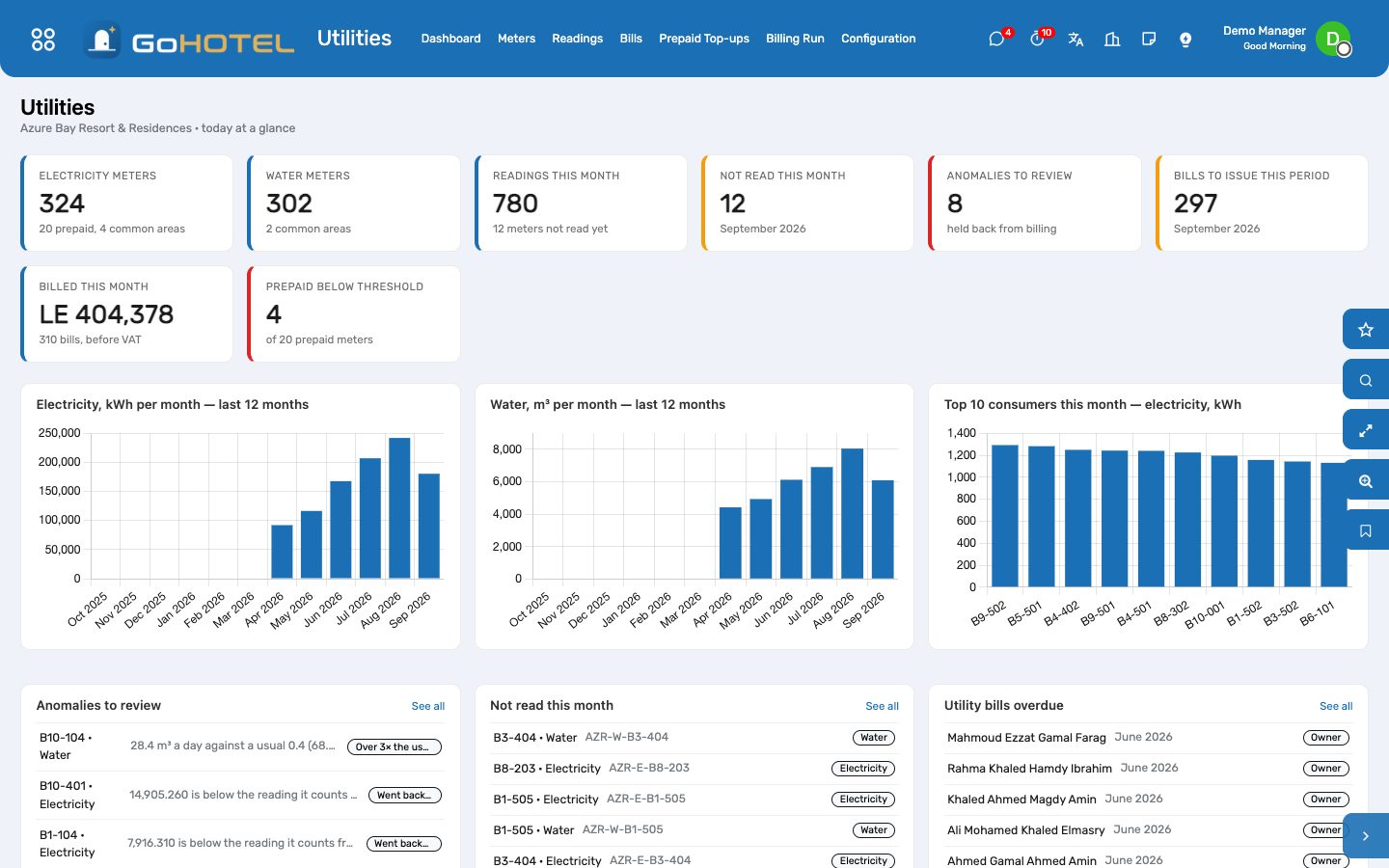
- Utilities › Readings, filter Anomalies to review — or the list on the dashboard. The red banner on the reading says what was found and against what.
- A typing slip: correct the figure and it is checked again. A genuine jump (a leak, guests, a heater left on): write what you found in the note and Validate. A register that went backwards cannot be validated — correct it, or if the meter was replaced, archive it and register the new one.
Run the monthly billing
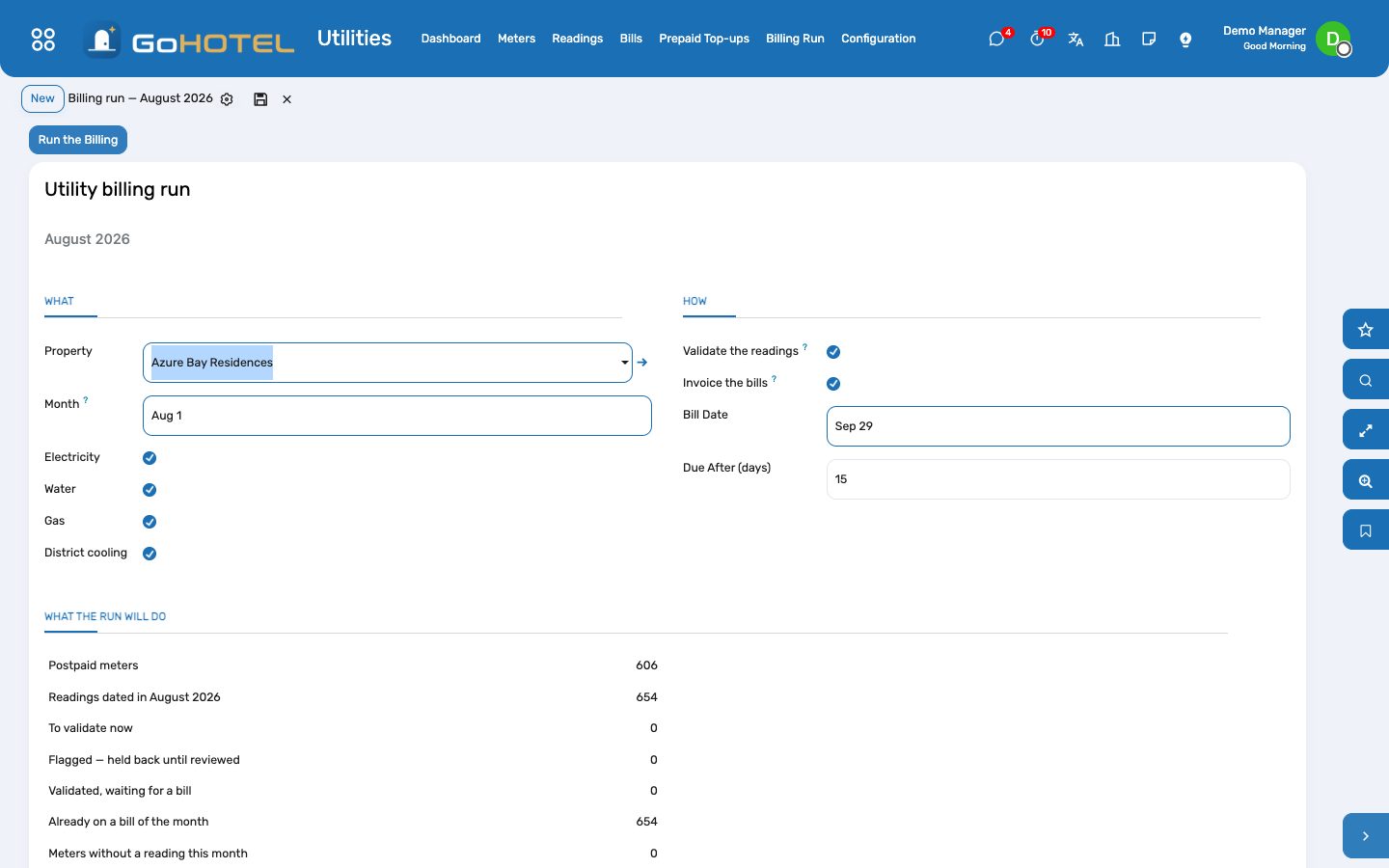
- Utilities › Billing Run: the property, the month and the utilities. The page shows what the run will do: the readings to validate, the flagged ones held back, the meters with no reading this month, the bills already built.
- Run the Billing validates the month's readings, builds one bill per payer — every meter of that payer on the same bill, each priced by its tariff — and, with Invoice the bills ticked, invoices them at once. Untick it to review the drafts first, then Invoice from the list.
- The owner's bill is invoiced through the ownership account, so it appears on the owner's balance, statement and dunning ladder; the tenant's bill is an invoice to the tenant tagged with the lease; the long-stay guest's bill is posted on the open folio as a utilities charge; the operator's common areas become a cost bill with nothing to invoice.
- On the 1st of each month the office gets an activity when last month still has readings without a bill.
Follow the bills
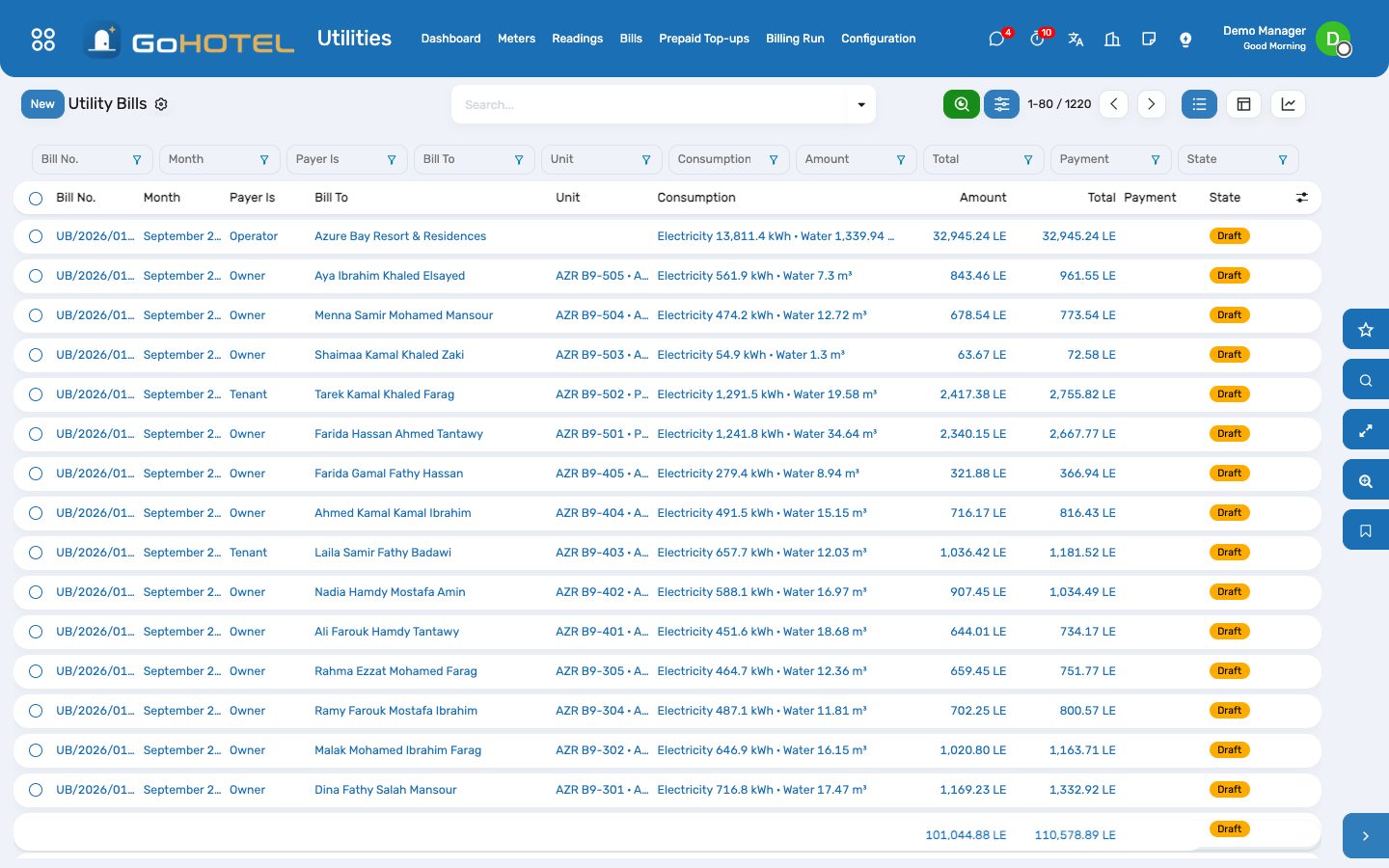
- Utilities › Bills lists each bill with its consumption, its amount before VAT and after, and whether the invoice is paid. The pivot compares months and payers; filter Overdue for the reminders.
- Payments are registered in Accounting like any other customer payment and matched to the invoice.
- A bill that was wrong: Credit & Cancel issues the credit note for the full invoice and returns its readings, which the next run bills again once they are corrected. A draft bill is repriced from the tariff with one click.
Prepaid meters
- On a prepaid meter, Top Up (or Utilities › Prepaid Top-ups › New): the amount paid, VAT included, the cash desk or the bank it went into and the payment reference.
- Take Payment works out the units the amount buys at the tariff — the blocks continue from what the meter already bought this month — posts the invoice to the payer and the payment into the journal, matched together, and the meter's credit rises. Print Receipt gives the payer the units, the VAT and the new balance.
- Every reading draws the credit down. Below the meter's threshold the office gets an activity and the payer an e-mail; the alert clears itself after the next top-up.
Questions the desk asks
The unit is let — why does the owner get part of this month's bill?
The move-in handover recorded the meters on the day the tenant arrived. Consumption before it is the owner's, after it the tenant's: each reading goes to whoever held the unit at the middle of its interval.
Why is there no bill for a meter this month?
Either it was not read (see Not read this month on the dashboard) or its reading is flagged and waiting for a review.
A reading covers two months because the reader missed one.
The bill stretches the tiers and the fixed fee over the days read — 60 days count as two months — so the blocks are not crossed early. A regular monthly cycle of 25 to 35 days always counts as one month.
Can a hotel guest be charged for electricity?
Only an in-house long stay: a reservation of the kind Long stay, or 28 nights and more (the number is the gl_hotel_utilities.long_stay_nights setting). The charge goes on the folio like any other and is settled at check-out.
Where does the VAT come from?
From the taxes of the tariff's product, on the invoice, the folio charge and the top-up alike; nothing in Utilities computes a tax by itself.
Can the meters read themselves?
Any gateway able to post JSON over HTTPS can send readings to the meter's endpoint today. MQTT and Modbus gateways and STS prepaid vending are on the roadmap as a connector.
See also: Community: owners, residents and service charges The property, its units and its fee rules