Help desk: tickets from guests, owners and residents
One queue for everything a guest, an owner, a resident or a colleague asks for or complains about — at the desk, by phone or e-mail, from the portal, the app or WhatsApp. A ticket knows the property, the unit and the stay; its category hands the work to housekeeping, maintenance or the front desk and follows it to Resolved; every category has a response and a resolution target on a 24/7 clock, and the dashboard shows what is breaching.
Where:Help Desk › Dashboard · Tickets › Board · All Tickets · Configuration › Categories · Teams · SLA
Before you start
- Help-desk access rights for the people who work tickets (User: personal tickets, User: team tickets, User, Manager) — the GoHotel roles give them to the front office, guest relations, community and owner relations.
- Help Desk › Configuration › Teams: Front Office, Housekeeping, Engineering, Community Management and Owner Relations are there; add the members of each so tickets can be assigned to them.
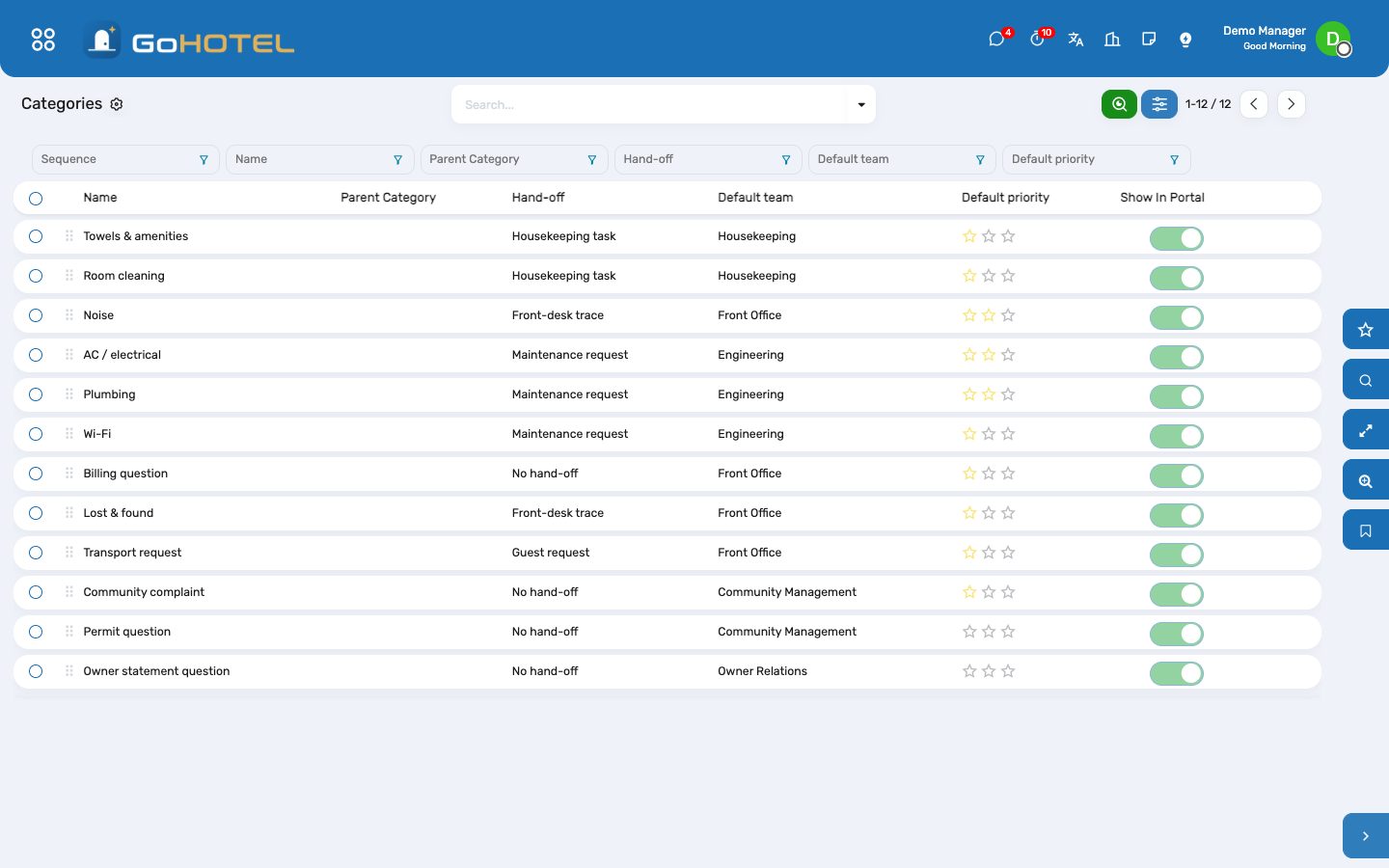
- Help Desk › Configuration › Categories: the twelve categories with their hand-off, default team and priority — rename, add or switch a hand-off off.
- Help Desk › Configuration › SLA: the response and resolution targets by category, measured on the 24/7 help-desk calendar.
How to
Raise a ticket at the desk
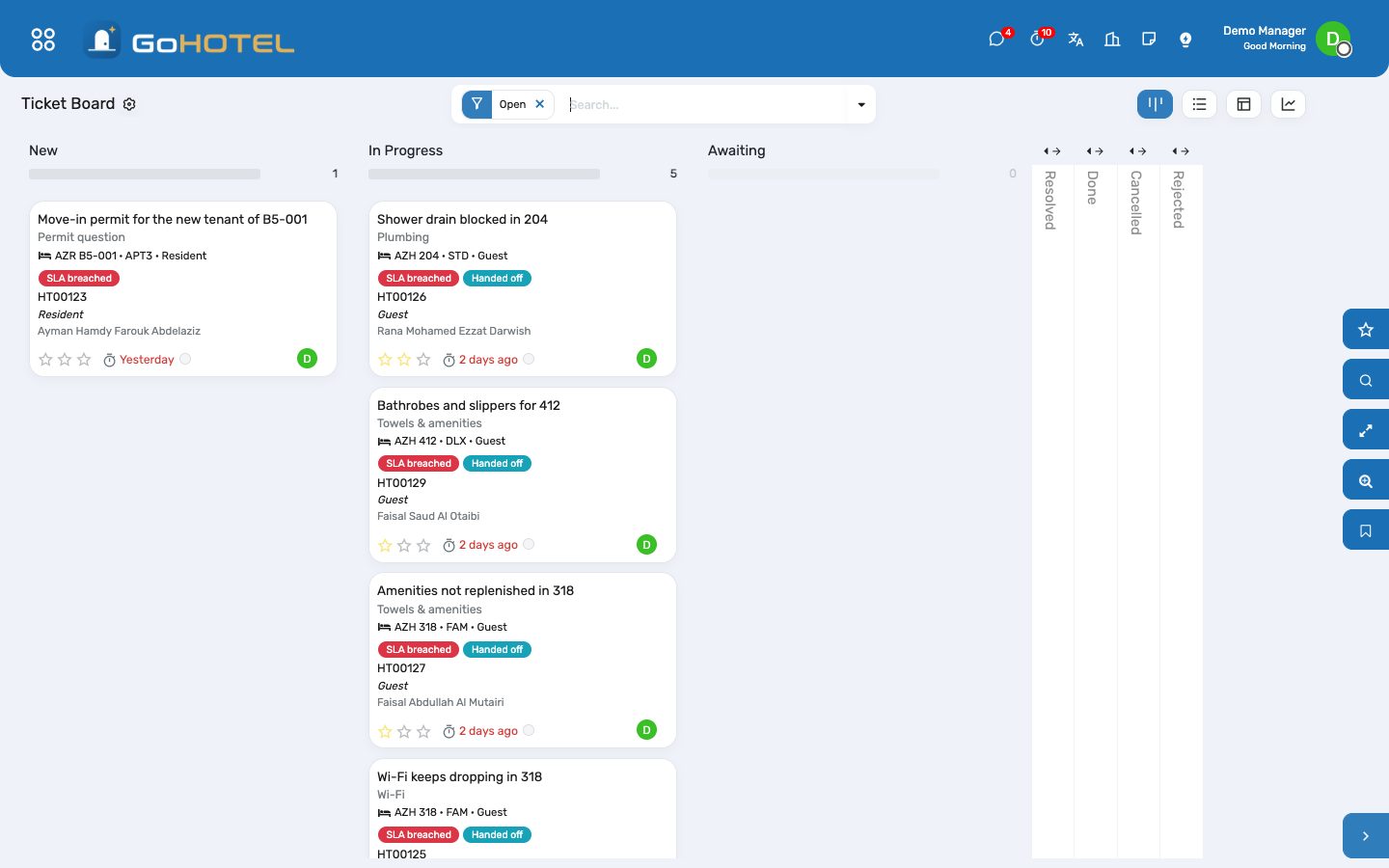
- Help Desk › Tickets › Board › New.
- Pick the contact — or the stay: the guest, the unit and the property fill in from it. For a resident or an owner, pick the unit.
- Choose the category: the team and the priority follow it; change them if the case asks for it.
- Write the title and the description the way the person said it; set the source (desk, phone, e-mail, portal, app, WhatsApp).
- Save. A category that hands work on creates the task, the work order, the trace or the guest request at once and moves the ticket to In Progress.
Hand the work to housekeeping, maintenance or the front desk
- Towels and room cleaning become a housekeeping task on the unit; AC, plumbing and Wi-Fi a maintenance request; noise and lost & found a front-desk trace; a transport request a guest request for the concierge.
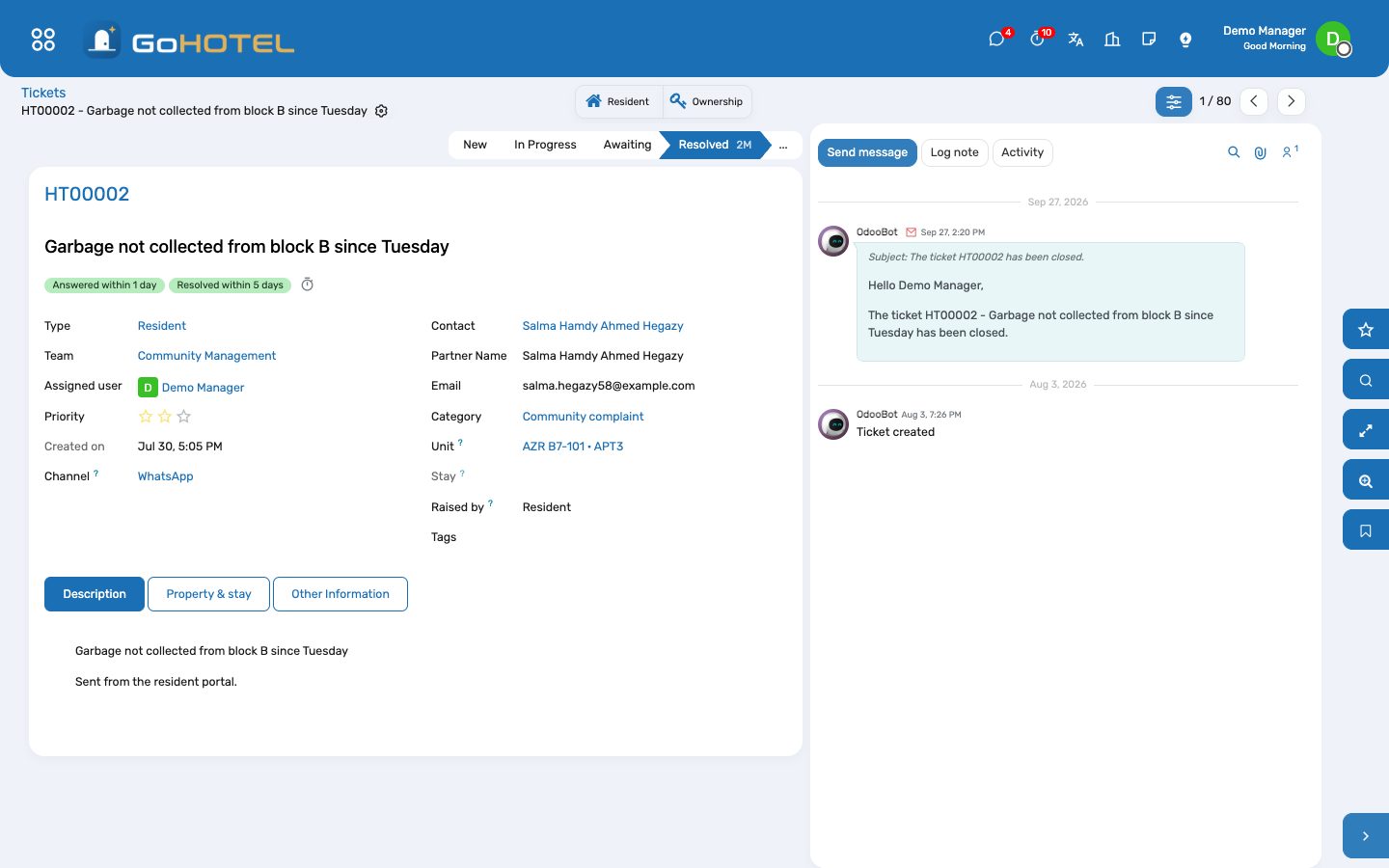
- The smart buttons on the ticket open the record and show its state; the record shows the ticket it answers.
- When the task is done, the request repaired or the trace closed, the ticket moves to Resolved by itself with a note saying what closed it.
- A ticket whose category hands nothing on, or one created before the category was set, has a Hand off button: press it once the unit is known.
Answer within the target
- Every ticket carries its SLA lines: reach In Progress within the response target (one hour for towels, AC and plumbing; a day for a community complaint), reach Resolved within the resolution target (two hours for towels, eight for a work order, five days for an owner-statement question).
- The board and the list mark a breached ticket in red; the SLA breached filter and the dashboard card list them.
- A ticket handed on is answered the moment the record is created; a ticket worked by hand is answered when it is assigned or leaves New.
- Close a ticket as Resolved when the work is done and the person told, or as Done when the desk closes it after the person confirmed; both count as closed and stop the clock.
Tickets from the portal, the app and WhatsApp
- A guest, an owner or a resident with a portal login raises a ticket under My account › Tickets; it lands in New with the source Portal and is routed by its category like one raised at the desk.
- The app and the WhatsApp assistant use the same door — the person, the subject, the text, the unit or the stay and the category — so their tickets carry the unit, the stay and the hand-off too.
- A complaint the front desk records as a guest request becomes a ticket as well; the request and the ticket point at each other and close together.
Work the dashboard
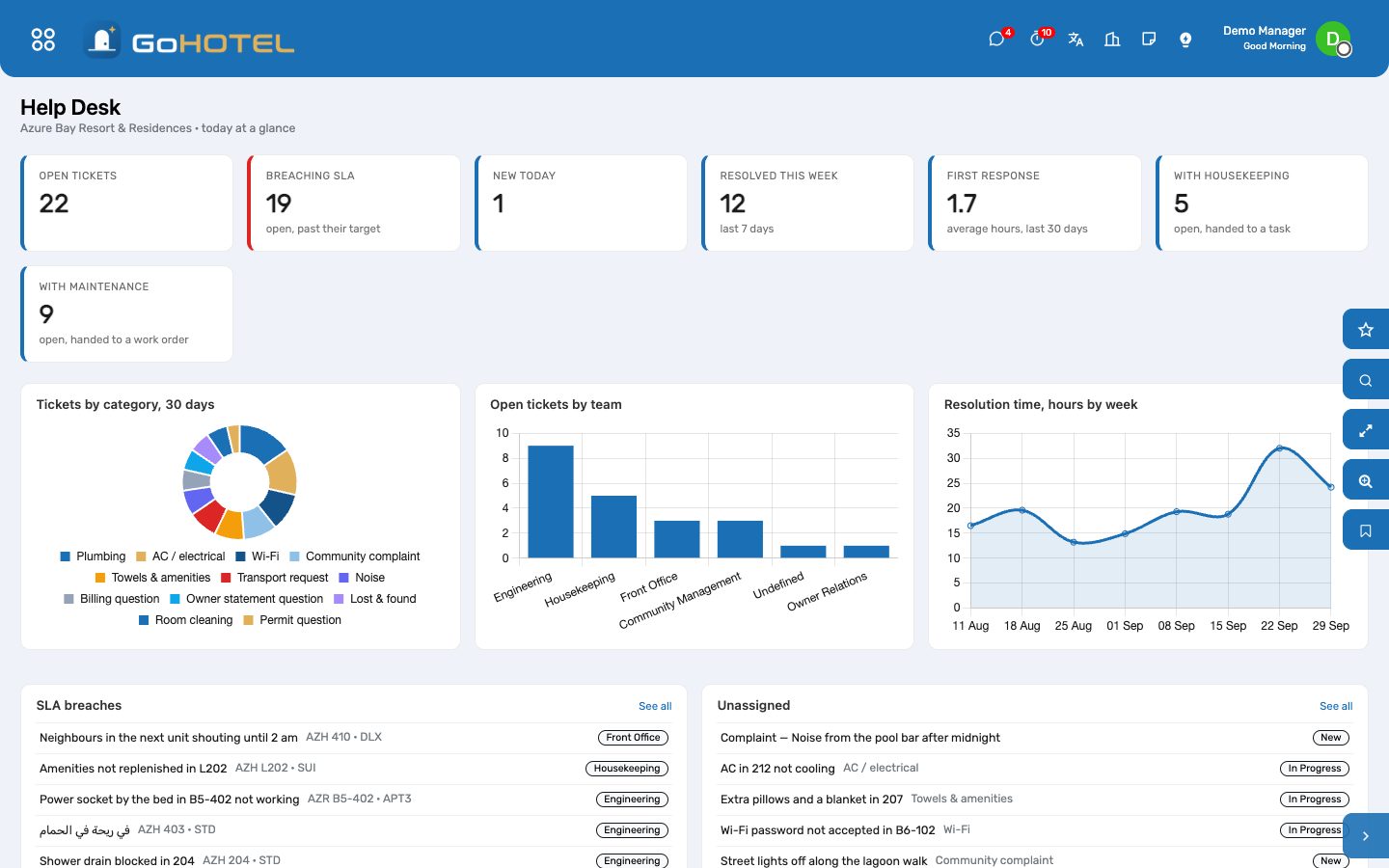
- Help Desk › Dashboard: open tickets, those breaching their target, new today, resolved this week, the average first response in hours, and what sits with housekeeping and maintenance.
- Tickets by category over 30 days and open tickets by team say where the pressure is; resolution time by week says whether it is getting better.
- The SLA breaches and Unassigned lists open the ticket in one click.
Questions the desk asks
The task is done but the ticket is still open.
The ticket resolves when the record is completed in its own app — the task marked Done, the request moved to Repaired, the trace ticked. A record closed some other way leaves the ticket to the desk: move it to Resolved by hand.
What is the difference between Resolved and Done?
Resolved is where a completed hand-off puts the ticket: the work is done and the person told. Done is the desk closing it after the person confirmed. Both are closed stages; a ticket already closed is never moved by a late task.
Who can see a ticket?
The help-desk access levels decide: personal tickets, the team's tickets, or all of them. Every internal user sees the tickets they raised or follow; a portal user sees their own.
A resident wrote on WhatsApp.
The assistant raises the ticket with the source WhatsApp and the resident as the contact; it is routed by its category and answered from the help desk like any other.
Can a category go to a different team in one property?
A team can be limited to a property (Configuration › Teams › Property); pick that team on the ticket, or make a category per property with its own default team.
See also: Front desk: arrivals, in house, departures Housekeeping Maintenance and engineering The dashboards