Spa, activities and rentals
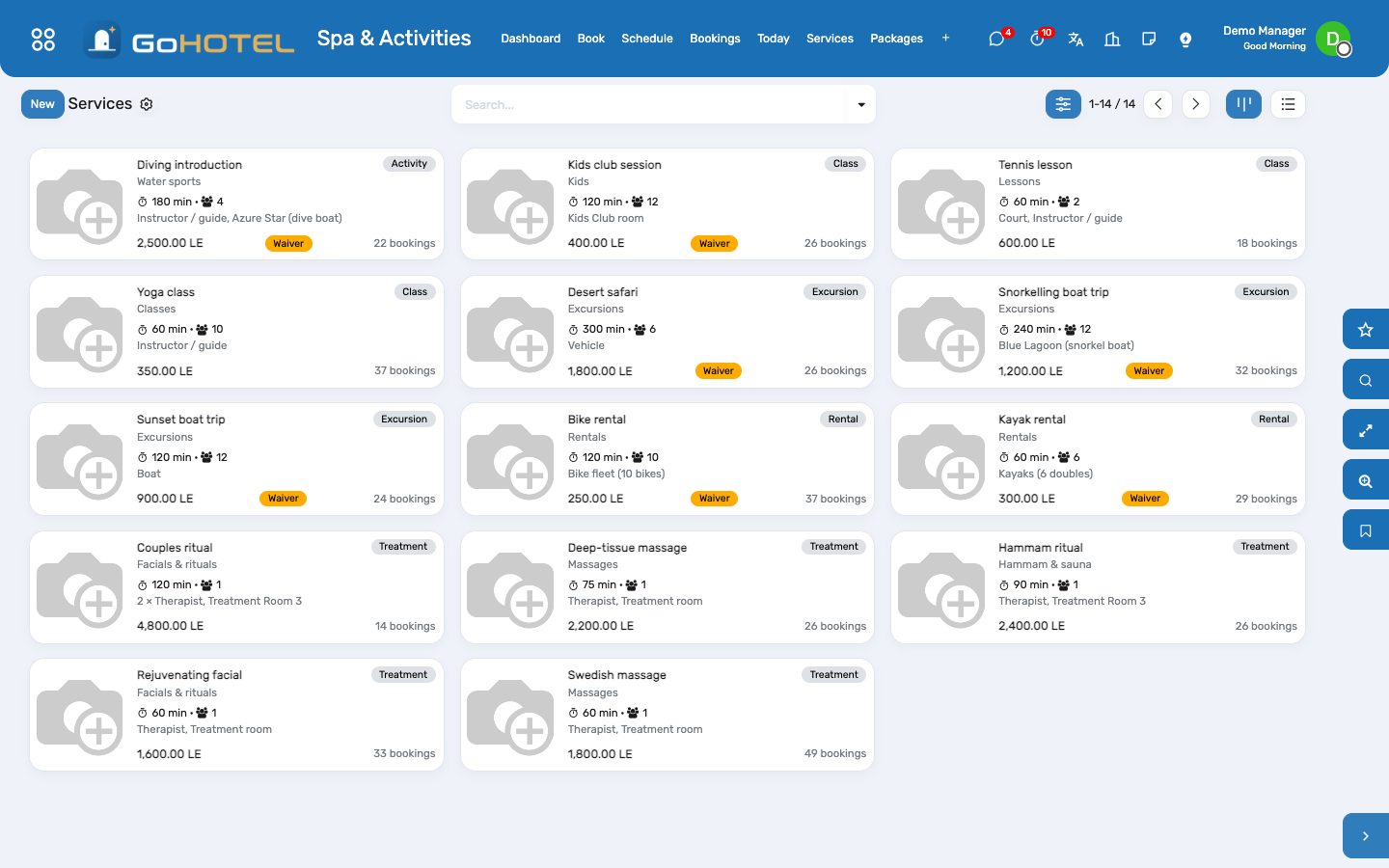
Treatments, boat trips, classes and bike rentals are sold from one catalogue. Each service knows how long it takes, what it costs a guest and a member, how many people one slot holds and what it needs — a therapist and a room, a boat, an instructor, a bike from the pool. Book finds the free start times from the resources' working hours and the bookings already taken; the booking is charged to the guest's folio when it is done (or invoiced to a visitor), a no-show costs the fee on the service, and the therapist earns her share.
Where:Spa & Activities › Book · Schedule · Bookings · Today · Services · Packages · Resources · Waivers · Commissions
Before you start
- Resources
- Spa & Activities › Resources: one line per therapist and instructor (linked to the employee, with a commission %), per treatment room and court (linked to the space), per boat and vehicle, and one line for pooled equipment with its capacity (ten bikes as one resource). Give each its working hours; the company calendar is the default.
- Working hours
- Spa & Activities › Configuration › Working Hours: calendars such as "Spa 09:00–21:00 every day" or "Water sports 07:00–19:00". A leave on a calendar takes the resource out of the slot search for those days.
- Services
- Spa & Activities › Services: name, kind, category, duration, preparation and cleanup minutes, capacity (1 for a treatment, the boat or the class for a group service), guest and member price, per booking or per person, the resources needed (a therapist and a room; two therapists for a couples ritual; the snorkel boat by name), the no-show fee, and whether a waiver is required with its text. A service product is created for the charge.
- Charging
- On the property (Spa & Activities tab): Charge activities on confirmation for a prepaid operation; off, the charge is posted when the booking is done.
How to
Book a treatment for an in-house guest
- Spa & Activities › Book: pick the service and the day; pick the stay (or the guest — the in-house stay fills in), the number of persons; optionally a preferred therapist or room.
- Search: every free start time is listed with the resources it would take and, for a group service, the places left. A slot that other guests already hold shows "Joins a group".
- Book on the line you want: the booking is created with its resources and confirmed (untick Confirm at once to leave it as a request).
- The stay's form and the guest's form carry an Activities button with everything booked for them.
Book a visitor who is not staying
- Leave the stay empty and pick the visitor (a chalet owner, a day guest, a company) as the payer.
- The booking is settled by invoice: when it is done, a customer invoice is posted to the payer with the product's VAT.
- Member price: tick it on the booking (or let the facilities app's membership pick it).
Run the day
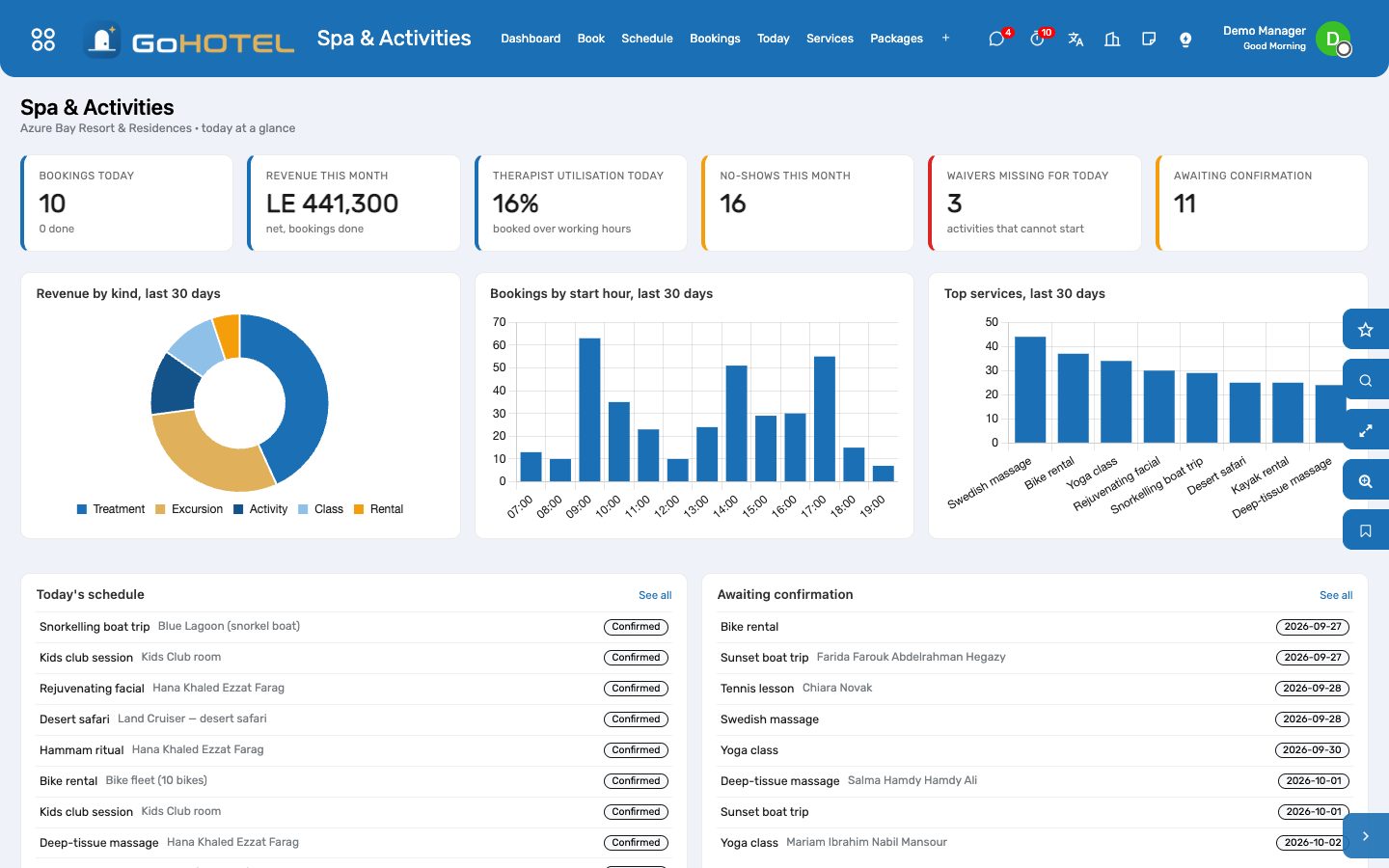
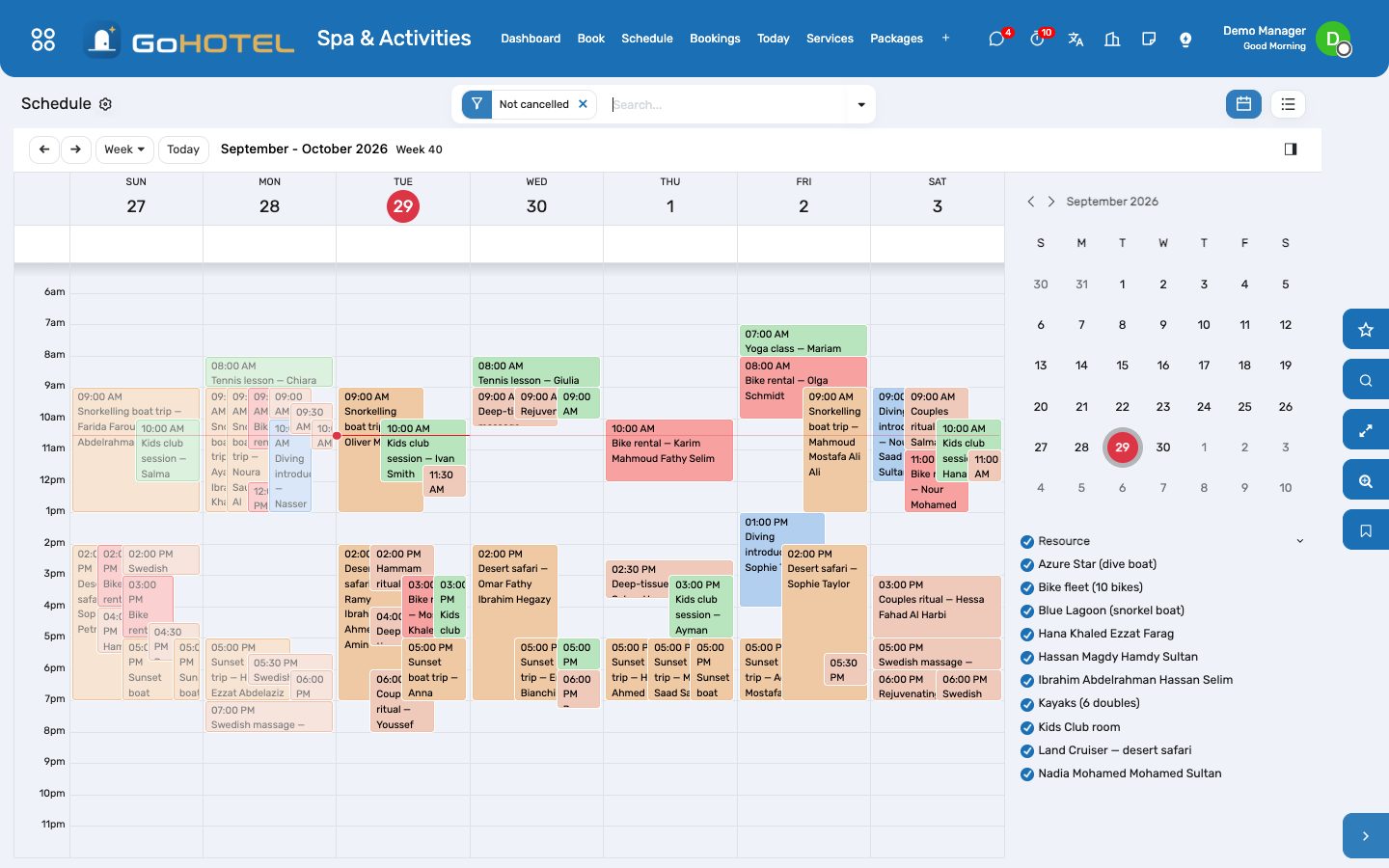
- Spa & Activities › Today: the day's bookings grouped by therapist, room, boat and court; Schedule shows the week as a calendar.
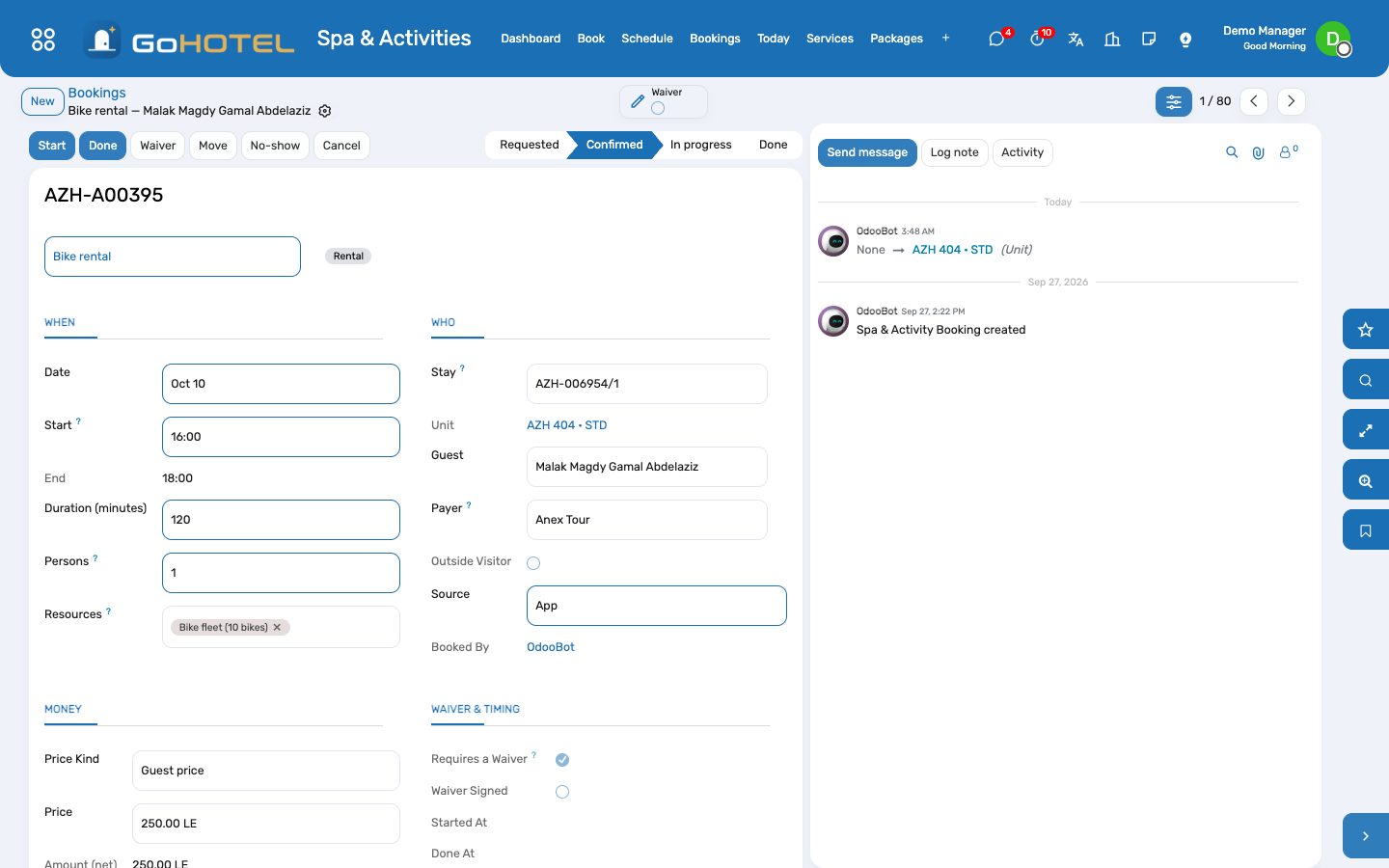
- A booking that requires a waiver shows a warning until it is signed: open Waiver, let the participant read and sign on the tablet (or tick Signed on paper), Mark Signed.
- Start when the guest arrives, Done when it ends: the charge lands on the folio through the charge engine — the property's fee rules and the product's VAT apply — and the therapist's commission accrues.
- No-show when the guest never came: the no-show fee of the service is posted the same way; nothing is charged when the service has no fee.
- Cancel a booking that was charged in advance and the charge is cancelled with it.
Sell a package
- Spa & Activities › Packages: a package is several services with quantities and one price.
- Packages › Package Sales › New: the package, the stay or the payer, Charge — one folio charge (or one invoice).
- Book each service of the package as usual and set the package on the booking: the price is zero and the sale counts it down.
Pay the therapists
- Spa & Activities › Commissions: one accrued line per done booking and person with a commission %; grouped by therapist by default.
- Mark Paid when the payroll has taken them; the pivot gives the month per person.
Questions the desk asks
Why is a start time missing from the search?
One of the resources the service needs is not working then (its calendar or a leave), or is held by another booking — including that booking's preparation and cleanup minutes — or the group slot is full.
Two guests want the same boat trip at 09:00.
Book each on the 09:00 line: the trip is a group service, so the second booking joins the first and takes the same boat until the twelve places are gone.
The guest wants the same therapist as last time.
Choose her under Prefer before searching; only her free times are listed.
Where is the service charge on a spa treatment?
The property's fee rules decide: a rule that applies to accommodation and F&B only leaves a treatment with VAT alone; a rule for every charge adds the service charge to treatments and activities too.
Can a guest book from the website or the app?
Bookings arriving through the guest channels come in as requests; the desk confirms them from the dashboard's Awaiting confirmation list.
See also: Front desk: arrivals, in house, departures The dashboards Folios, charges, payments and the city ledger