Reservations and the tape chart
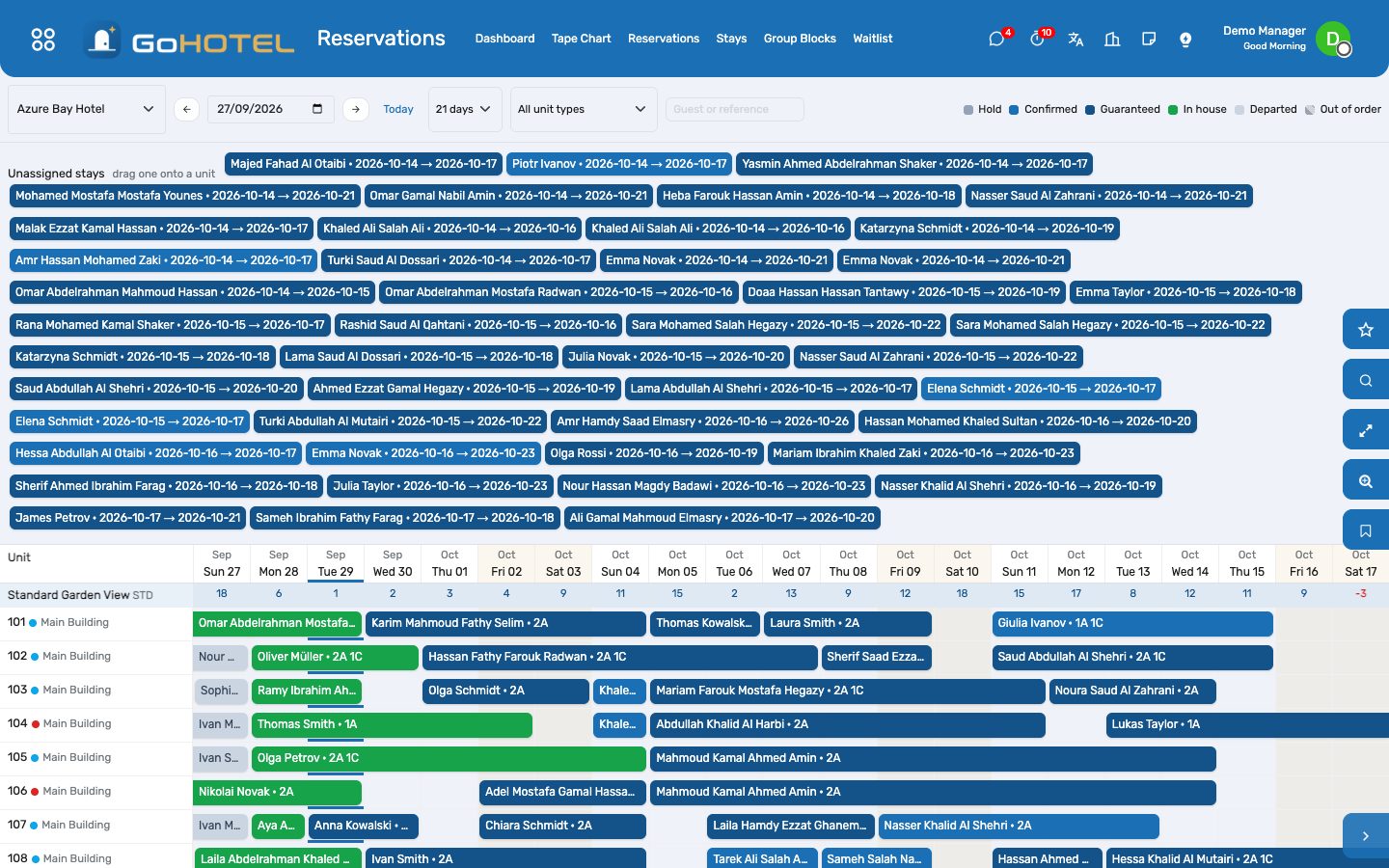
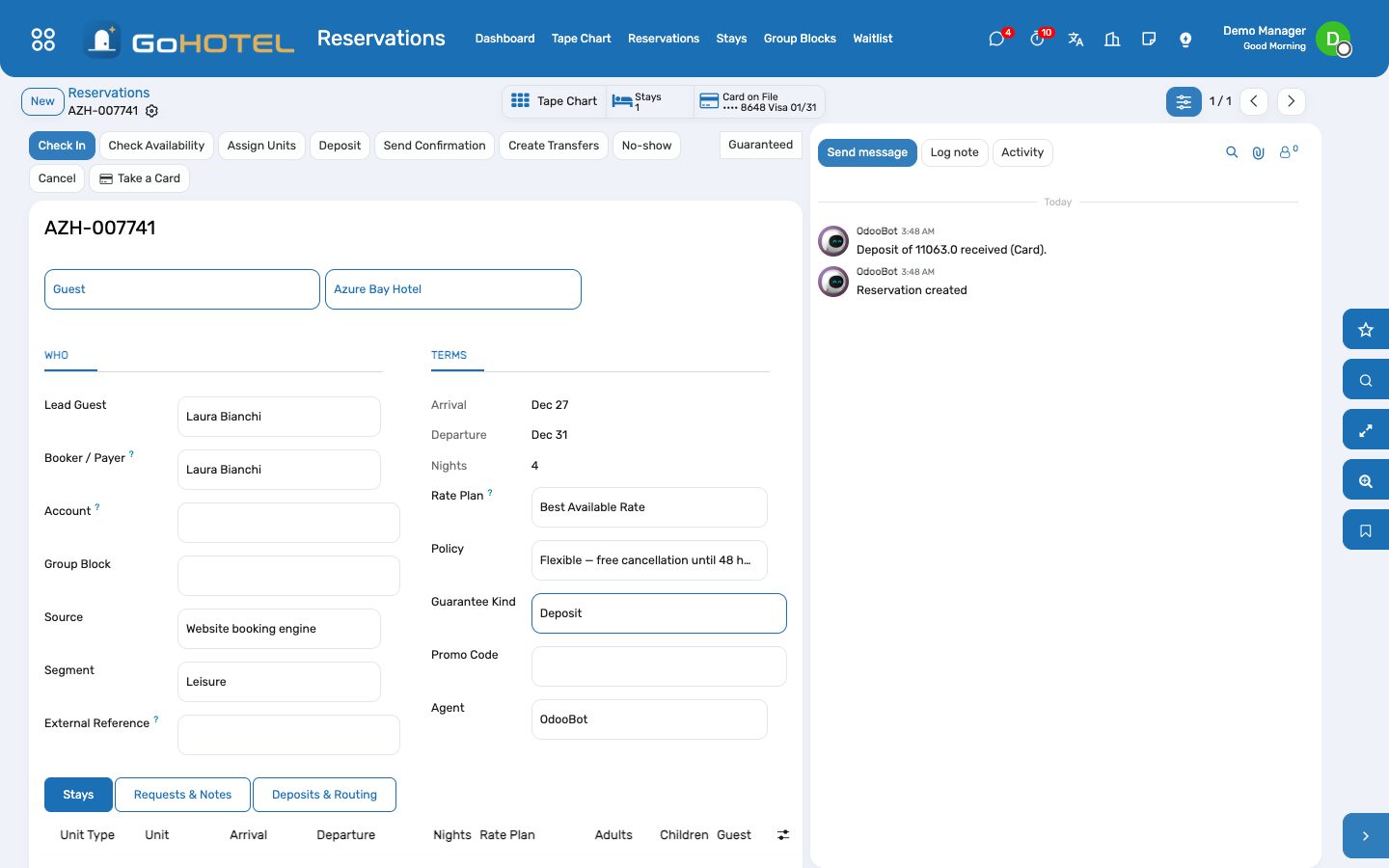
A reservation is one booking; each line is one unit for a range of nights with its rate plan, board, guests and guarantee. The tape chart shows every unit and every night — drag a stay to another unit or day, click a gap to book it.
Where:Reservations › Reservations · Reservations › Tape Chart · Reservations › Group Blocks
Before you start
- Unit types and units exist under Property.
- At least one rate plan under Rates (the default plan is pre-selected).
- Booking policies under Rates › Configuration decide guarantees, cancellation and no-show fees.
How to
Take a reservation
- Reservations › Reservations › New.
- Pick the lead guest, or create one exactly as the ID reads (four-part name for Egyptians, ID number).
- Company, agent or OTA? Choose the account — its rate plan, segment and source fill in.
- Add one line per unit: type, arrival, departure, adults, children. The nightly price and the estimated total with fees and VAT appear.
- Choose the guarantee (card, deposit, company account) and Confirm. Availability and restrictions are checked; a problem stops the confirmation and says why.
- Send the confirmation by e-mail (the PDF is attached).
Assign units on the tape chart
- Reservations › Tape Chart.
- Unassigned stays appear at the top; drag one onto a unit row on its arrival day.
- Drag a bar to another unit or another start day; the length stays the same. An in-house stay keeps its arrival date.
- Click a bar to open the stay, click an empty cell to start a booking for that unit and night.
Block units for a group
- Reservations › Group Blocks › New: dates, organiser or account, rate plan, cut-off date.
- Add the blocks: unit type, night, quantity. Make Definite — availability is checked.
- Rooming List creates the stays (one per unit or one reservation with several lines); name the guests now or later.
- Unpicked units go back to the house at the cut-off, or press Release Unpicked.
Cancel, no-show, reinstate
- Cancel opens a wizard with the policy fee; waive it or charge it — a charged fee posts to the folio and keeps the deposit.
- No-show marks the stays and posts the no-show fee per policy; the night audit does this on its own for arrivals that never came.
- Reinstate puts a cancelled or no-show reservation back to draft.
Questions the desk asks
Why can I not confirm?
The unit type has no availability for one of the nights, a restriction applies (minimum stay, closed to arrival, stop-sell), or the guest is blacklisted. The message names the night and the rule.
Where do I see who sent the booking?
Source (website, phone, Booking.com…) and Segment (leisure, corporate, tour operator…) on the reservation; the dashboards chart both.
See also: Rate plans, rates, restrictions and allotments Front desk: arrivals, in house, departures Folios, charges, payments and the city ledger