Rosters, service charge and staff credentials
The people side of the property inside the Employees app: a duty roster by shift with swap requests, the monthly service-charge pool split by points and days worked and pushed to payroll, tips, and the certificates the inspectors ask for — with reminders before they expire.
Where:Employees › Duty Roster · Employees › Shift Swaps · Employees › Service Charge Pool · Employees › Credentials
Before you start
- On each employee, Work tab › Hotel: the property, the outlet they work in, whether they share in the service charge and their points (1 line staff, 1.5 supervisor, 2 head of department).
- Payroll › Salary Structures: add the rule "Service Charge" (code SVC) to your structure once; the pool fills the SVC input of each draft payslip.
- The attendance app is the source of days worked; without it the roster counts, and without a roster every calendar day counts.
How to
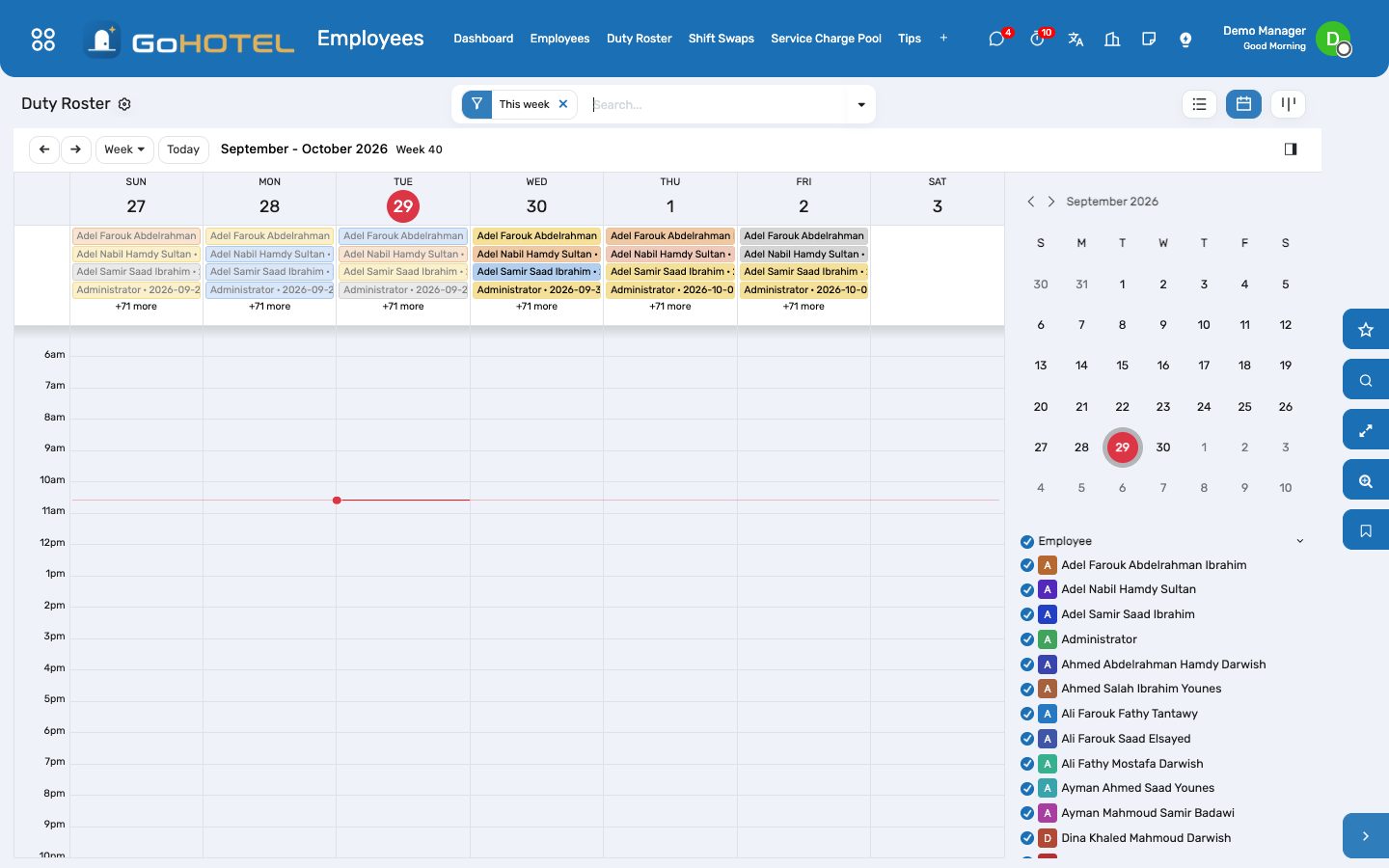
Write next week's roster
- Employees › Duty Roster › Generate.
- Pick the property, the week, and the outlet or the people.
- Set the shift of each weekday — the property's weekend days are off by default — or choose "Copy the previous week".
- Generate: one line per person and day; lines that already exist are left alone.
- Select the week and Confirm. Each night, confirmed lines become Worked or Absent from the attendance log.
Swap a shift with a colleague
- Employees › Shift Swaps › New (any employee can).
- Pick your shift, the colleague, and — for an exchange — the shift they give in return.
- The colleague opens the request and accepts.
- HR or the hotel manager approves: the roster is rewritten for both.
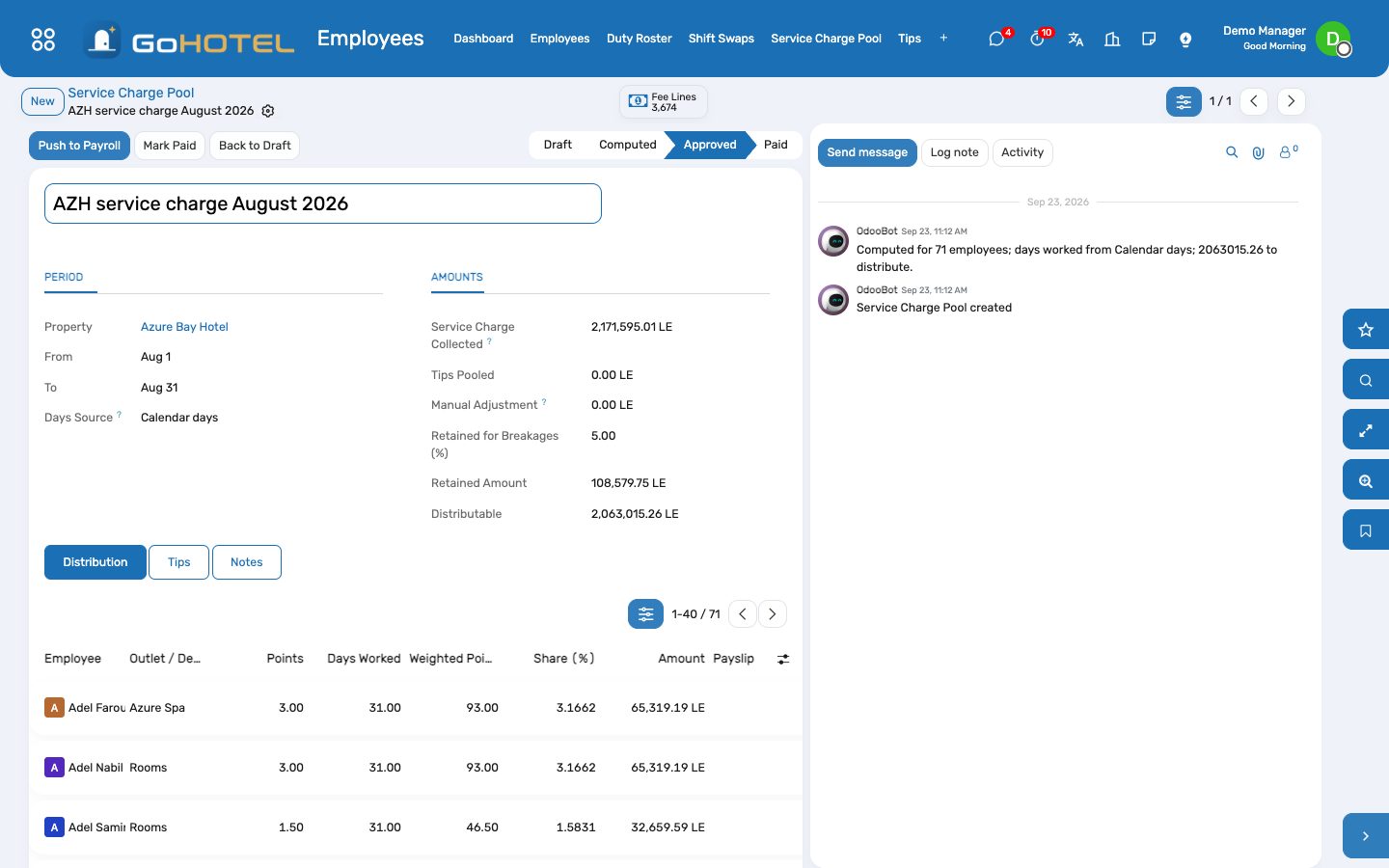
Distribute the month's service charge
- Employees › Service Charge Pool › New: the property and the month.
- Collected shows the service-charge fee lines the folios posted; add tips or a manual adjustment, and the percentage retained for breakages.
- Compute: every eligible employee gets a line — points × days worked gives the share.
- Correct a line if needed, then Approve.
- Push to Payroll: each amount lands as input SVC on the person's draft payslip of the month; people without a draft payslip are listed in the chatter.
- Mark Paid once payroll is out.
Keep staff certificates current
- Employees › Credentials › New, or the Hotel HR tab of the employee.
- Enter the certificate, its number, the issuer and the expiry date; attach the scan.
- Thirty days before expiry (or the reminder you set) the status turns Expiring and the HR responsible gets an activity.
- Enter the new dates when it is renewed; the status follows.
Issue a uniform or a locker
- Employee › Hotel HR tab › Uniforms & lockers: the item, size, quantity and locker number.
- On departure, mark each line Returned, or Lost.
Questions the desk asks
Why is someone missing from the pool?
Their Service-Charge Eligible box is off, or they belong to another property. Employees with no property are included in every property's pool of their company.
The collected amount looks old.
The pool reads the folio charges when it is computed; press Refresh Amounts or Compute again after the night audit.
Can an employee see the whole roster?
Everyone sees their own lines and their own swap requests; HR users and the hotel manager see all of them.