Compliance — guest lists, licences and fee returns
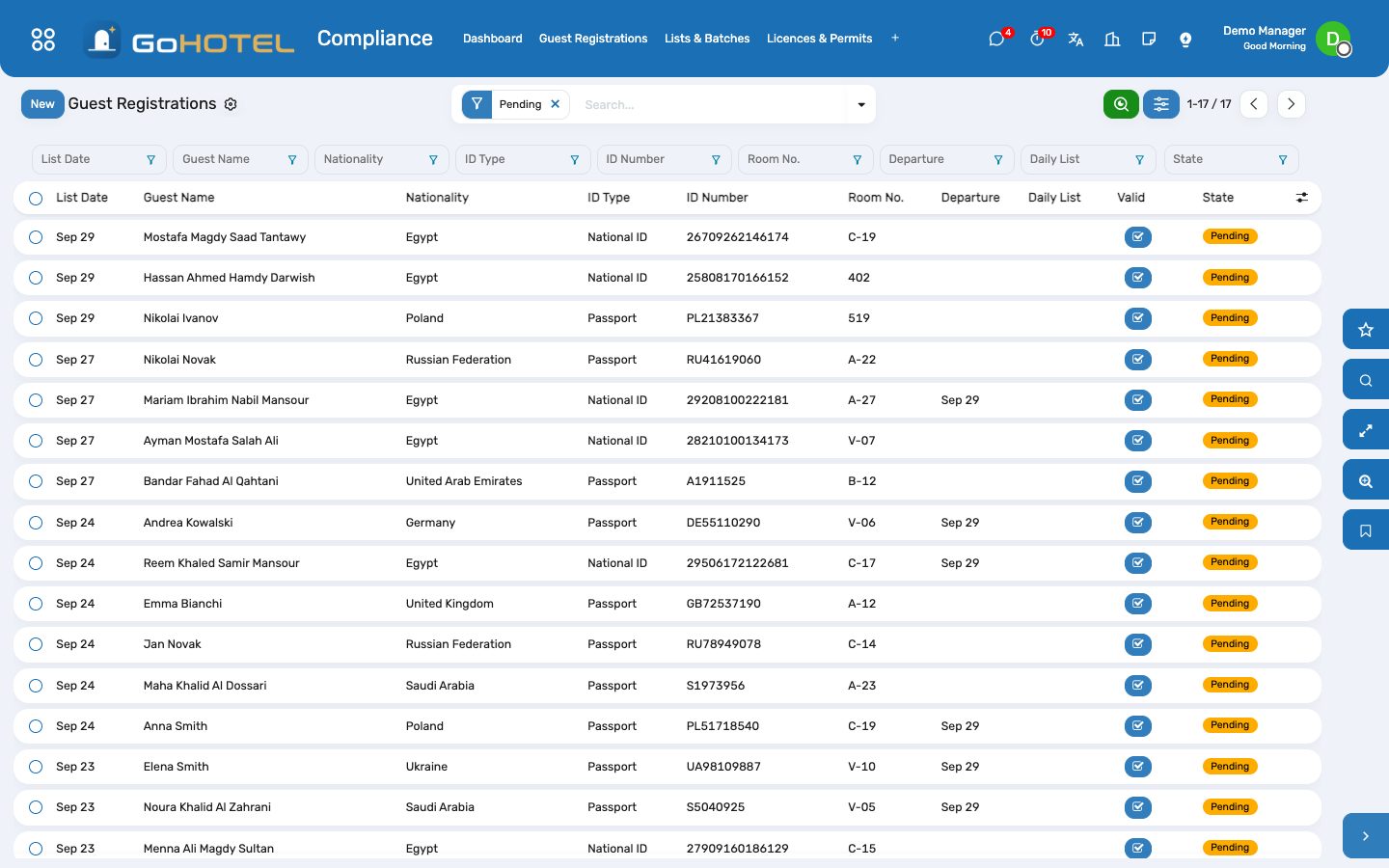
Every check-in writes one registration row per occupant, spelled as the ID document spells them. The desk collects the rows into the list the authority wants — the daily tourism-police list and the monthly Ministry list in Egypt, Shomoos check-in and check-out in Saudi Arabia, the Dubai Police export in the UAE — exports the file, and records what came back. Licences warn before they lapse; fee returns sum the tourism, municipal and city-tax lines of the period.
Where:Compliance › Guest Registrations · Compliance › Lists & Batches · Compliance › Licences & Permits · Compliance › Fee Returns
Before you start
- Property › Properties: fill the Tourism Registration No. — it prints on every list.
- Compliance › Configuration › Settings: the retention window (years) and the default purpose of stay.
- Settings › Technical › Scheduled Actions: switch on “daily police list (Egypt)” to export yesterday's list every morning.
How to
Fix a registration the authority would reject
- Compliance › Guest Registrations, filter Invalid.
- Open the row: the red box says what is missing — a four-part name, a 14-digit national ID, a nationality, a date of birth.
- Open the guest profile from the smart button and correct it; the pending row refreshes itself.
- Rows already exported are frozen: correct the guest, then put the row Back to Pending so the next list carries the corrected data.
Send the daily police list
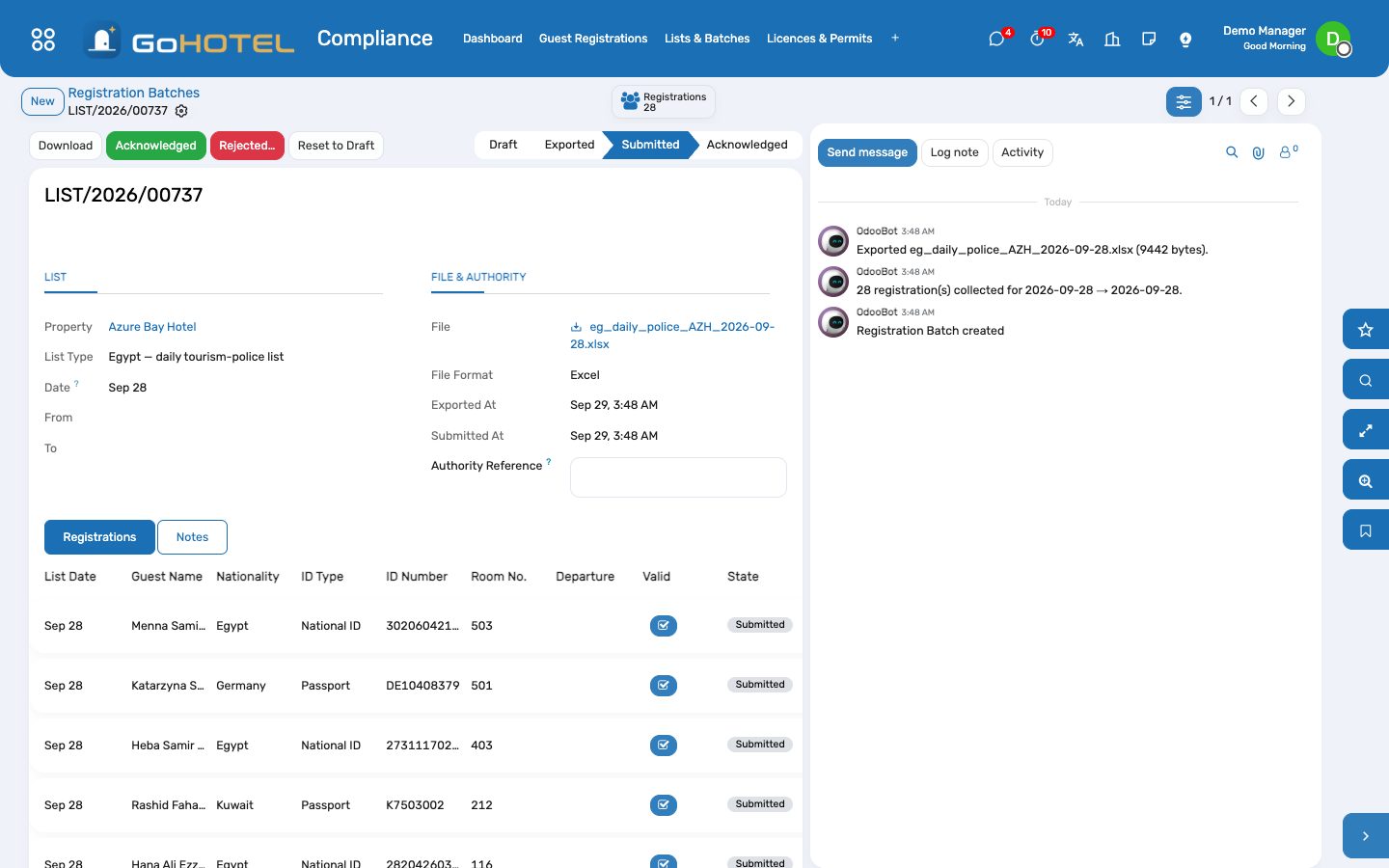
- Compliance › Lists & Batches › New; the list type follows the property's country.
- Pick the day and press Collect: every pending or rejected row of that day joins the batch.
- Press Export File, then Download, and upload it to the authority's platform.
- Press Mark Submitted; when the receipt arrives, press Acknowledged and note the reference. If it bounces, press Rejected… with the reason — the rows go back to pending and join the next list.
Report a check-out to Shomoos
- Compliance › Lists & Batches › New, list type “Shomoos check-out”.
- Collect: every departure of the day whose check-out was not yet reported.
- Export, upload, Mark Submitted.
Keep the licences from lapsing
- Compliance › Licences & Permits › New: type, number, authority, issue and expiry dates, the scan.
- Set “Remind before” — 60 days by default. Every night the state is recomputed and an activity is raised for a licence entering the window.
- When renewed, press Record Renewal: a new licence opens pre-filled from the old one.
File the city-tax or Tourism Dirham return
- Compliance › Fee Returns › New: pick the return type and the period (last month by default).
- Press Compute: the room nights, the base and the fee are summed from the folio fee lines of the period, broken down by fee rule.
- Export CSV for the portal, press Mark Filed with the filing reference, then Mark Paid.
Anonymise guests past the retention window
- Compliance › Configuration › Anonymise Guests.
- The list holds every guest with no stay in the retention window and no open folio.
- Press Anonymise: the name is replaced, identity and contact fields cleared, ID scans deleted, the profile archived. Lists already handed to an authority are kept as they are.
Questions the desk asks
Why does a guest with a valid passport show “The name must carry four parts”?
Only Egyptian nationals need the four-part name. Check the nationality on the guest profile.
Who can see an ID scan?
Front desk, reservations, guest relations and managers. Open it through “Open scan (logged)” — every view is written to Compliance › Configuration › ID Scan Access Log.
A list was exported with a wrong row. Can I redo it?
Yes — Reset to Draft on the batch (unless it was acknowledged), fix the guest, Collect and Export again.
See also: Front desk: arrivals, in house, departures Guests and accounts The dashboards