The property website and online booking
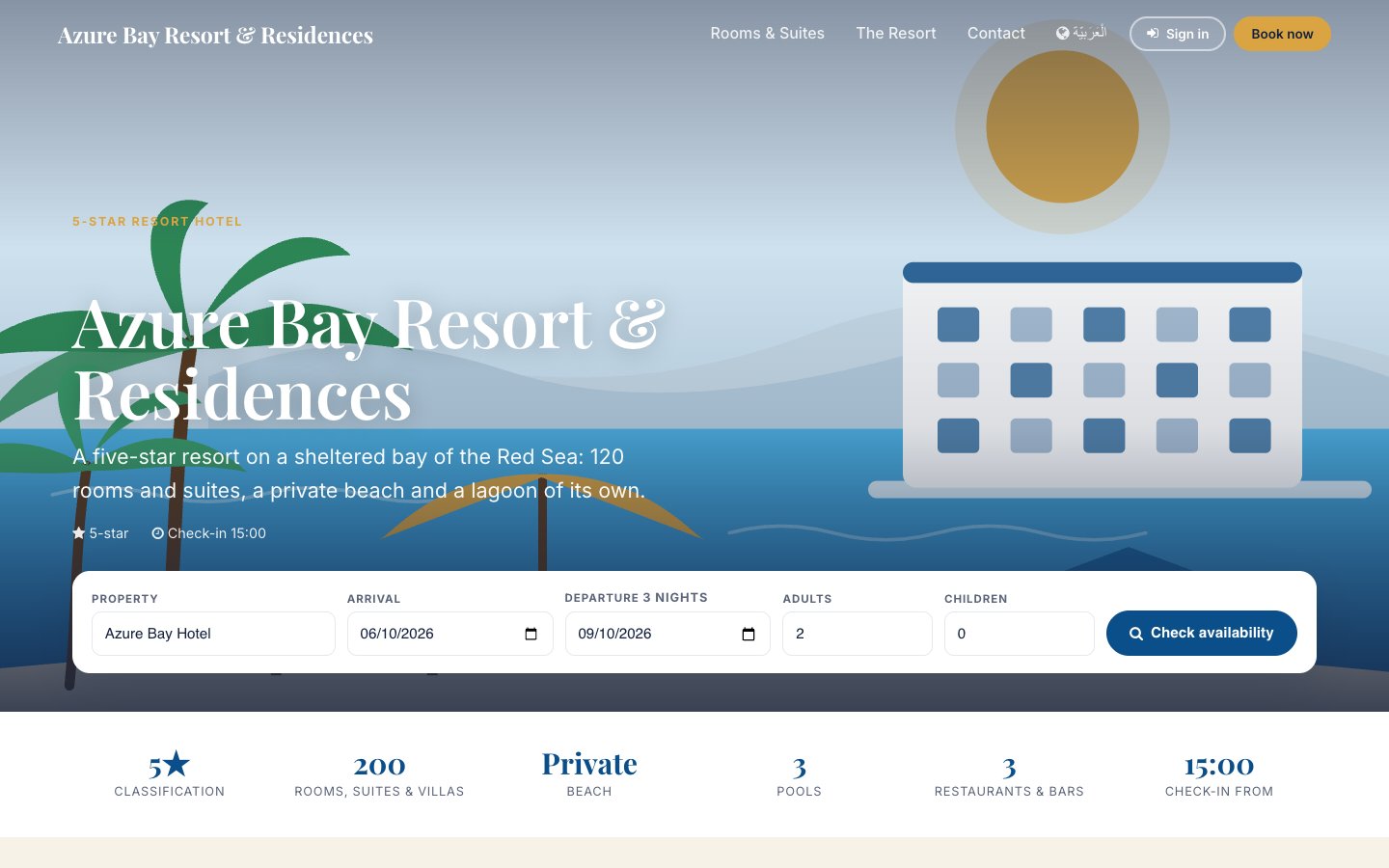
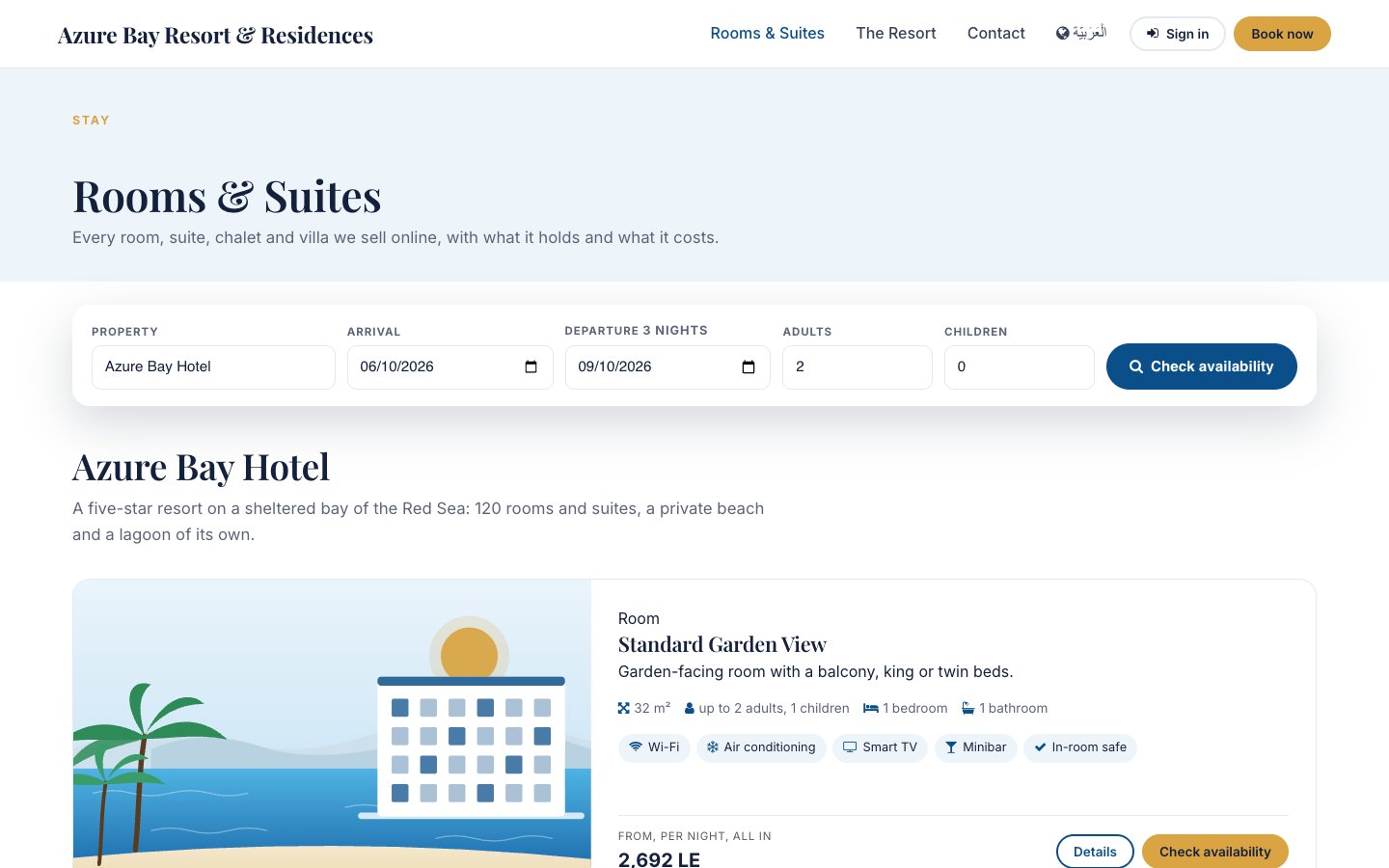
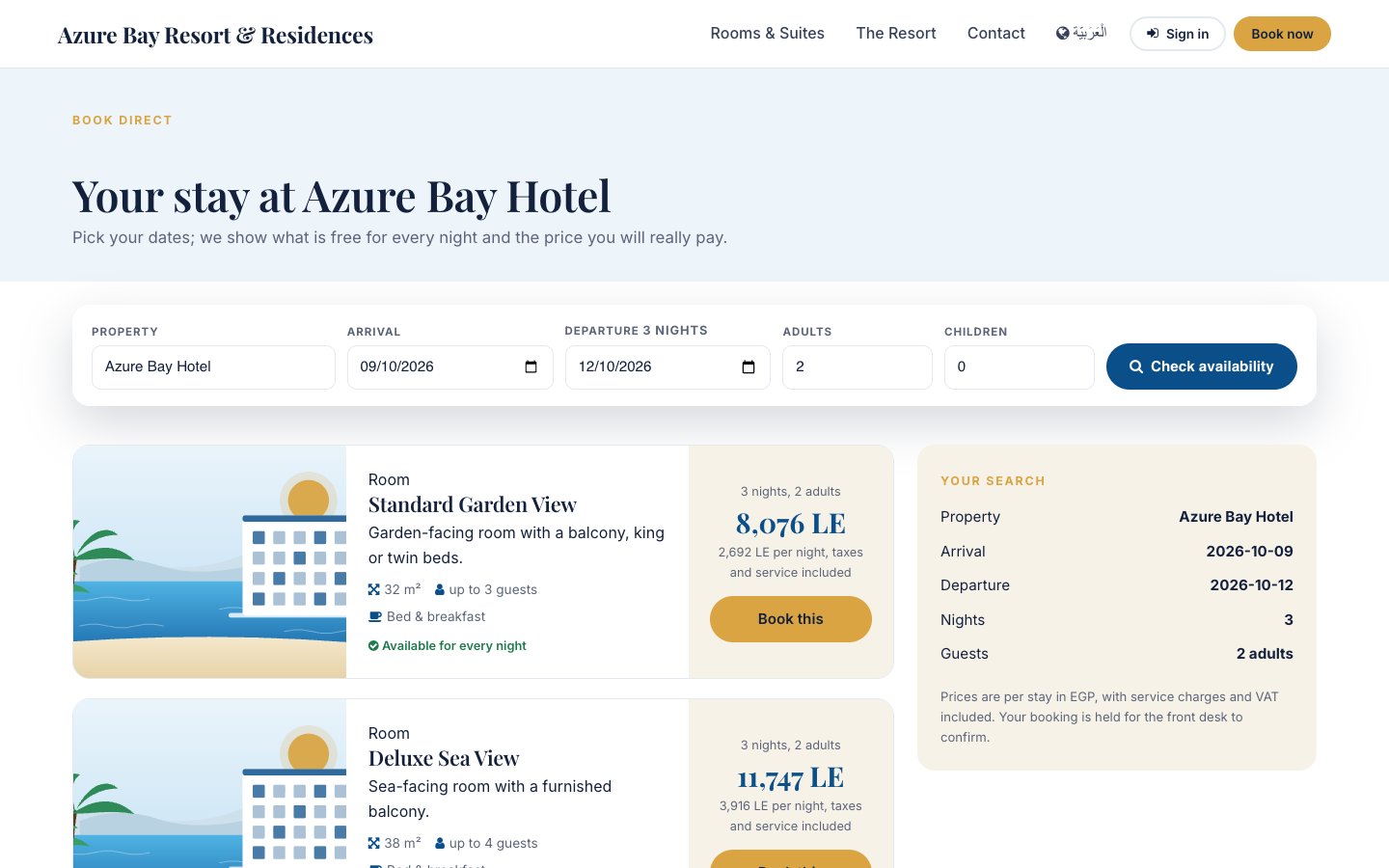
Every tenant has a public site at its own address, drawn from the records the property already keeps: the property's tagline, palette and contact, its unit types with their descriptions, amenities and prices, its published spaces and outlets. The booking page asks the same availability service and rate plans the front desk uses, quotes the total with service charges and VAT, and creates a real reservation the desk confirms — or confirms it on the spot when the property chooses so.
Where:Property › Properties › Website tab · Property › Unit Types (Sell online) · Property › Spaces (On the Website) · the site itself at /
Before you start
- On the property: tick On the Website, write the tagline and the intro, pick the two colours, choose Request to book or Confirm instantly, and the hold hours. A hero photograph and a logo are optional — without them the site draws its seaside illustrations.
- On each unit type: Sell online, a short description, the description, the amenities and an image. On each space you want shown: On the Website and a one-line blurb.
- A rate plan sold online (the default plan, or BAR): the site quotes its prices. Restrictions and minimum stays apply to the site exactly as to the desk.
How to
Publish the site
- Property › Properties › open the property › Website tab.
- Tick On the Website, fill the tagline, the intro and the map link, choose the colours.
- Open the site with the View Website button; every page is public at once.
Take a booking from the site
- The guest picks dates and guests, sees the unit types that are free for every night with the total, and fills in name, e-mail, phone and nationality.
- A reservation is created with source Website: a draft held for the hold hours (Request to book) or confirmed at once (Confirm instantly).
- The desk finds it under Reservations (filter by source Website, or the Web Bookings button on the property) and confirms it; the guest gets the reservation reference on a confirmation page they can bookmark.
Answer an enquiry
- The Contact page posts the message in the property's chatter and, when CRM is installed, creates a lead.
- Reply from the lead or the chatter; the guest's e-mail and phone are in the message.
Change what is sold online
- Untick Sell online on a unit type to take it off the site without touching the desk.
- Untick Sell online on a rate plan to keep it for agents; the site falls back to the next plan sold online.
- Close dates with a restriction: the site refuses them with the same message the desk sees.
Questions the desk asks
The site shows an illustration instead of our photos.
Upload the photographs: the hero on the property's Website tab, one per unit type (its image) and per space. The illustrations only fill the gaps.
Can guests pay online?
Not yet: nothing is charged on the site. The desk takes a deposit or a card on file when it confirms; card capture at booking arrives with the payment connectors.
We run two properties in one company.
Publish both: the site lists the accommodation of each, the booking widget lets the guest choose the property, and the first published property gives the site its colours and contact.
Where do web bookings show?
Reservations with source Website; the property form has a Web Bookings button. The chatter of each records who booked it and from where.
See also: Reservations and the tape chart Rate plans, rates, restrictions and allotments The property, its units and its fee rules