Front desk: arrivals, in house, departures
The desk works stays, not reservations: today's arrivals, who is in house, today's departures. Check-in captures identity, signs the registration card and issues the key; check-out settles the folio and issues the invoice.
Where:Front Desk › Arrivals · In House · Departures · Walk-in · Guest Requests · Lost & Found
Before you start
- Registration card wording under Property › Configuration › Settings.
- Payment methods and their journals under Billing › Configuration.
- Units clean and inspected by housekeeping.
How to
Check a guest in
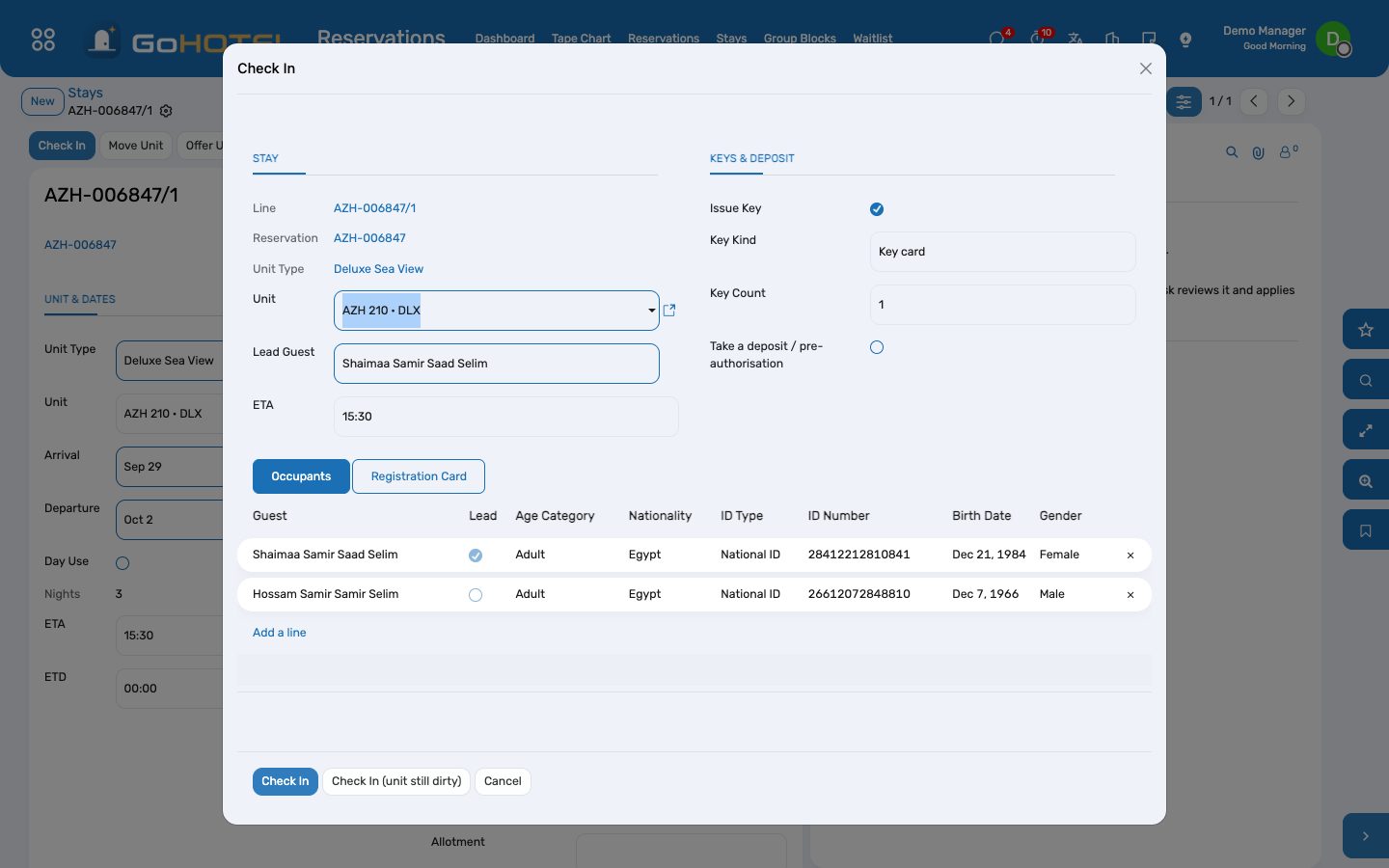
- Front Desk › Arrivals, open the stay, Check In.
- The wizard proposes a clean unit of the booked type; change it if the guest prefers another.
- Every adult needs an ID number and a nationality — the identity panel lists what is missing. Egyptians need the four-part name.
- Sign the registration card on the tablet, or let the guest sign at the kiosk (/kiosk) with the booking reference and family name.
- Issue the key, take the deposit or card pre-authorisation, Check In.
Check a guest out
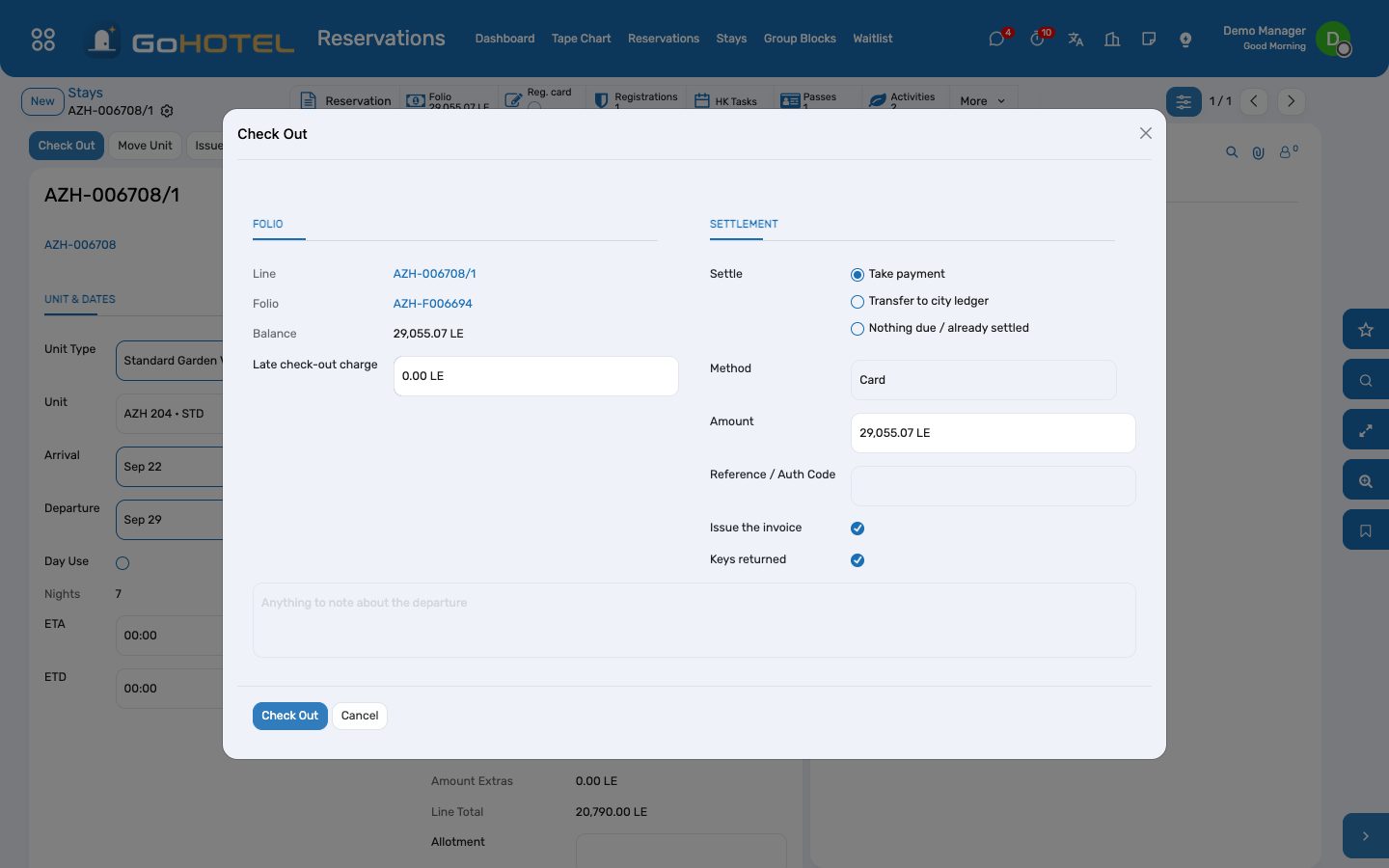
- Front Desk › Departures, open the stay, Check Out.
- The balance shows; take the payment (cash, card, transfer) or transfer to the company account for a bill-back.
- The invoice is issued and the payment matched to it; the key is returned; the unit turns dirty for housekeeping.
Walk-in
- Front Desk › Walk-in: guest, ID, unit type, nights, rate.
- Create & Continue confirms the reservation and opens the check-in wizard.
Guest requests, traces, wake-up calls
- Guest Requests: a towel, a taxi, a complaint — housekeeping and maintenance requests are handed to those apps automatically when they are installed.
- Traces: a note for a department due on a date ("VIP amenity before arrival").
- Wake-up calls on the stay's Desk tab.
Move a guest to another unit
- Open the stay, Move Unit: choose the vacant unit and the reason; an upgrade may change the nightly rate.
- The old unit turns dirty; the folio follows the guest.
Questions the desk asks
The guest lost the key card.
On the stay's Desk tab mark the key Lost and issue a new one; a lock connector deactivates the old card when one is installed.
Can the guest leave without paying?
Only through a bill-back to a company account that allows it, within its credit limit. Otherwise the check-out refuses until the balance is settled.
See also: Reservations and the tape chart Folios, charges, payments and the city ledger Housekeeping