Guest experience: journeys, upsells, loyalty, complaints and satisfaction
The guest seen whole — stays, nights, lifetime revenue, loyalty tier, satisfaction, next arrival — and everything the property does around the stay: the messages a guest hears before, during and after, the offers made on the way in, the points earned on the way out, the complaint that is owned and answered by a deadline, and the survey that turns into a score.
Where:Guest Experience › Dashboard · Guest 360 · Birthdays · Journeys · Journey Messages · Upsells · Complaints · Satisfaction · Loyalty Cards · Configuration
Before you start
- The property's e-mail address and phone (Property › Properties): they sign every message.
- For a dry run, tick Simulate Journey Sending on the property — messages are rendered and marked sent without leaving the property.
- The value of one loyalty point on the property (Value of One Point), used when points are redeemed.
How to
Read a guest at a glance
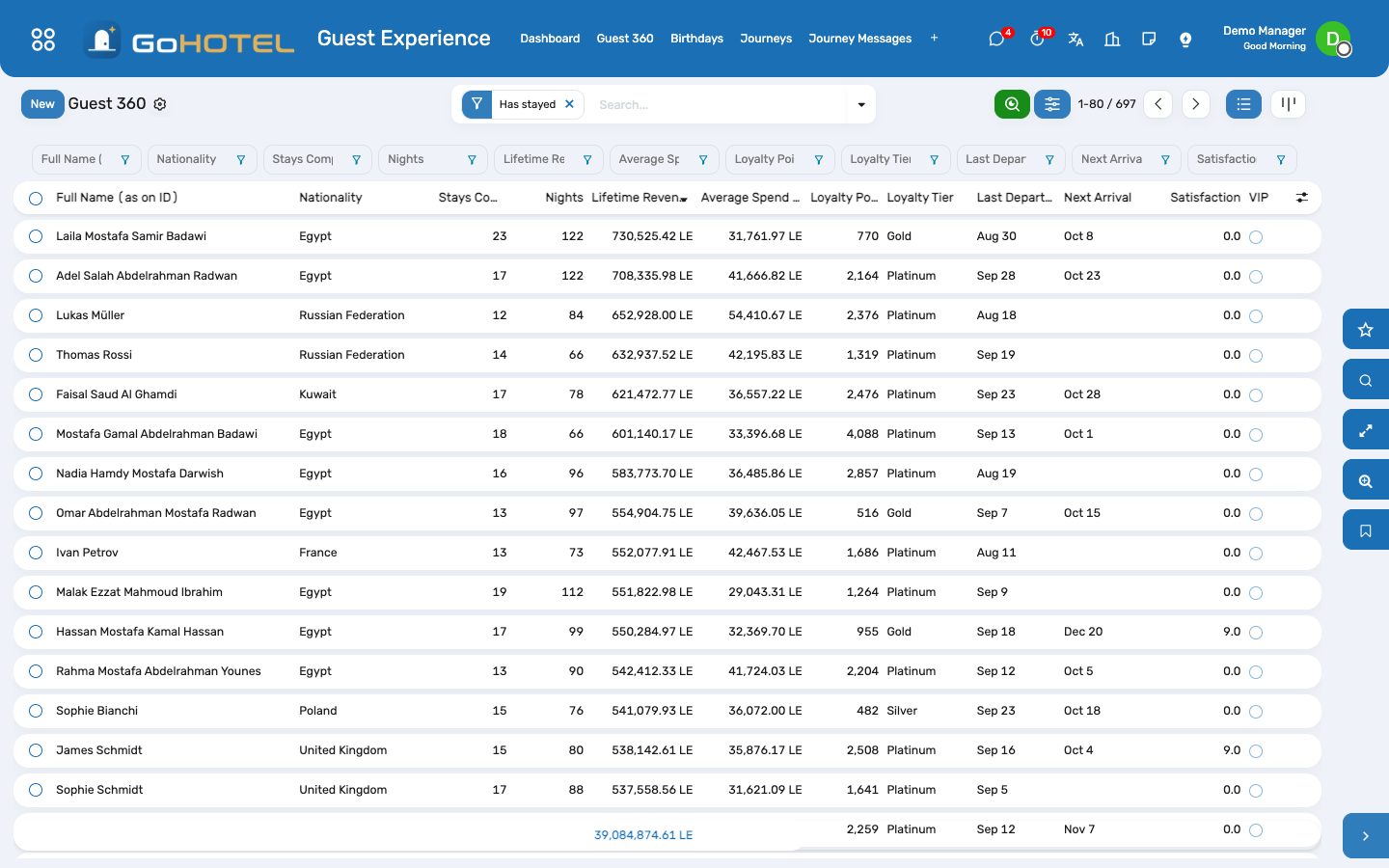
- Guest Experience › Guest 360: the list is sorted by lifetime revenue; filter VIP, Returning, In house, Arriving soon, Birthday this month, Loyalty members; group by tier or nationality.
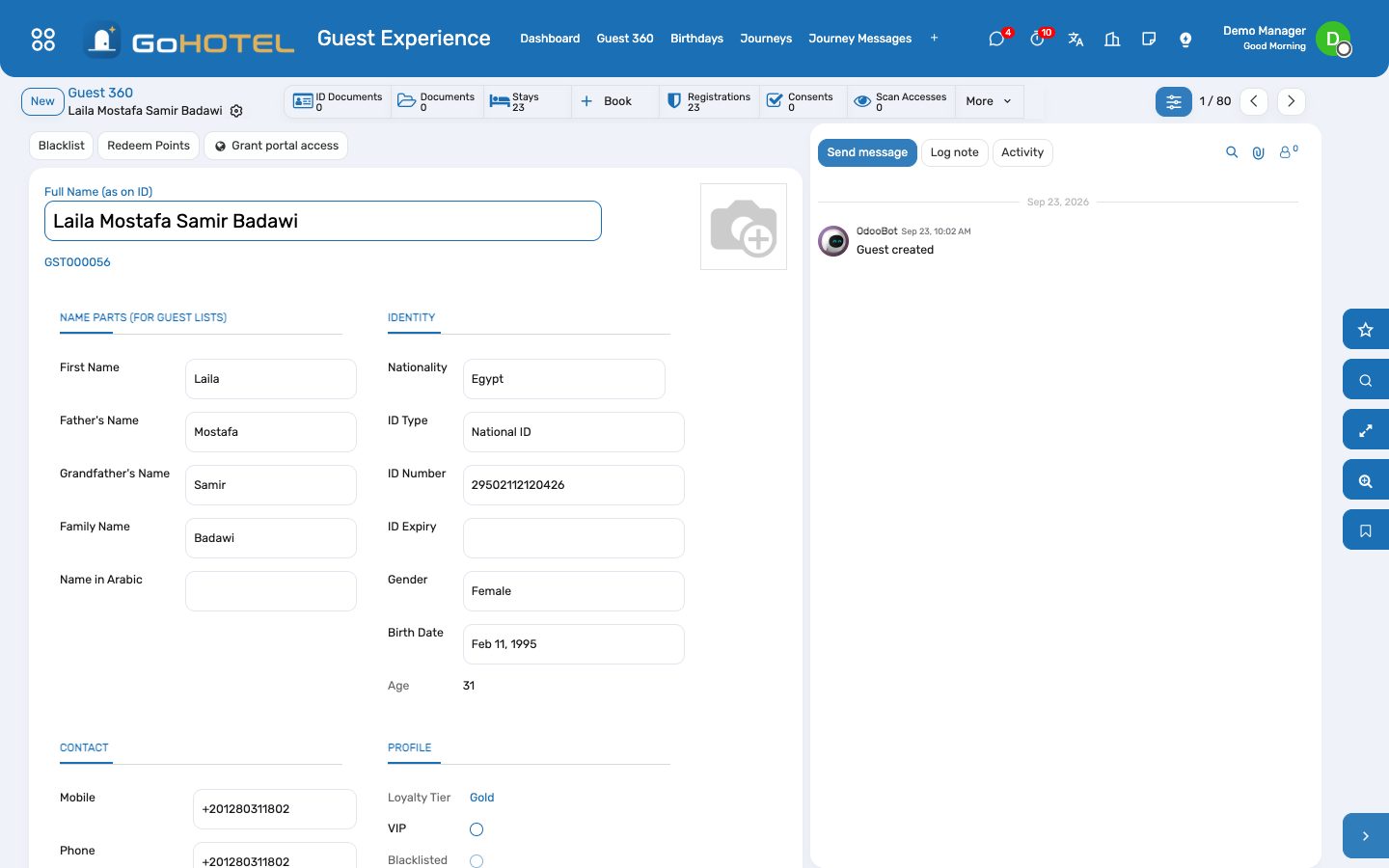
- Open a guest: the 360 page shows stays, nights, last departure, next arrival, lifetime revenue, average spend per stay, points and tier, satisfaction and open complaints, with every stay listed underneath.
- The smart buttons open the guest's upsells, complaints, requests, journey messages, satisfaction scores and loyalty card.
Build a journey
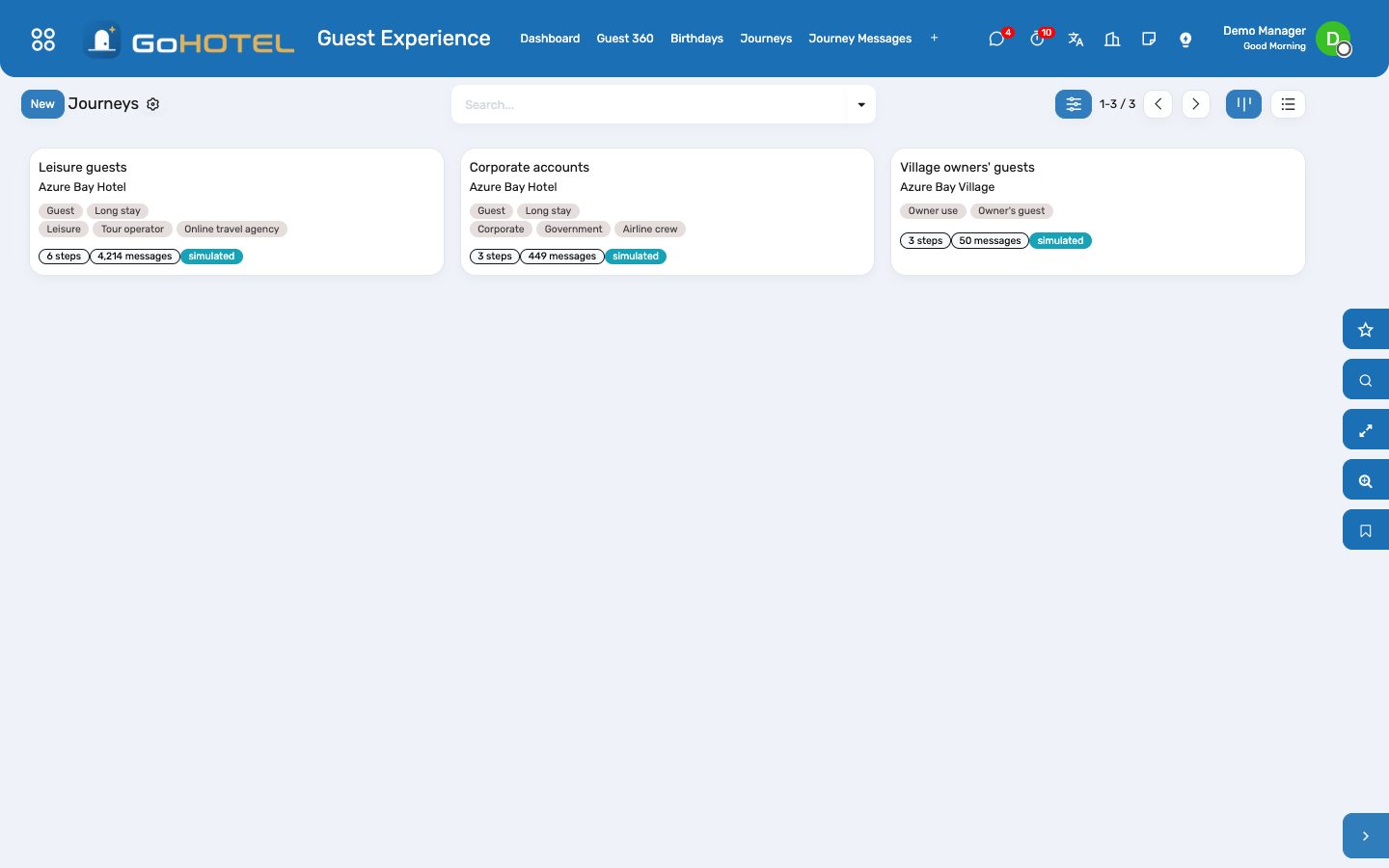
- Guest Experience › Journeys › New: the property, the reservation kinds and segments it applies to (empty means all).
- Add steps: when (N days before arrival, on confirmation, at check-in, N days after arrival, at check-out, N days after departure, with a local send time), how (e-mail with a template or a text, SMS, WhatsApp), and the text with its placeholders — {first_name}, {property}, {arrival}, {unit}, {checkin_time}…
- Mark a step Marketing when it is not about the stay itself: it is skipped for guests who did not give marketing consent.
- Apply to Current Stays schedules the journey for the stays already on the books; from then on reservations plan their own messages as they are confirmed, checked in and checked out, and the daily run sends what is due.
- Journey Messages shows the queue: sent, queued, failed (no address, no number) and skipped; Send Now, Skip and Queue Again act on one message; the calendar shows the week.
Offer and accept an upsell
- Configuration › Upsell Offers: an upgrade (to which unit type), an early check-in or late check-out (at what time), a package, a transfer, a spa treatment — with its product, price (per stay, per night or per person), the unit types it applies to and the window around the arrival in which it is offered.
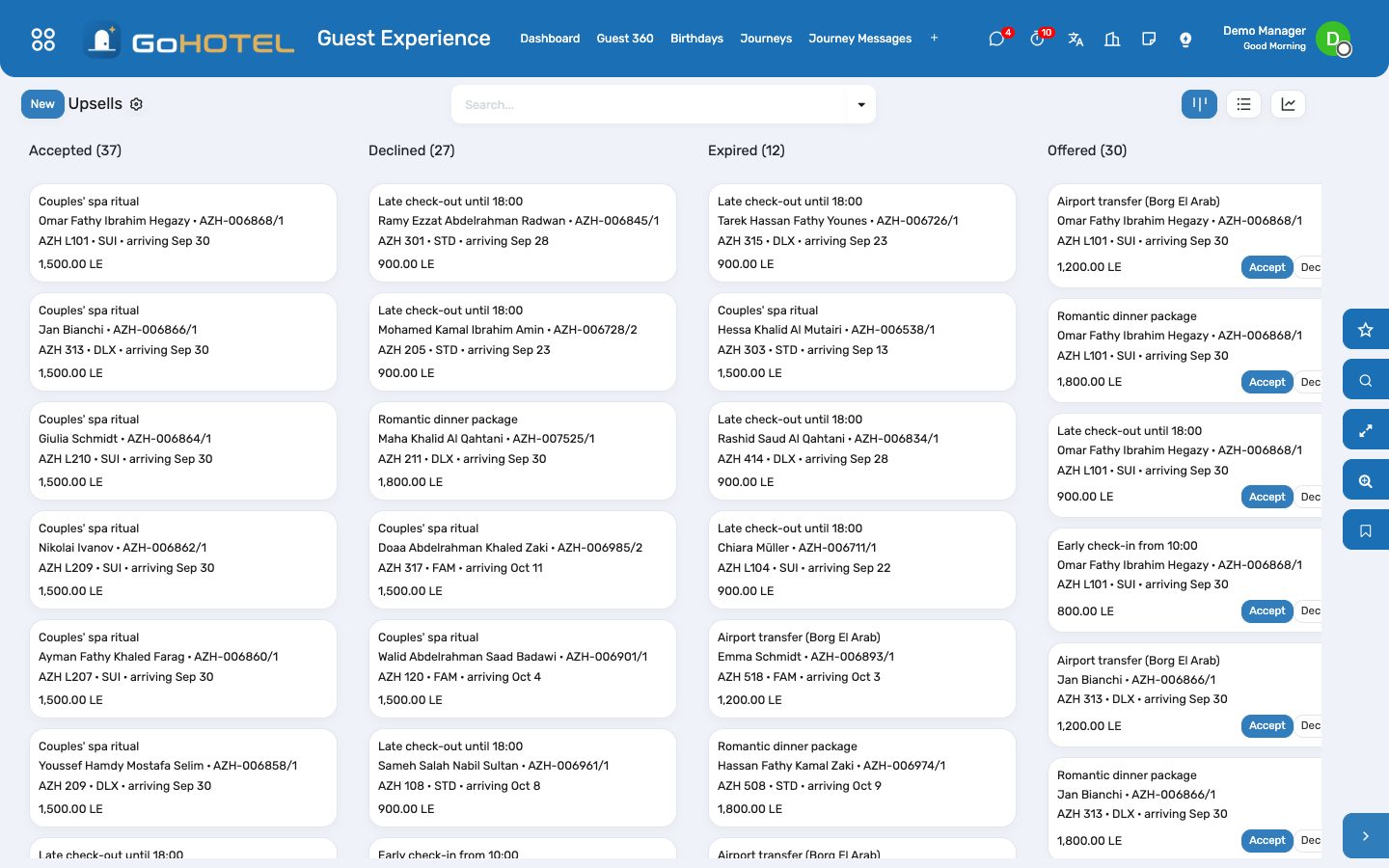
- On a stay, Offer Upsells creates every applicable offer; the Upsells board shows them offered, accepted, declined or expired (an unanswered offer expires after the hours set on the offer).
- Accept: the charge is posted on the stay's folio through the charge engine — the property's fees and VAT follow — and the offer takes effect: the ETA or ETD on the stay, or the move to the higher unit type at the contracted rate plus the supplement.
Loyalty points and tiers
- Configuration › Loyalty Program: the GoHotel Stays program earns points per night (the accommodation category rule) and per currency unit spent (the money rule); change the amounts there.
- At check-out the stay credits the guest's card: nights × points per night plus settled revenue × points per unit; the loyalty card's history keeps the statement.
- Configuration › Loyalty Tiers: Blue, Silver, Gold, Platinum with the points that reach them and the benefits the desk grants; Recompute Guests' Tiers after changing a threshold.
- Redeem Points on the guest posts a credit on an open folio at the property's value per point.
Own a complaint
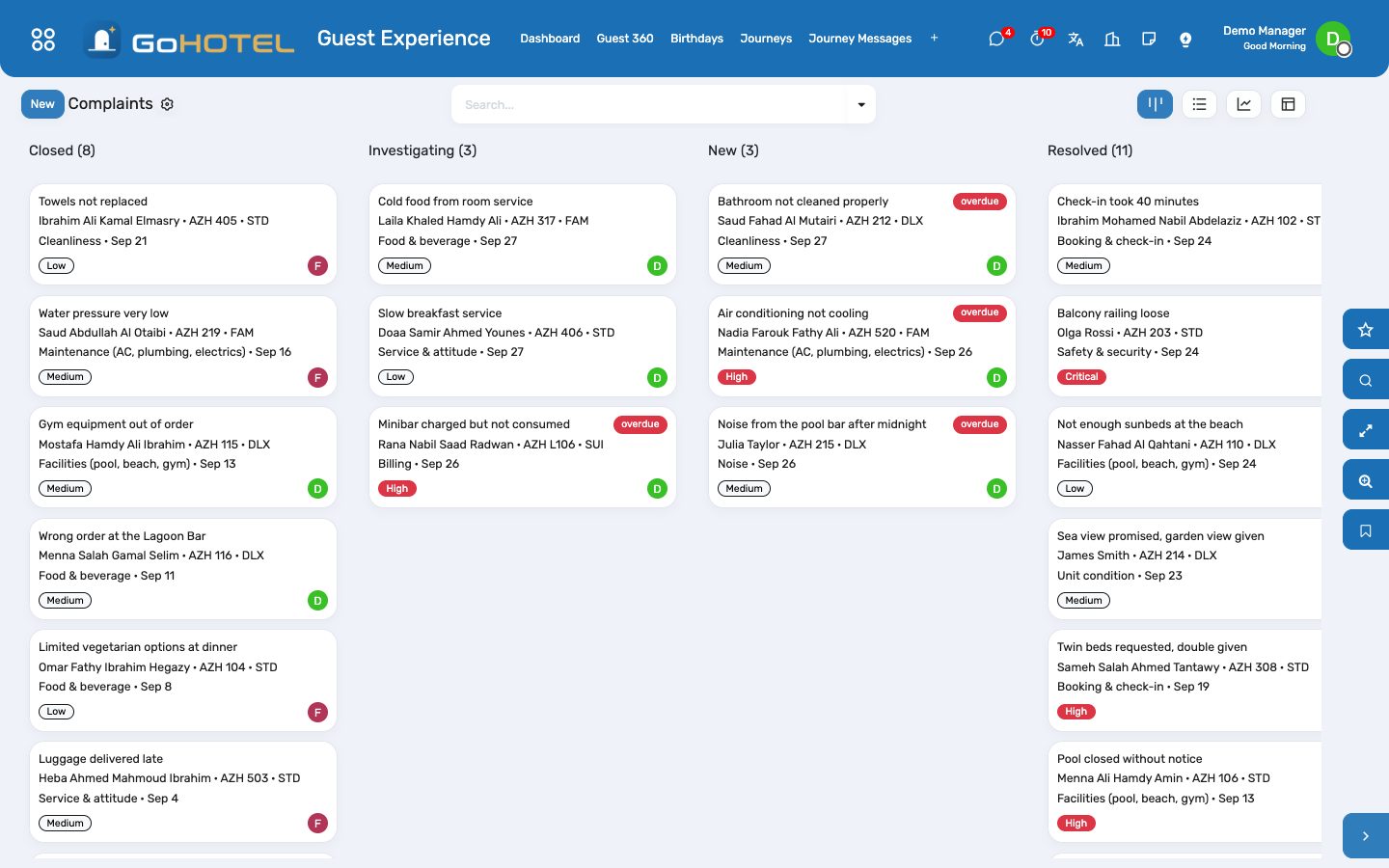
- Guest Experience › Complaints › New: the guest and stay (the unit fills in), category, severity — the SLA follows it: critical 4 hours, high 24, medium 48, low 72 — the owner and what the guest reported.
- Investigate, then Resolve with the resolution and the root cause; Close when the guest has heard back. Overdue complaints are flagged on the board and on the dashboard.
- Compensation: enter the amount and Post Goodwill Credit — a negative charge on the stay's folio with the Goodwill product, VAT adjusted, once.
Satisfaction and NPS
- Every check-out invites the guest to the post-stay survey (Configuration › Post-stay Survey: five questions, the first the 0–10 recommendation question); the invitation is a journey message of channel e-mail.
- An answered survey becomes a score under Satisfaction; a score heard at the desk or read in an online review is entered by hand.
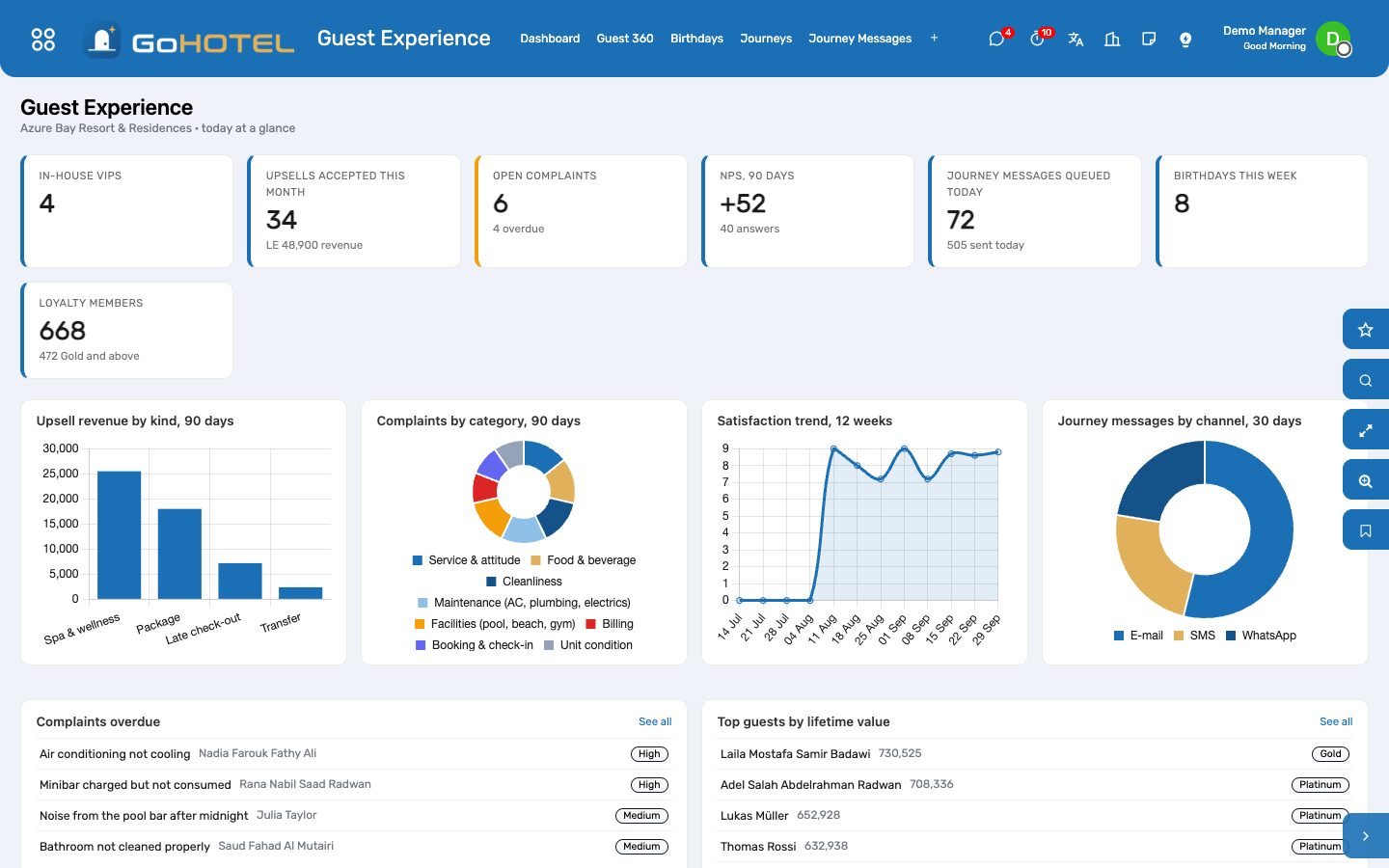
- The dashboard shows the NPS of the last 90 days — promoters (9–10) minus detractors (0–6) over all answers — and the weekly trend.
Birthdays
- Guest Experience › Birthdays: guests with a birthday in the next 30 days, in-house ones highlighted; the dashboard counts this week's.
Questions the desk asks
A journey step was sent to a guest who cancelled.
It is not: cancelling or a no-show skips every queued message of the stay. A message already sent stays sent.
Does WhatsApp actually send?
The message is rendered and handed to the WhatsApp connector (state Handed to WhatsApp); the connector delivers it when installed and connected. In simulation it is simply marked sent.
The upgrade re-prices the whole stay.
It does not: the stay keeps its contracted nightly rate as an override; the supplement is the upsell charge.
Can a compensation go on a closed folio?
No — the credit needs an open or settled folio. After departure, refund the guest through a payment instead.
See also: Guests and accounts Front desk: arrivals, in house, departures Folios, charges, payments and the city ledger