The assistant
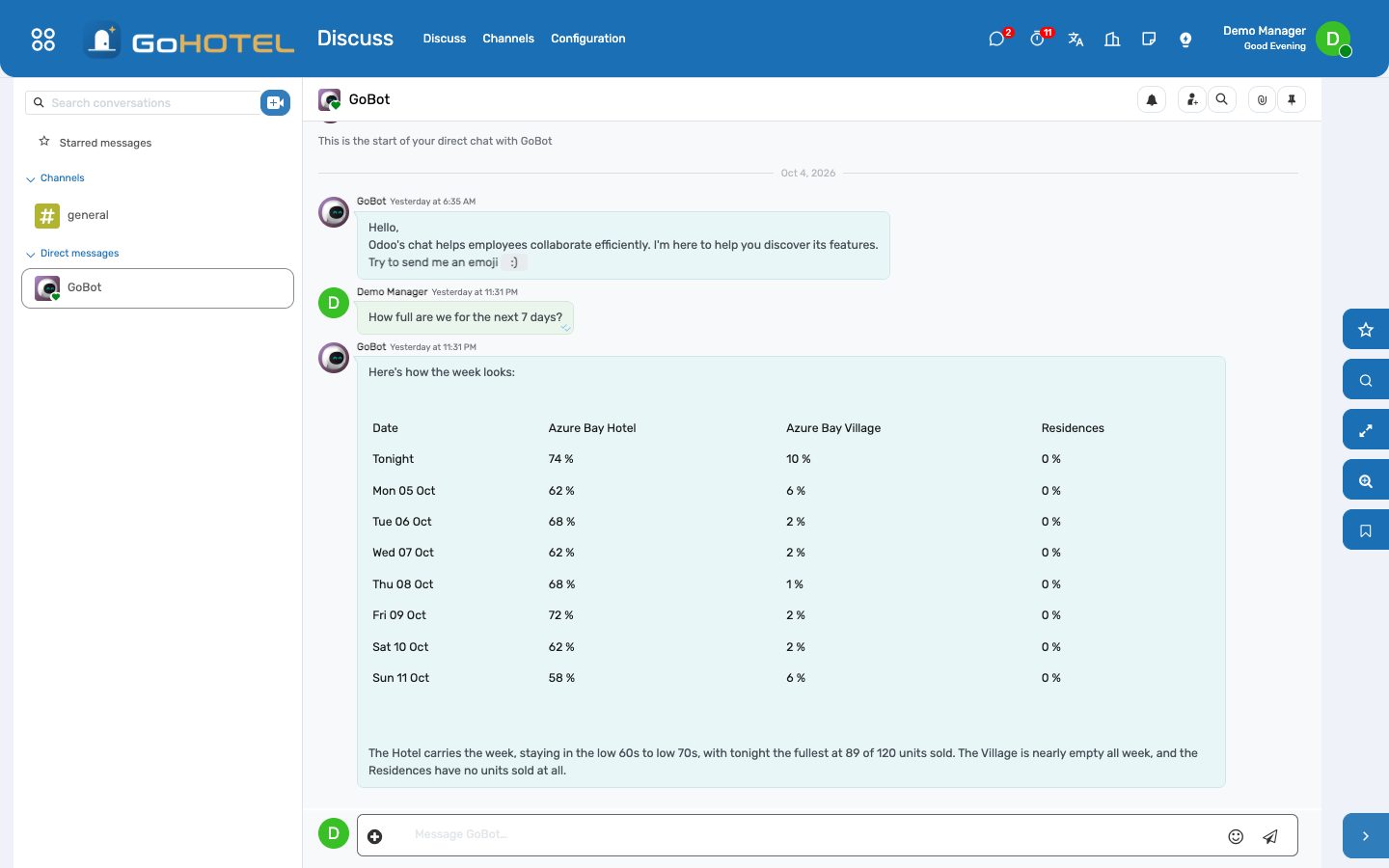
Ask the property a question in plain words, in Arabic or English, in a chat with the assistant in Discuss — how full are we next week, who arrives today, what does room 214 owe, revenue this month, which units are dirty, what is out of order, who owes us on the city ledger, tonight's rate, did the night audit run — and get the answer from the property's own data, with the rights you already have. A connected language model can put the same tools together for harder questions; without one, the assistant still answers these ten from the data.
Where:The GoBot bubble on every screen · Discuss › your chat with GoBot · AI Assistant › Dashboard · Conversations · Chat (developer) · Configuration › Property Tools · Providers
Before you start
- Nothing, to start: the ten property tools are switched on at install and answer without any AI provider (Configuration › Providers is empty or unreachable — the assistant then matches your question to a tool by its keywords).
- To let a language model combine the tools and answer free questions about the whole database: Configuration › Providers — an OpenRouter key with a model chosen from its list (see Connect a language model), an OpenAI or Anthropic key, or a self-hosted Ollama that supports tool calling; mark one Default and Test Connection.
- Rights: every internal user can chat. Guests' names are given to front-desk, reservations, guest-relations, billing, night-audit and manager roles; other roles get counts. The city ledger needs a right on invoices; the night audit its own.
- Questions sent to a language model are capped per person per hour, so a shared login cannot run up the bill: Settings › Technical › System Parameters › gl_ai_agent.messages_per_hour (0 removes the cap). Assistant administrators are not capped, and answers read straight from the property's data never count.
How to
Ask a question
- Click the GoBot bubble in the bottom corner of any screen — or Discuss › your chat with GoBot under Direct messages. Write the question as you would say it — "How many arrivals today?", "ما رصيد الغرفة 214؟", "occupancy next week", "who owes us on the city ledger" — and send it.
- The answer arrives in the same chat when it is ready — seconds when it is read from the data, up to a minute when a language model puts tools together — so carry on meanwhile. It is one or two sentences and, where several figures belong together, a small table; amounts are in the property's currency and dates carry the weekday.
- Name the property when you run more than one — "in the village", "at the hotel", "AZR" — otherwise every property you may see is answered together.
- The assistant answers only in your own chat with it, never in a group channel, and your conversation is yours alone; AI Assistant › Conversations keeps every question and answer.
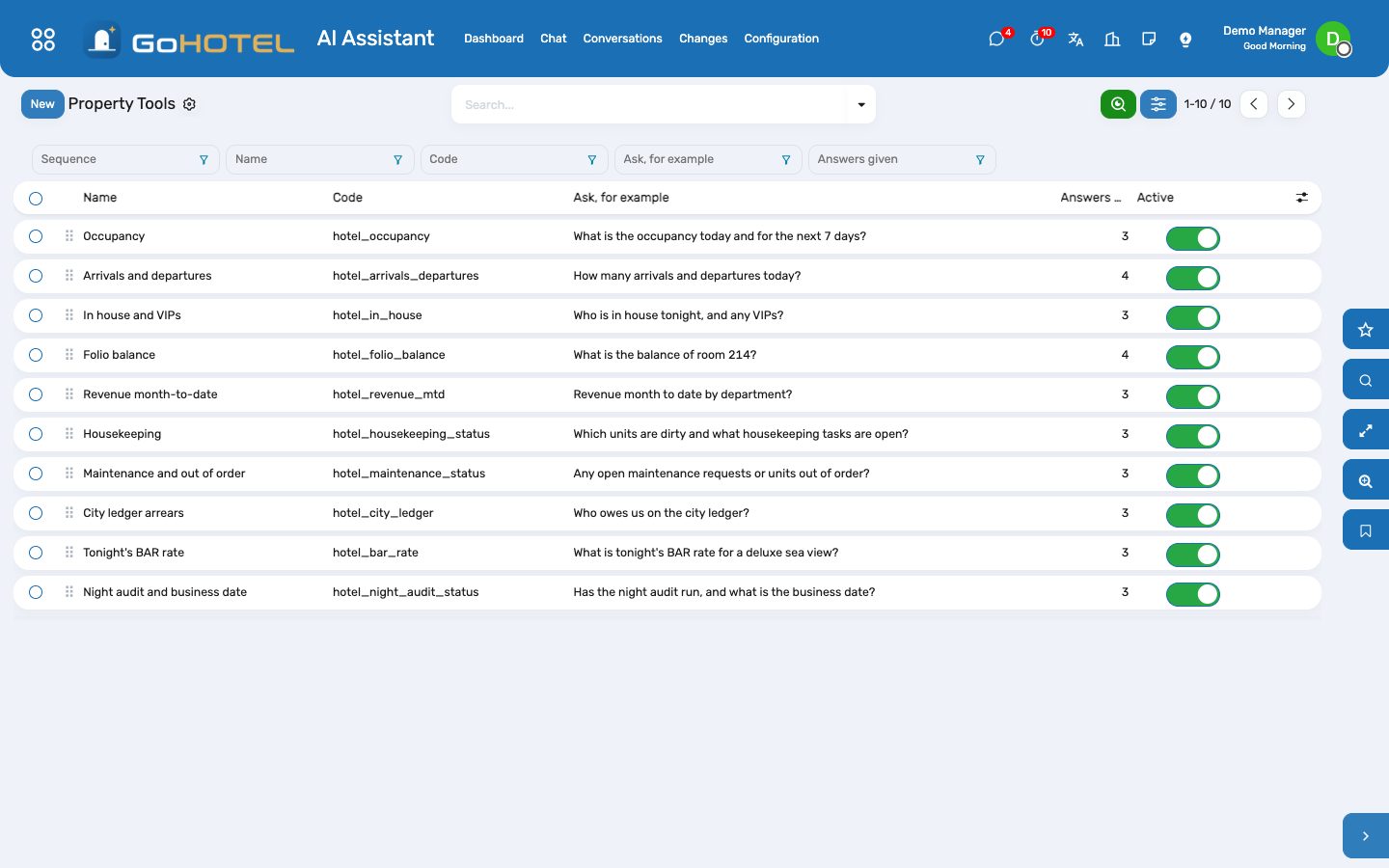
The ten questions the property always answers
- Occupancy tonight and the coming days per property, with units sold and stays in house.
- Arrivals and departures today — expected, already checked in or out, and who they are with unit and nights.
- In house tonight — stays, adults and children, the VIPs with their units.
- A folio balance by unit number or by the guest's name: charges, paid, deposits held, balance due.
- Revenue month-to-date by department, net of VAT, with fees and VAT stated separately.
- Housekeeping — dirty, clean, inspected and out-of-order units, today's open tasks by type, the dirty units.
- Maintenance — open work orders with the urgent ones first, and the units out of order or service with the reason and the return date.
- City-ledger arrears — what each company, agent or tour operator owes and how much is overdue.
- Tonight's BAR rate per unit type (or one type, or another date) on the property's rate plan.
- The night audit — the business date, the last audited date with its occupancy, revenue and exceptions, and whether tonight's audit still has to run.
See what was read
- AI Assistant › Conversations › open the conversation: each answer with the tool that produced it and exactly what it returned — the way to check a figure rather than trust it.
- In developer mode, AI Assistant › Chat (developer) is the older chat panel, with the same trace under each answer.
- AI Assistant › Dashboard counts questions per day and answers per tool for the property.
Teach the assistant a word
- AI Assistant › Configuration › Property Tools › open the tool. Keywords are what picks the tool when no language model is connected: add the words your people use — "chalets", "الشاليهات", "the house count".
- A phrase of several words outweighs a single word, so "outstanding balance" goes to the folio balance and "outstanding" alone to the city ledger.
- Try it runs the tool on a question of your choice with your own rights, so you see exactly what a colleague would get.
- Switch a tool off to keep it from the assistant altogether — the model is not offered it and the keywords no longer match.
Connect a language model
- Configuration › Providers › New, type OpenRouter, paste the key, then Load Models: Choose a Model lists every model that can use the property tools, with its price per million tokens in and out and its context size — search by name or vendor, or open Models and filter Free or Paid.
- Test Connection checks the key and, for OpenRouter, shows what is left on it. Mark the provider Default.
- Keep more than one: when the provider answering a question fails, the next active provider in the list answers it — put a hosted model first and a workstation model last.
- Settings › Technical › System Parameters: gl_hotel_ai.mode is "auto" — a model answers when a provider is usable and the property tools answer otherwise; "online" always sends; "offline" never does.
- With a model connected, the Morning briefing skill (AI Assistant › Skills) reads the five morning tools in order and writes the day in five lines; the model may also propose changes, which wait for your approval under Changes.
- If no provider answers, a hotel question is still answered from the data and the answer says so.
Questions the desk asks
The assistant says it could not find a tool for my question.
Without a language model it only answers the ten property questions. Rephrase with one of the words on the tool, or add your word to the tool's keywords under Configuration › Property Tools.
It answered "Refused".
The tool reads with your own rights: the city ledger needs a right on invoices, the night audit the night-audit or manager role. Ask your administrator, or ask something within your role.
Can it change a reservation or post a charge?
No. Every property tool reads only. A connected model can propose a change, which waits under Changes until a person applies it with their own rights.
Is anything sent outside the property?
Only when a language model answers, and only the conversation: the question and what the tools read go to the provider that answers it. A model on a server you run keeps them in your network; a hosted service — OpenRouter, OpenAI, Anthropic — receives them. In offline mode, nothing leaves.
Which "today" does it use?
The calendar date in your timezone for arrivals, departures and tasks — the same as the front-desk boards; the property's business date for tonight's rate and the night audit.
It says I have used my questions for this hour.
Questions to a language model are capped per person per hour, so a shared login cannot run up the bill. A hotel question past the cap is still answered from the data; ask your administrator to raise gl_ai_agent.messages_per_hour if the cap is too low for your team.
See also: Front desk: arrivals, in house, departures Folios, charges, payments and the city ledger The night audit and the business date