Facilities and club memberships
Courts, cabanas, pool slots, meeting rooms, the clubhouse lounge and gym classes are booked by the slot — for an in-house guest, a club member, a resident or an owner. The facility carries the rules: slot length, opening hours, capacity per slot, booking window, weekly quota and a price per audience. A guest's slot is charged to the folio, a member's, resident's or owner's slot is invoiced, a membership entitlement makes it free; a no-show posts the fee the same way.
Where:Facilities › Dashboard · Book a Slot · Bookings · Calendar · Facility Board · Memberships · Configuration
Before you start
- Spaces under Property › Spaces — a facility books a space (a class can share the gym with another class).
- A service product per price: the taxes on the product are the VAT on the charge and on the invoice (Facilities › Configuration › Products).
- The property's fee rules decide whether a service charge applies to facility charges — a rule that applies to "every charge" adds it, a rooms-and-outlets rule does not.
How to
Set up a facility
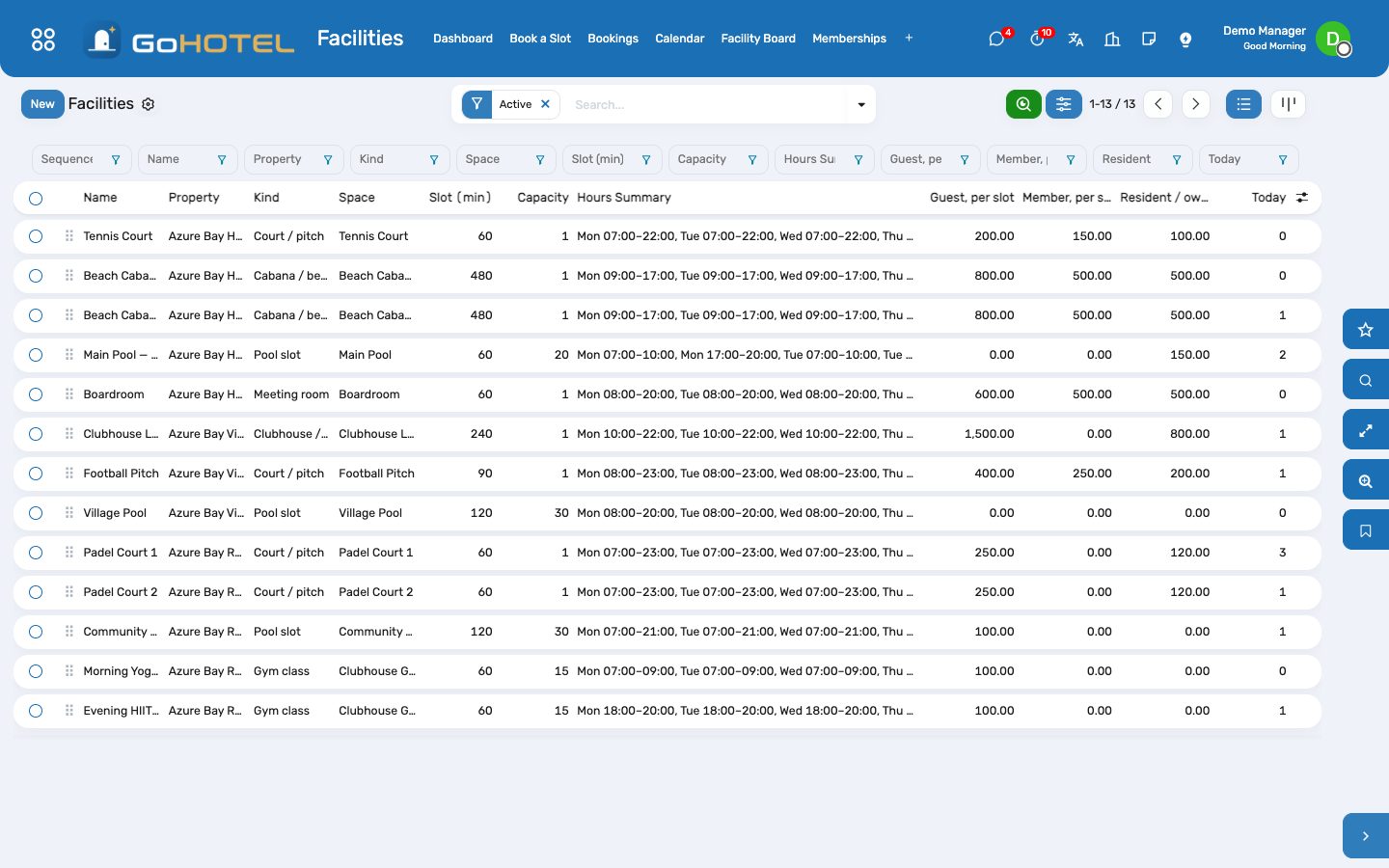
- Facilities › Configuration › Facilities › New: name, property, the space it books, the kind (court, cabana, pool slot, meeting room, clubhouse, gym class).
- Slots: the slot length in minutes; capacity per slot and whether it counts the facility as a whole (a court, a cabana, the boardroom) or people (a lap-swim slot, a class); the booking window in days ahead; whether a waiver must be signed.
- Opening Hours: one line per weekday and span — no lines means open all day, every day; a weekday without a line is closed. The slot grid steps the slot length through each span.
- Prices & Fees: the product a guest pays per slot, the one a member pays when no entitlement covers it, the one a resident or owner pays; a missing or zero-priced product means free. The deposit to collect and the no-show fee product.
- Weekly Quotas: how many slots one booker of each audience may hold per week (Monday to Sunday).
Book a slot
- Facilities › Book a Slot: pick the facility and the date; every slot of the day is listed with what is free and what it costs this booker.
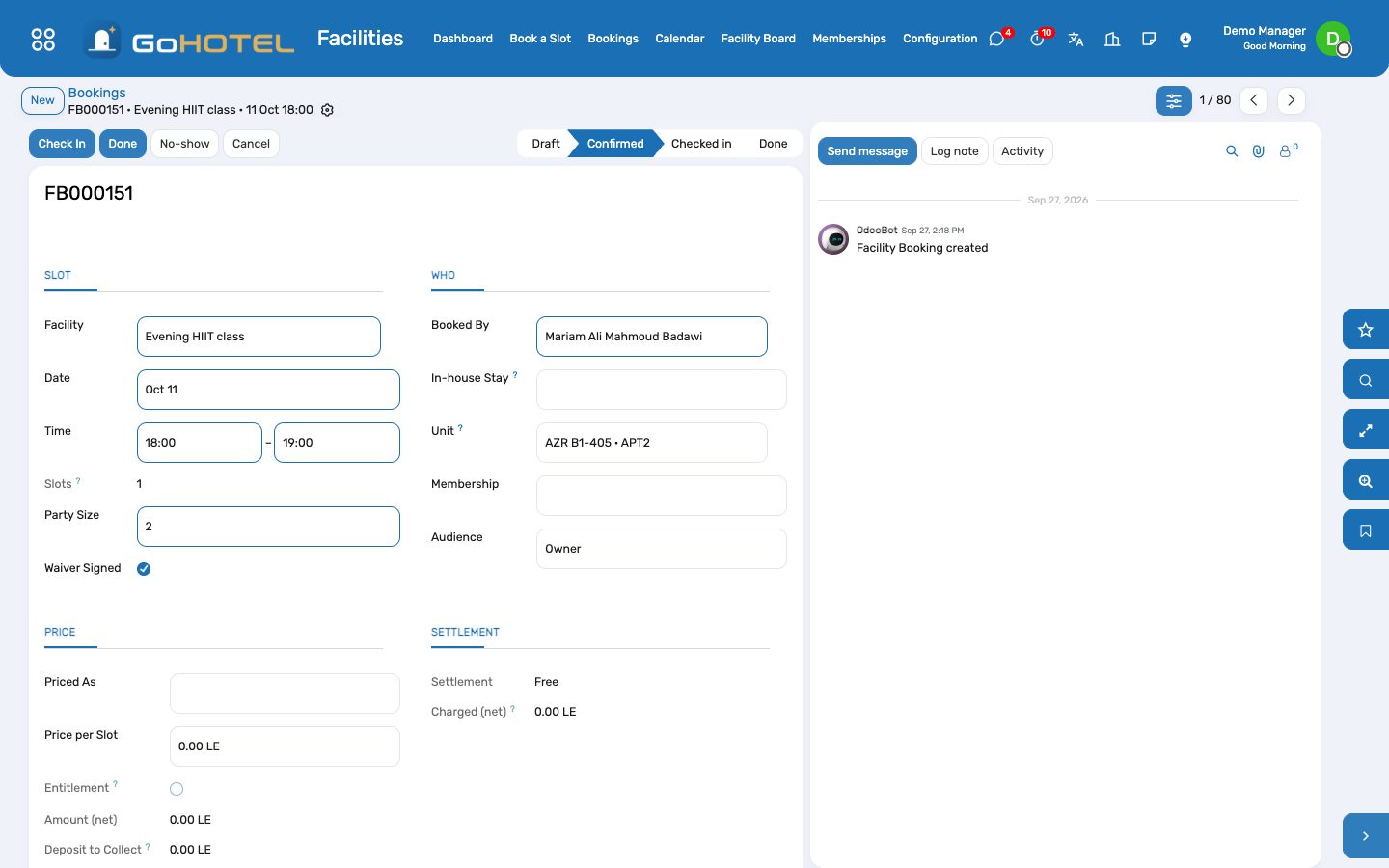
- Say who it is for: the contact, and when it applies the in-house stay (the charge goes on its folio), the unit (a resident or an owner) or the membership. Typing the contact fills the rest when it can — an active membership, an in-house stay, an owned unit.
- Tick one or more free slots and click Book: each becomes a confirmed booking, settled at once — charged to the folio, invoiced, or free — and the booking opens.
- A slot outside the hours, beyond the window, over the capacity or over the audience's weekly quota is refused with the reason.
Run the day
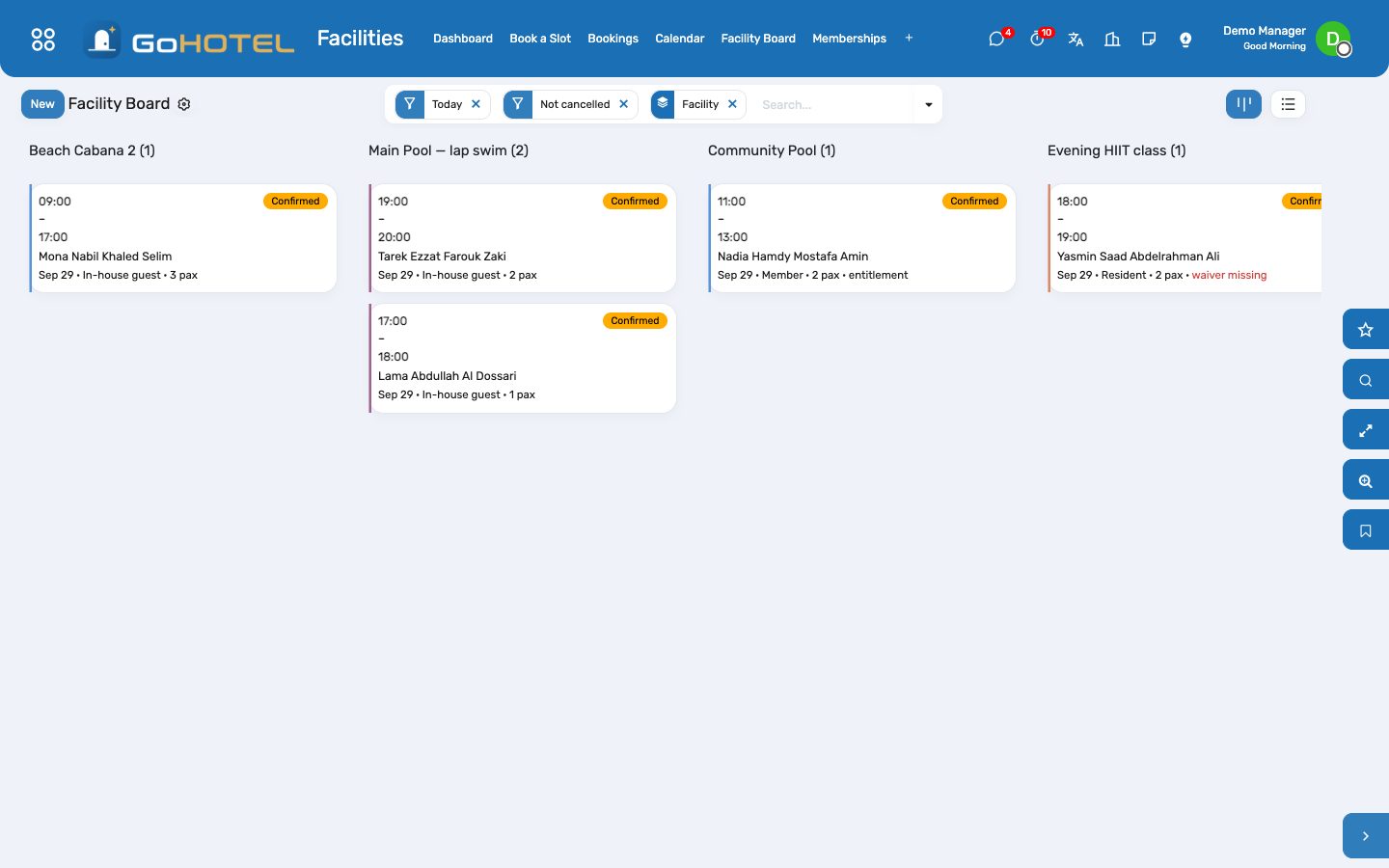
- Facility Board: today's bookings by facility. Check In when the party arrives (the waiver must be signed where the facility asks for one), Done when the slot is over.
- No-show: the booking is marked, the slot's own charge is withdrawn if it was never invoiced, and the no-show fee is posted to the folio or invoiced.
- Cancel withdraws what the booking posted: the folio charge is cancelled, a posted invoice gets its credit note.
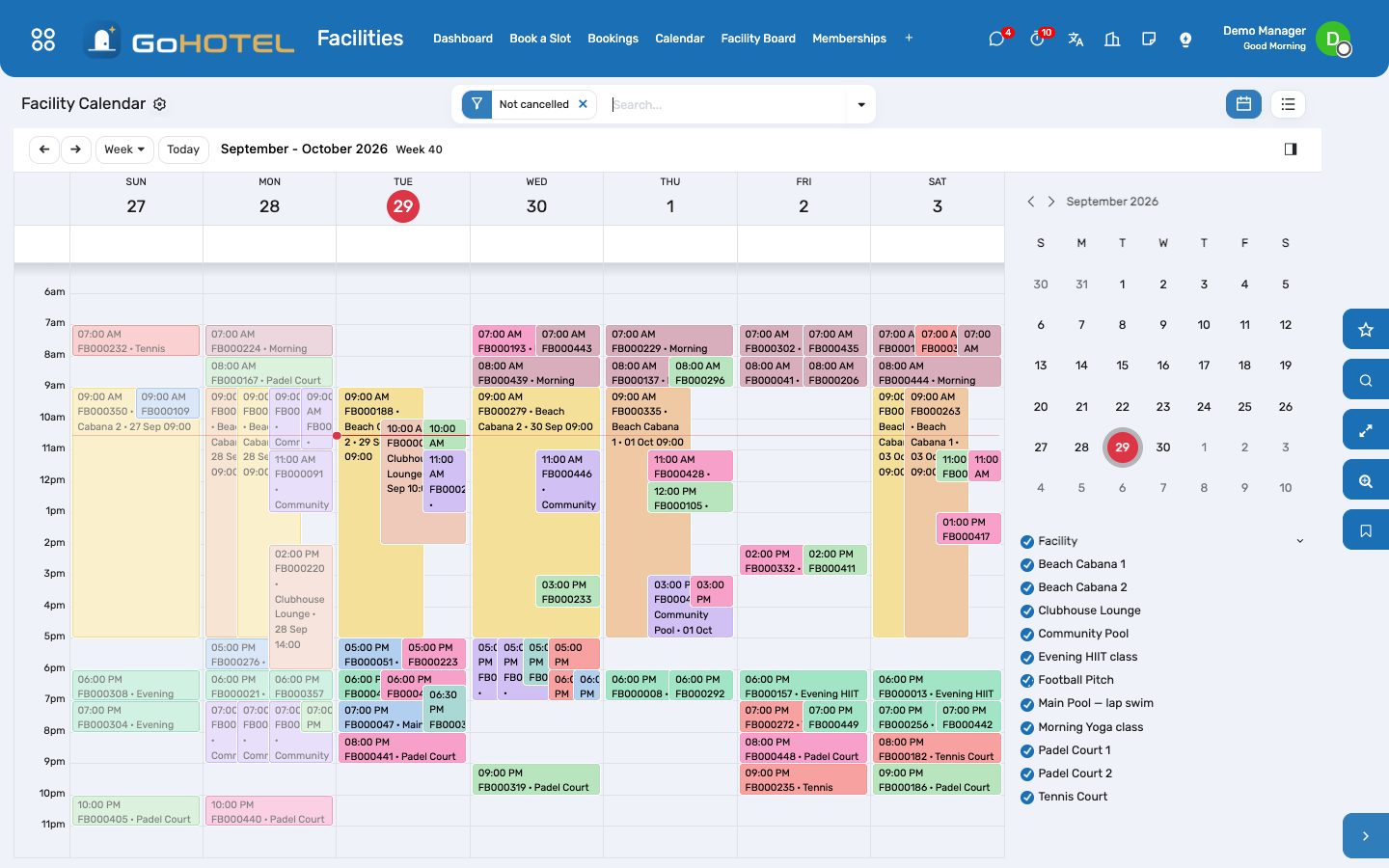
- Calendar: the week by facility, one colour each; drag is off on purpose — the checks run on the form.
Memberships
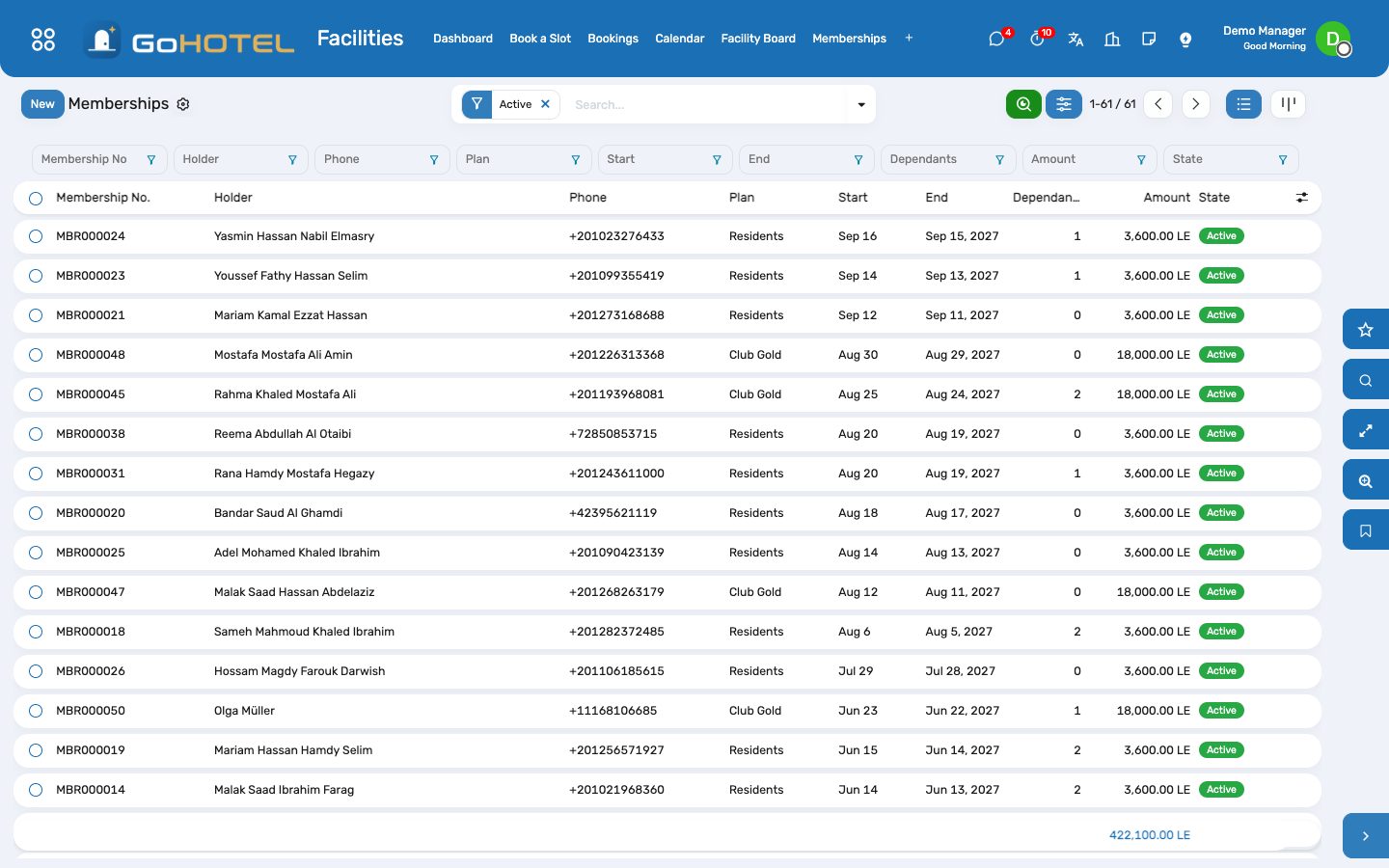
- Facilities › Configuration › Membership Plans: duration in months, the price product, entitlements (free slots per week or month on each facility; zero means unlimited), dependants allowed and the family flag (dependants use the entitlements too).
- Facilities › Memberships › New: the holder, the plan, the start (the end follows the duration), the dependants, the unit for a resident or owner. Activate issues the customer invoice for the plan and the card with its QR code — the number the desk scans.
- Find a Member looks a membership up by number, name, phone or e-mail; Book from there.
- Memberships expire by themselves at the end date (a daily job); Renew opens a draft on the same plan starting the day after.
Questions the desk asks
Why did the court booking carry no service charge?
Fees follow the property's fee rules. The Egypt preset applies the service charge to rooms and outlets; add a rule that applies to every charge, or one for the recreation department, and the engine adds it — the module never computes a fee itself.
Can two parties share a slot?
When the capacity counts people, yes — up to the capacity; a court or a cabana booked as a whole holds one party per slot.
A resident is not the owner of the unit.
Pick the unit anyway: a booker who is not the unit's owner is a resident and pays the resident price; when the Community pack is installed its resident register is read as well.
Where is the revenue?
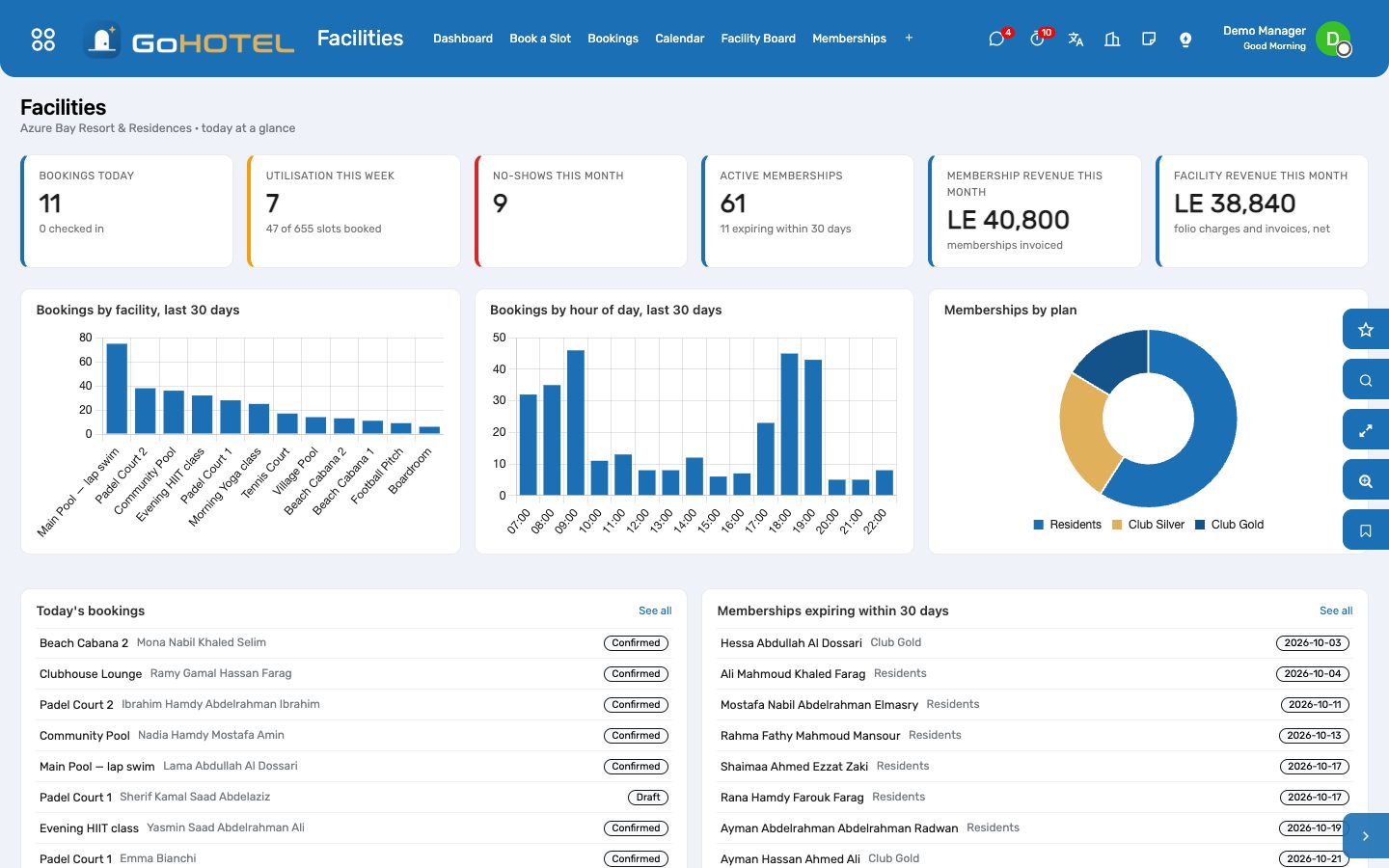
Facilities › Dashboard shows facility revenue (folio charges and invoices, net) and membership revenue for the month; Accounting has the invoices, and the folio charges reach the invoice at check-out under the Spa & Recreation department.
See also: Folios, charges, payments and the city ledger The property, its units and its fee rules